
 Need help?
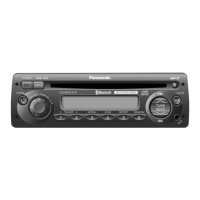
Do you have a question about the Panasonic CQ-5109U and is the answer not in the manual?
Details safety precautions for operating the unit, including driver distraction and power supply.
Outlines safety precautions during installation, such as disconnecting the battery and avoiding airbag interference.
Explains pictographs for important operating and installation instructions, warning of severe injury or death.
Provides cautions for using the unit, like volume levels, preventing finger entrapment, and avoiding direct sunlight.
Lists cautions for installation, such as referring to qualified personnel and using designated parts.
Warns about laser product hazards and includes USA-specific FCC compliance information.
Provides contact information for customer service and accessory purchases.
Details the warranty coverage, limits, and exclusions for the product.
Describes the front AUX terminal for connecting external audio devices.
Explains sound quality adjustments like SQ (Sound Quality) presets.
Details SiriusXM Satellite Radio service, tuner requirements, and compatibility notes.
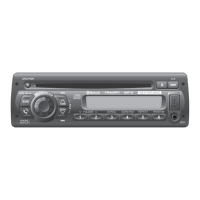
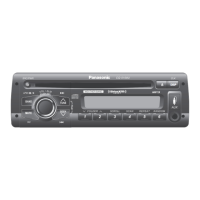
Identifies primary controls for source selection, power, band switching, volume, and display functions.
Covers buttons for media playback, track/folder navigation, and playback modes.
Details controls for sound quality, radio tuning, AUX input, and preset station selection.
Instructions for powering on the unit for the first time.
Step-by-step guide for setting the clock time and display options.
Explains how to switch between different audio sources like Radio, CD, AUX, and SiriusXM.
Details how to turn the unit on and off and manage power states.
Instructions for adjusting audio volume and using the mute function.
Explains how to select different sound presets like FLAT, ROCK, POP, and VOCAL.
Details how to adjust bass, treble, balance, and fader levels for audio output.
How to switch radio bands and change display information.
Instructions for manual tuning, auto preset memory, and manual preset saving.
Steps to tune into NOAA weather band broadcasts and station lists.
How to pause playback and navigate between tracks or files.
Instructions for inserting and removing discs from the player.
How to select folders for MP3 file playback.
How to change playback display and use scan, repeat, and random modes.
Explains folder repeat and random play options for MP3 files.
Instructions for connecting the tuner, checking Radio ID, and activating the service.
How to select channels and unlock parental-locked channels with a passcode.
How to select channels by category and navigate available channels.
How to change the metadata displayed for SiriusXM channels.
How to access and navigate SiriusXM function setting screens and modes.
How to directly select a SiriusXM channel by entering its number.
How to set, change, or enable/disable parental lock for channels.
Guide for setting the desired alarm time and confirming it.
How to enable/disable the alarm and use the snooze feature when it sounds.
General advice on diagnosing issues and when to seek professional service.
Lists common issues like no power, no sound, or noise, with potential causes and solutions.
Addresses problems with speaker wiring, sound field, radio reception, and noise.
Solutions for CD playback issues such as errors, skipping, and disc ejection problems.
Troubleshoots MP3 playback, CD-R/RW compatibility, and disc errors.
Solutions for SiriusXM channel unselectability, no signal, and subscription status problems.
Lists specific error codes for CD/MP3 playback issues and their causes.
Details error messages related to SiriusXM connectivity and subscription status.
Guidance on cleaning the unit's exterior, screen, and handling stubborn stains.
Information regarding fuse replacement, specifications, and associated warnings.
Advice on bit rates, sampling frequencies, and VBR for compressed audio files.
Information on displayable characters and ID3 tag display for MP3 files.
Guidelines for creating MP3 CDs, including file formats, folder structure, and file system support.
Details limits on the number of files, folders, and hierarchy depth for MP3 discs.
Proper techniques for holding discs and identifying unusable types to prevent damage.
Instructions for disc insertion, cleaning, and specific considerations for CD-R/RW playback.
General advice, procedures, and dashboard opening dimensions for unit installation.
Safety precautions, battery disconnection, and list of required installation hardware.
Detailed steps for physically installing the unit into the vehicle dashboard.
Steps for physically securing the unit in the dashboard using the mounting collar and springs.
Instructions on how to safely remove the unit from the dashboard using removal tools.
Visual representation of all electrical connections, including power, ground, ACC, and speaker wiring.
Instructions and precautions for connecting speakers, including impedance and ungrounded types.
Specific connection details for the optional SiriusXM Connect Vehicle Tuner.
General electrical, physical, and radio reception specifications for FM, AM, and Weather Band.
Technical specifications for the CD player functionality and the front AUX input.
 General
| Brand | Panasonic |
|---|---|
| Model | CQ-5109U |
| Category | MP3 Player |
| Language | English |



 To Next Page
