
 Need help?
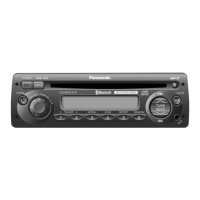
Do you have a question about the Panasonic CQ-BT5107U and is the answer not in the manual?
Explains the warning and caution pictographs used in the manual.
Key safety warnings to follow during the operation of the unit.
Crucial safety warnings to observe during the installation process.
Important operational cautions for safe and proper use of the unit.
Important installation cautions to prevent damage or injury.
Critical notices regarding FCC compliance, modifications, and RF exposure limits.
Lists the items included in the product package.
Contact details and resources for product support and accessory purchases in the USA.
Details the limited warranty coverage, terms, and conditions for USA and Puerto Rico.
Specifies what is not covered by the limited warranty, including exclusions and limitations.
Describes the front AUX input for connecting external audio devices.
Explains sound adjustment features like SQ (Sound Quality) modes.
Overview of the Bluetooth® capabilities for hands-free calls and audio streaming.
Identifies and explains the function of primary buttons like POWER, SRC, BAND, PHONE.
Explains controls for source selection, volume, presets, and navigation.
Steps to follow for the initial power-on of the unit.
Detailed guide on how to set the unit's clock.
How to switch between different audio sources like Radio, CD, AUX, and Bluetooth®.
Instructions for turning the unit on/off and adjusting the volume level.
How to adjust Bass, Treble, Balance, and Fader settings.
Explanation of the Sound Quality (SQ) presets and their effects on audio.
How to change radio bands and select preset or manually tuned stations.
Procedures for auto and manual preset memory for radio stations.
Guide to tuning into NOAA weather broadcasts and understanding frequencies.
Important warnings regarding disc types, condition, and insertion.
How to pause, load, eject, and select tracks/folders for playback.
How to change the display during playback and use scan, repeat, and random modes.
Step-by-step guide to pair and register Bluetooth® devices with the unit.
Procedures for setting PIN, connecting, disconnecting, and deleting registered devices.
How to answer, hang up, reject calls, and switch modes.
Instructions for automatic answering, voice dial, and accessing call records/phonebook.
How to pause, activate music mode, and select songs via Bluetooth®.
Steps to set alarm time, turn it ON/OFF, and use the snooze function.
Common issues like no power, no sound, and noise with their respective solutions.
Solutions for radio reception issues and CD playback problems like skipping or ejection failures.
Solutions for MP3 playback errors, Bluetooth® connectivity, and call quality issues.
Troubleshooting for Bluetooth® audio not working, voice dial issues, and phonebook import failures.
Explains common CD/MP3 error messages and how to resolve them.
Explains common Bluetooth® error messages and their solutions.
Instructions for routine cleaning and removing stubborn stains from the unit.
Guidance on the fuse rating and recommendations for replacement.
Recommendations for optimal MP3 file quality and compatibility.
Details on displayable information and character limitations for MP3s.
Guidelines for writing compressed audio files, folder structure, and maximum file limits.
Instructions on how to hold, insert, clean, and store discs correctly.
Lists discs that should not be used and specific notes for CD-R/RW media.
Information on frequency band, usage limitations, and potential interference issues.
Details required Bluetooth® versions/profiles and device compatibility considerations.
Critical safety warnings and recommendations for professional installation.
General installation steps and dashboard opening specifications.
Steps for battery disconnection, collar removal, and identification of installation hardware.
Detailed instructions for mounting the unit into the dashboard using the mounting collar.
How to remove the unit and attach the microphone with its bracket.
Detailed diagram showing all electrical connections, including power and microphone inputs.
Guidelines for correct speaker wiring, impedance, and connection methods.
General unit specifications and detailed CD player technical data.
Technical specifications for Radio, Bluetooth®, and audio output performance.
 General
| Brand | Panasonic |
|---|---|
| Model | CQ-BT5107U |
| Category | MP3 Player |
| MP3 Playback | Yes |
| Bluetooth | Yes |
| USB Port | Yes |
| Auxiliary Input | Yes |
| Power Output | 50W x 4 |
| Display | LCD |


 To Next Page