Supplied accessories
Use numbers indicated when asking for replacements.
1
Pair of stereo earphones
1 USB cable
1 CD-ROM (USB Driver)
1 Neck lanyard
Caution: Take care when using the neck
lanyard. If used improperly, it
can be a choking hazard.
•
Windows Media Player (Version 9.0 or later recommended) Free
download from
http://www.microsoft.com/downloads/
• Supports playback of MP3 and WMA music files
• Built-in microphone for voice recording
•
Built-in FM tuner with recording function
• Portable data storage device (Plugs in directly to your PC)
• Language learning with repeat, follow and comparison.
•
Each play list (PLAYER, FM RADIO, IC RECORDER) can contain up
to 99 tracks
.
1
Matsushita Electric Industrial Co., Ltd.
Web site: http://www.panasonic.co.jp/global/
En
RQTT0601-G
M1203SF0
GC
Dear Customer
Thank you for purchasing this product.
Before connecting, operating or adjusting this product, please read these instructions
completely. Please keep this manual for future reference.
Caution
This unit is not waterproof and should not be exposed to excessive moisture
.
Operating Instructions
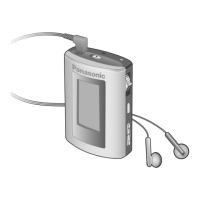
Digital Audio Player
SV-MP31V
SV-MP21V
Model No.
System Requirements
OS: Microsoft
®
Windows
®
98SE, Windows
®
Me,
Windows
®
2000 Professional, Windows
®
XP Home Edition/Professional
Drive: CD-ROM Drive
• The player and USB Driver cannot be used on Microsoft
®
Windows
®
3.1,
Windows
®
95, Windows
®
98, Windows NT
®
and Macintosh
®
.
USB Driver:
• Operation on an upgraded OS is not guaranteed.
• Operation on an OS other than the one pre-installed is not guaranteed.
• Multi-CPU or Multi-boot environments are not supported.
• Only users having system administrator (Administrator) authority can use
this software.
SOUND
Mode Options
PLAY
ERASE
INFO.
PLAYER
NORMAL/ ROCK/ JAZZ/
CLASSIC/ POP/
USER (BASS, TREBLE)
NORMAL/ ONE REPEAT/
ALL REPEAT/ RANDOM
Information (TITLE/
ARTIST/ BIT RATE)
SINGLE TRACK/
PLAYLIST/ ALL
PLAY
Mode Options
MANUAL
ERASE
TRACE
BACK
LEARN
NORMAL/ ONE REPEAT/
ALL REPEAT/ RANDOM
PLAY TIME/ ENDLESS
ON (PLAY TIME/ TRACE
TIME)/ OFF
SINGLE TRACK/
PLAYLIST/ ALL
SPEED
RECORD
Mode Options
ERASE
IC RECORDER
LP/ SP/ HQ
SINGLE TRACK/
ALL
NORMAL/
SLOW 1/ SLOW 2
Mode Options
MEMORY
FM RADIO
FREQ. SET
CHANNEL SET
Options
LANGUAGE
Chinese Simple/
Chinese Tradition/ Japanese
• Microsoft, the Microsoft logo, the Windows, Windows
logo, Windows NT and Windows Media are either
trademarks or registered trademarks of Microsoft
Corporation in the United States and other countries.
• WMA is a compression format developed by Microsoft Corporation. It achieves
the same sound quality as MP3 with a file size that is smaller than that of MP3.
Battery (not included)
1 alkaline battery
(LR03, AAA, AM-4)
If rechargeable batteries are to be
used, rechargeable batteries
manufactured by Panasonic are
recommended.
Battery indicator
Full Empty:
Replace with a
fresh battery
• MPEG Layer-3 audio decoding technology licensed from Fraunhofer IIS and
Thomson multimedia.
• Other names of systems and products mentioned in these instructions are
usually the registered trademarks or trademarks of the manufacturers who
developed the system or product concerned.
The ™ and ® marks are not used to identify registered trademarks and
trademarks in these instructions.
These tables show the mode menu items available in the PLAYER,
LEARN, FM RADIO, IC RECORDER, and LANGUAGE modes.

 Need help?
 General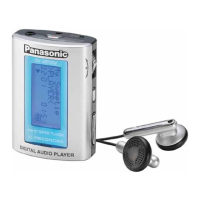



 To Next Page