EasyManua.ls Logo

Panasonic CQ-C1300AN - User Manual

Panasonic CQ-C1300AN
19 pages
Print Icon
To Next Page IconTo Next Page
Loading...
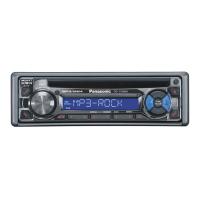
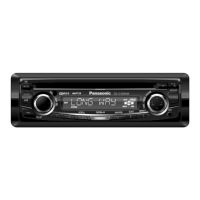
MP3 WMA CD Player/Receiver with CD Changer Control
CQ-C1400N
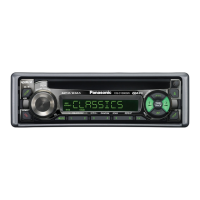
MP3 WMA CD Player/Receiver
CQ-C1300AN/C1300GN
¡Please read these instructions carefully before using this product and keep this manual for future reference.
¡Bitte lesen Sie diese Bedienungsanleitung vor der Verwendung dieses Produktes aufmerksam durch und bewahren Sie sie danach
für spätere Nachschlagzwecke sorgfältig auf.
¡Prière de lire ces instructions attentivement avant d’utiliser le produit et garder ce manuel pour l’utilisation ultérieure.
¡Leest u deze instructie alstublieft zorgvuldig door voor u dit product in gebruik neemt en bewaar deze handleiding voor later gebruik.
¡Läs igenom denna bruksanvisning noga innan produkten tas i bruk. Spara bruksanvisningen för framtida behov.
¡Si prega di leggere attentamente queste istruzioni prima di usare questo prodotto e di conservare questo manuale per usi futuri.
¡Lea con atención estas instrucciones antes de utilizar el producto y guarde este manual para poderlo consultar en el futuro.
¡
Przeczytaj uwazænie instrukcjeç obs¬ugi przed rozpoczeçciem uzæywania urzaçdzenia i zachowaj jaç do uzæytku w przysz¬oóci.
Operating Instructions
Bedienungsanleitung
Manuel dinstructions
Gebruiksaanwijzing
Bruksanvisning
Manuale di istruzioni
Manual de Instrucciones
Instrukcja ob¬ugi
Operating Instructions
Bedienungsanleitung
Manuel d’instructions
Gebruiksaanwijzing
Bruksanvisning
Manuale di istruzioni
Manual de Instrucciones
Instrukcja ob¬ugi
TEXT
(CQ-C1400N)
YEFM284135 ND1203-0 Printed in China
Matsushita Electric Industrial Co., Ltd.
Web Site : http://www.panasonic.co.jp/global/

Questions and Answers

  • S
    shepardjonathanAug 20, 2025
    Why Panasonic CQ-C1300AN has no power?
    • H
      harriskimberlyAug 20, 2025
      If your Panasonic Car Receiver has no power, the issue might be with the power cord connections (battery, ACC, and ground). Double-check the wiring to ensure it's correctly connected. Another potential cause is a blown fuse. If that's the case, identify and eliminate the reason for the fuse blowing, then replace it with a new one. It's recommended to consult your dealer for fuse replacement.
  • C
    Carol DunnAug 22, 2025
    What to do if my Panasonic CQ-C1300AN Car Receiver sound is not generated?
    • L
      luke97Aug 22, 2025
      If sound is not being generated from your Panasonic Car Receiver, first ensure that the MUTE function is set to OFF. If it's already off, check for any contact between the external mute lead and the chassis; if there is, correct the connection. If the mute lead is not in use, make sure it's properly insulated. Finally, inspect the speaker line wiring for correctness, breaks, or poor contact, referring to the wiring diagram for proper setup.
  • C
    Craig WestAug 25, 2025
    How to eliminate noise from Panasonic CQ-C1300AN Car Receiver?
    • A
      amooreAug 25, 2025
      If you're experiencing noise with your Panasonic Car Receiver, it could be due to interference from an electromagnetic-wave generator, such as a cellular phone, located near the unit or its wiring. Try moving any such devices away from the receiver and its wiring. If the noise persists, ensure that the ground lead is securely connected to an unpainted part of the chassis. If the noise still cannot be eliminated, consult your dealer.
  • B
    Brian DavidsonAug 26, 2025
    How to fix Panasonic Car Receiver noise with engine revolutions?
    • B
      bradleycookAug 26, 2025
      If you notice noise that changes with engine revolutions in your Panasonic Car Receiver, it's likely alternator noise from the car. Try changing the wiring position of the ground lead. If that doesn't resolve the issue, consider mounting a noise filter on the power supply.
  • E
    elizabeth78Aug 28, 2025
    Why Panasonic Car Receiver preset stations cannot be stored?
    • W
      Wayne YoungAug 28, 2025
      If your Panasonic Car Receiver is unable to store preset stations, it's likely due to poor contact with the battery lead, or the battery lead is not consistently powered. Ensure that the battery lead is securely connected, and then try presetting the stations again.
  • W
    William MontoyaAug 30, 2025
    Why Panasonic CQ-C1300AN finds less than 6 auto preset stations?
    • R
      Rebecca ThompsonAug 30, 2025
      If your Panasonic Car Receiver is auto-presetting fewer than 6 stations, it could be that the number of receivable stations in your current location is less than 6. Try moving to an area with more stations and attempt presetting again. Also, ensure that the LOCAL mode is deactivated, as this limits the range of stations the receiver will pick up.
  • R
    rodney77Sep 1, 2025
    What causes sound skipping or noise on Panasonic Car Receiver?
    • B
      Bailey CaseySep 1, 2025
      If your Panasonic Car Receiver is experiencing sound skipping or noise, it could be due to a flaw or foreign material on the disc. Remove any foreign material, or try using a disc that is free from flaws.
  • L
    Lisa SmithSep 3, 2025
    Why some operations are not executable on Panasonic Car Receiver?
    • B
      Barbara HuffmanSep 3, 2025
      If some operations are not executable on your Panasonic Car Receiver, it may be because certain functions are restricted in specific modes, such as the menu mode. Read the operating instructions carefully and cancel the mode. If the unit remains out of order, consult the dealer.
  • D
    david08Sep 5, 2025
    What to do if Panasonic CQ-C1300AN has no playback or disc ejected?
    • M
      Mario BenderSep 5, 2025
      If your Panasonic Car Receiver is not playing back discs or is ejecting them, the disc might contain unplayable formatted data. Refer to the manual section about MP3/WMA formats for playable sound data, excluding standard music CDs. Also, if the unit plays back the first track of a MIX mode CD, skip the first track.
  • S
    Stephanie GonzalesSep 7, 2025
    Why CD-R/RWs are not playable on Panasonic Car Receiver?
    • B
      brooksbarbaraSep 7, 2025
      The playability of some CD-R/RWs on your Panasonic Car Receiver may depend on the combination of media, recording software, and recorder used, even if those CD-R/RWs are playable on other devices. Try creating CD-R/RWs using different combinations of media, recording software, and recorders, referring to the manual section about MP3/WMA for guidance.

Summary

Introduction and Safety

Laser Product Safety Information

Details on warning labels and their placement on the unit.

General Unit Operations

Power and Source Management

How to turn the unit on/off and change audio sources.

Radio Operation

Radio Mode and Tuning

Selecting radio mode, band switching, and tuning frequencies.

Mono;Local Selection and Station Presets

Using Mono/Local modes and preset station functions.

Radio Data System (RDS) Overview

RDS Basics and Features

Overview of RDS features like PS, AF, TP, TA, CT.

RDS Functions Explained

RDS Program Type (PTY) Selection and Presets

How to select and store program types for tuning.

CD Player Operation

CD;MP3;WMA Disc Handling

Inserting/ejecting discs and basic CD playback controls.

MP3;WMA Player Operation

MP3;WMA Player Controls

Detailed controls for MP3/WMA playback.

Audio Settings

Audio Settings: Volume, Tone, Balance, Fader

Adjusting main volume, tone, and speaker balance.

Security and Maintenance

Anti-Theft System: Removable Face Plate

Removing and installing the face plate for security.

Troubleshooting - Common and Radio

Common Troubleshooting

Solutions for power, sound, and operation issues.

Troubleshooting - Media Playback

Installation and Wiring

Unit Installation Guide

Step-by-step instructions for installing the unit.

Wiring Connection Diagram

Visual guide to connecting the unit's wiring harness.

Panasonic CQ-C1300AN Specifications

General IconGeneral
TypeCar Receiver
Tuner BandsAM/FM
CD PlayerYes
MP3 PlaybackYes
WMA PlaybackYes
AAC PlaybackNo
USB InputNo
AUX InputYes
BluetoothNo
Display TypeLCD
EqualizerYes
Remote ControlYes
Channels4
Preamp Outputs1 Pair

Related product manuals