EasyManua.ls Logo

Panasonic CQ-C1300GN - User Manual

Panasonic CQ-C1300GN
19 pages
Print Icon
To Next Page IconTo Next Page
Loading...
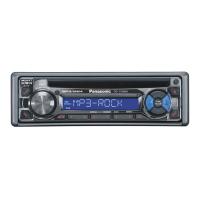
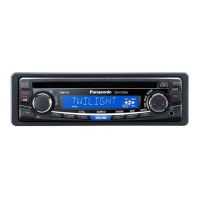
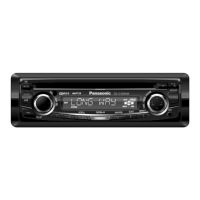
MP3 WMA CD Player/Receiver with CD Changer Control
CQ-C1400N
MP3 WMA CD Player/Receiver
CQ-C1300AN/C1300GN
¡Please read these instructions carefully before using this product and keep this manual for future reference.
¡Bitte lesen Sie diese Bedienungsanleitung vor der Verwendung dieses Produktes aufmerksam durch und bewahren Sie sie danach
für spätere Nachschlagzwecke sorgfältig auf.
¡Prière de lire ces instructions attentivement avant d’utiliser le produit et garder ce manuel pour l’utilisation ultérieure.
¡Leest u deze instructie alstublieft zorgvuldig door voor u dit product in gebruik neemt en bewaar deze handleiding voor later gebruik.
¡Läs igenom denna bruksanvisning noga innan produkten tas i bruk. Spara bruksanvisningen för framtida behov.
¡Si prega di leggere attentamente queste istruzioni prima di usare questo prodotto e di conservare questo manuale per usi futuri.
¡Lea con atención estas instrucciones antes de utilizar el producto y guarde este manual para poderlo consultar en el futuro.
¡
Przeczytaj uwazænie instrukcjeç obs¬ugi przed rozpoczeçciem uzæywania urzaçdzenia i zachowaj jaç do uzæytku w przysz¬oóci.
Operating Instructions
Bedienungsanleitung
Manuel dinstructions
Gebruiksaanwijzing
Bruksanvisning
Manuale di istruzioni
Manual de Instrucciones
Instrukcja ob¬ugi
Operating Instructions
Bedienungsanleitung
Manuel d’instructions
Gebruiksaanwijzing
Bruksanvisning
Manuale di istruzioni
Manual de Instrucciones
Instrukcja ob¬ugi
TEXT
(CQ-C1400N)
YEFM284135 ND1203-0 Printed in China
Matsushita Electric Industrial Co., Ltd.
Web Site : http://www.panasonic.co.jp/global/


Questions and Answers

  • C
    christopher04Aug 20, 2025
    Why Panasonic Car Receiver has no power?
    • A
      Anthony SmithAug 20, 2025
      If your Panasonic Car Receiver has no power, the issue might be with the power cord connections (battery, ACC, and ground). Double-check the wiring to ensure it's correctly connected. Another potential cause is a blown fuse. If that's the case, identify and eliminate the reason for the fuse blowing, then replace it with a new one. It's recommended to consult your dealer for fuse replacement.
  • J
    Juan HernandezAug 22, 2025
    What to do if my Panasonic Car Receiver sound is not generated?
    • M
      Mary PerezAug 22, 2025
      If sound is not being generated from your Panasonic Car Receiver, first ensure that the MUTE function is set to OFF. If it's already off, check for any contact between the external mute lead and the chassis; if there is, correct the connection. If the mute lead is not in use, make sure it's properly insulated. Finally, inspect the speaker line wiring for correctness, breaks, or poor contact, referring to the wiring diagram for proper setup.
  • P
    Philip BrownAug 25, 2025
    How to eliminate noise from Panasonic CQ-C1300GN Car Receiver?
    • S
      sean89Aug 25, 2025
      If you're experiencing noise with your Panasonic Car Receiver, it could be due to interference from an electromagnetic-wave generator, such as a cellular phone, located near the unit or its wiring. Try moving any such devices away from the receiver and its wiring. If the noise persists, ensure that the ground lead is securely connected to an unpainted part of the chassis. If the noise still cannot be eliminated, consult your dealer.
  • B
    Brenda WestAug 26, 2025
    How to fix Panasonic CQ-C1300GN Car Receiver noise with engine revolutions?
    • J
      Jillian WilkinsonAug 26, 2025
      If you notice noise that changes with engine revolutions in your Panasonic Car Receiver, it's likely alternator noise from the car. Try changing the wiring position of the ground lead. If that doesn't resolve the issue, consider mounting a noise filter on the power supply.
  • K
    Kimberly PearsonAug 28, 2025
    Why Panasonic CQ-C1300GN preset stations cannot be stored?
    • Z
      Zachary GomezAug 28, 2025
      If your Panasonic Car Receiver is unable to store preset stations, it's likely due to poor contact with the battery lead, or the battery lead is not consistently powered. Ensure that the battery lead is securely connected, and then try presetting the stations again.
  • D
    Dawn WaltersAug 30, 2025
    Why Panasonic CQ-C1300GN finds less than 6 auto preset stations?
    • B
      browndavidAug 30, 2025
      If your Panasonic Car Receiver is auto-presetting fewer than 6 stations, it could be that the number of receivable stations in your current location is less than 6. Try moving to an area with more stations and attempt presetting again. Also, ensure that the LOCAL mode is deactivated, as this limits the range of stations the receiver will pick up.
  • A
    Angela HolmesSep 1, 2025
    What causes sound skipping or noise on Panasonic CQ-C1300GN Car Receiver?
    • C
      Charlene MartinezSep 1, 2025
      If your Panasonic Car Receiver is experiencing sound skipping or noise, it could be due to a flaw or foreign material on the disc. Remove any foreign material, or try using a disc that is free from flaws.
  • A
    Aaron JonesSep 3, 2025
    Why some operations are not executable on Panasonic CQ-C1300GN Car Receiver?
    • R
      roger16Sep 3, 2025
      If some operations are not executable on your Panasonic Car Receiver, it may be because certain functions are restricted in specific modes, such as the menu mode. Read the operating instructions carefully and cancel the mode. If the unit remains out of order, consult the dealer.
  • H
    howardmeganSep 5, 2025
    What to do if Panasonic CQ-C1300GN Car Receiver has no playback or disc ejected?
    • D
      Derek WallaceSep 5, 2025
      If your Panasonic Car Receiver is not playing back discs or is ejecting them, the disc might contain unplayable formatted data. Refer to the manual section about MP3/WMA formats for playable sound data, excluding standard music CDs. Also, if the unit plays back the first track of a MIX mode CD, skip the first track.
  • K
    Katie PittmanSep 7, 2025
    Why CD-R/RWs are not playable on Panasonic CQ-C1300GN Car Receiver?
    • J
      Jason ParkerSep 7, 2025
      The playability of some CD-R/RWs on your Panasonic Car Receiver may depend on the combination of media, recording software, and recorder used, even if those CD-R/RWs are playable on other devices. Try creating CD-R/RWs using different combinations of media, recording software, and recorders, referring to the manual section about MP3/WMA for guidance.

Summary

Introduction

CQ-C1400 N; CQ-C1300 AN;C1300 GN Models

Specifies the Panasonic car audio models covered by this manual.

Laser Product Safety

Label Indications and Locations

Details the placement and meaning of safety labels, including laser warnings.

Product Features

Large-sized Volume Control

Highlights the prominent rotary volume control designed for ease of use.

CD Changer Control

Explains the capability to connect an optional CD changer unit for enhanced playback.

MP3;WMA Playback

Details the playback of compressed audio files from CD-R/RW media.

Accessories

Remote Control Unit (Option)

General Operation

Power On;Off

Instructions for turning the car audio unit on and off.

Source Selection

Guide to switching between radio, CD, or other audio inputs.

Volume and Mute Control

How to adjust audio volume and use the mute function.

Sound Quality (SQ) Adjustment

Explains preset sound profiles for various music types.

Clock Setting

Step-by-step guide to setting the 24-hour clock.

Radio Functions

Selecting Radio Mode and Band

Steps to access radio and switch between FM/AM bands.

Tuning and Station Search

How to manually tune or use seek tuning to find stations.

Mono;Local Reception Settings

Adjusting reception for clearer sound or better local station reception.

Station Presets (Auto & Manual)

Saving and recalling favorite radio stations via auto or manual methods.

Radio Data System (RDS) Features

Understanding RDS Basics

Overview of RDS capabilities and their availability.

Program Information Display (PS, PTY, PI, REG)

Displays station name, program type, identification, and region.

Traffic and Time Services (TP, TA, CT)

Features for traffic alerts and automatic clock synchronization.

Alternative Frequency (AF) and Region (REG)

How AF and REG modes manage station frequency and search range.

Preset Station Recall with RDS

Recalling saved stations, optimizing reception using RDS features.

Radio Data System (RDS) - Advanced Features

Traffic Announcement (TA) Functions

Details on searching for TP stations, TA standby, and listening only to traffic.

Program Type (PTY) Selection and Search

How to select, search for, and preset stations by program type.

Radio Data System (RDS) - Additional Functions

PTY Language Selection

Allows changing the display language for program type information.

Enhanced Other Network (EON)

Improves TA and AF by utilizing network data for station updates.

Emergency Announcement Reception

Automatically tunes to and plays emergency broadcasts, overriding other sources.

CD Player Operation

Disc Handling (Insert;Eject)

Instructions for inserting and ejecting CDs from the unit.

Basic Playback Controls

How to play, pause, track select, and fast forward/reverse CDs.

Playback Modes (Random, Scan, Repeat)

Explains various playback modes like random, scan, and repeat.

MP3;WMA Player Operation

MP3;WMA Playback Controls

Basic playback functions for MP3/WMA files.

File and Folder Navigation

How to select files, folders, and change ID3/WMA tag display.

Advanced Playback Modes (Random, Scan, Repeat)

Explains folder-specific and general playback modes for compressed files.

MP3;WMA File Guidelines

Understanding MP3;WMA Formats

Explains MP3 and WMA compression and their advantages.

Best Practices for Creating MP3;WMA Discs

Recommendations for file bit rates, sampling, and recording methods.

File System and Display Compatibility

Details supported file systems and display limitations for file/folder information.

CD Changer Control

Disc and Track Management

How to select discs, tracks, and navigate playback.

CD Changer Playback Modes

Explains random, scan, and repeat functions for CD changers.

Audio Settings

Volume Adjustment

How to control the main volume output of the unit.

Tone Controls (Bass & Treble)

Guides users on adjusting bass and treble for optimal sound.

Speaker Balance and Fader

Adjusts sound output distribution across speakers.

Traffic Announcement Volume

Sets the dedicated volume level for traffic information broadcasts.

Security and Maintenance

Anti-Theft System (Removable Face Plate)

Details on removing and installing the faceplate for security and the panel alarm.

Fuse and General Maintenance

Information on fuse specifications and basic care for the unit.

Disc Handling and Compatibility

CD Media Usage Guidelines

Best practices for using CDs, CD-Rs, CD-RWs, and CD-ROMs.

CD-R;RW Specific Notes

Important considerations for playback compatibility and handling of recordable discs.

Troubleshooting Guide

General Unit Issues

Solutions for common problems like no power, no sound, and display issues.

Audio and Speaker Problems

Troubleshooting tips for sound quality, speaker connections, and noise.

Radio Reception Issues

Resolving problems with poor reception, noise, and preset station storage.

Troubleshooting - Advanced Issues

RDS and Broadcast Reception Problems

Solutions for issues with RDS features, PTY, CT, and AF reception.

MP3;WMA and CD Playback Issues

Troubleshooting for MP3/WMA or CD playback errors, skipping, and disc ejection.

Error Messages and Specifications

Error Display Troubleshooting

Explains error codes displayed for CD/MP3/WMA and CD Changer issues.

Technical Specifications

Detailed technical data for the unit's radio and CD player components.

Installation Preparation

Pre-Installation Checks and Advice

Guidance on professional installation, angle limits, and wiring considerations.

Supplied Installation Hardware

Lists and identifies the components provided for mounting the unit.

Unit Installation and Removal

Installing the Unit

Step-by-step instructions for fitting the car audio unit into the dashboard.

Removing the Unit

Procedures for safely detaching the unit from the dashboard.

Wiring and Connections

Connecting Components

Guides on connecting antenna, speakers, power, and remote control.

Wiring Diagrams

Visual representations of the unit's electrical connections.

Sales and Support Information

Customer Care Centre Contact

Provides contact details for customer support and inquiries.

Direct Sales and Online Ordering

Information on purchasing accessories and products directly from Panasonic.

Panasonic CQ-C1300GN Specifications

General IconGeneral
BrandPanasonic
ModelCQ-C1300GN
CategoryCar Receiver
LanguageEnglish

Related product manuals