EasyManua.ls Logo

Panasonic CQ-C5100N - User Manual

Panasonic CQ-C5100N
24 pages
Print Icon
To Next Page IconTo Next Page
Loading...
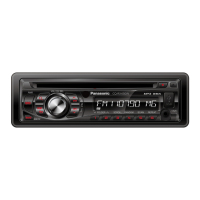
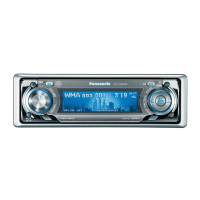
MP3 WMA CD Player/Receiver with CD Changer Control
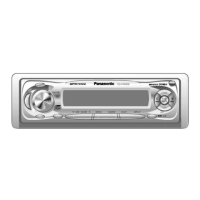
CQ-C5400/C5300N
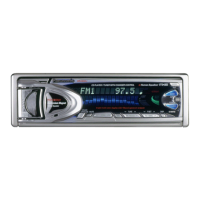
CD Player/Receiver with CD Changer Control
CQ-C5100N
¡Please read these instructions carefully before using this product and keep this manual for future reference.
¡Bitte lesen Sie diese Bedienungsanleitung vor der Verwendung dieses Produktes aufmerksam durch und bewahren Sie sie danach
für spätere Nachschlagzwecke sorgfältig auf.
¡Prière de lire ces instructions attentivement avant d’utiliser le produit et garder ce manuel pour l’utilisation ultérieure.
¡Leest u deze instructie alstublieft zorgvuldig door voor u dit product in gebruik neemt en bewaar deze handleiding voor later gebruik.
¡Läs igenom denna bruksanvisning noga innan produkten tas i bruk. Spara bruksanvisningen för framtida behov.
¡Si prega di leggere attentamente queste istruzioni prima di usare questo prodotto e di conservare questo manuale per usi futuri.
¡Lea con atención estas instrucciones antes de utilizar el producto y guarde este manual para poderlo consultar en el futuro.
¡
Przeczytaj uwazænie instrukcjeç obs¬ugi przed rozpoczeçciem uzæywania urzaçdzenia i zachowaj jaç do uzæytku w przysz¬oóci.
Operating Instructions
Bedienungsanleitung
Manuel dinstructions
Gebruiksaanwijzing
Bruksanvisning
Manuale di istruzioni
Manual de Instrucciones
Instrukcja ob¬ugi
Operating Instructions
Bedienungsanleitung
Manuel d’instructions
Gebruiksaanwijzing
Bruksanvisning
Manuale di istruzioni
Manual de Instrucciones
Instrukcja ob¬ugi
CQ-C5400NCQ-C5400N
1 23 4 5 6123456
TEXT
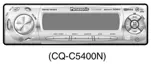
(CQ-C5400N)
YEFM284146 NT1203-0 Printed in China
Matsushita Electric Industrial Co., Ltd.
Web Site : http://www.panasonic.co.jp/global/


Other manuals for Panasonic CQ-C5100N

Questions and Answers

  • A
    Andre NguyenAug 20, 2025
    How to fix no sound from Panasonic Car Receiver speakers?
    • K
      Kyle WalkerAug 20, 2025
      If there is no sound from the speakers of your Panasonic Car Receiver, it could be due to an incorrect BAL/FAD setting. Try readjusting the BAL/FAD settings. Also, check the speaker wiring for any breaks, short circuits, poor contact, or incorrect connections. Ensure the speaker wiring follows the wiring diagram to avoid reversed channels.
  • S
    sarasmithAug 22, 2025
    What to do if my Panasonic Car Receiver has no power?
    • A
      alvarezheatherAug 22, 2025
      If your Panasonic Car Receiver has no power, first check the wiring of the power cord (battery, ACC, and ground) to ensure it's connected correctly. If the wiring is correct, examine the fuse. If the fuse is blown, eliminate the cause of the blowout and replace it with a new one.
  • N
    Nicole GarciaAug 23, 2025
    Why is there no sound coming from my Panasonic Car Receiver?
    • A
      Aaron PowellAug 25, 2025
      If sound is not generated from your Panasonic Car Receiver, first ensure that MUTE is set to OFF. Also, check for contact between the external mute lead and the chassis; connect it correctly, or insulate it if unused. Finally, verify the speaker lines' wiring according to the wiring diagram to address any incorrect connections, breaks, or poor contact.
  • M
    Melissa MeyerAug 26, 2025
    How to eliminate noise from Panasonic Car Receiver?
    • C
      Candace WilliamsAug 26, 2025
      Noise in your Panasonic Car Receiver can be caused by an electromagnetic-wave generator (like a cell phone) being too close. Keep such devices away from the unit and its wiring. Also, ensure the ground lead is securely connected to an unpainted part of the chassis.
  • S
    Sheila Gilbert MDAug 27, 2025
    Why is my Panasonic Car Receiver having poor reception?
    • S
      Steven FlowersAug 27, 2025
      Poor reception or noise in your Panasonic Car Receiver may be due to faulty antenna installation or wiring. Check that the antenna mounting position and wiring are correct, and ensure the antenna ground is securely connected to the chassis. Also, if using a film antenna, verify the wiring of the antenna battery lead to ensure power is supplied to the antenna amplifier.
  • R
    Rebecca CarlsonAug 29, 2025
    How to turn off demonstration screen on Panasonic Car Receiver?
    • E
      Elizabeth GreenAug 30, 2025
      If the demonstration screen is displayed on your Panasonic Car Receiver and it's not operable, press [DISP] to end the demonstration screen. If the demonstration screen appears frequently, check the battery wiring to ensure there is proper contact between the unit's battery lead and the car's battery cable.
  • L
    Leslie HopkinsAug 31, 2025
    What causes engine noise in my Panasonic Car Receiver?
    • P
      pthomasAug 31, 2025
      If you hear noise in sync with engine revolutions in your Panasonic Car Receiver, it could be alternator noise from the car. Try changing the wiring position of the ground lead and mount a noise filter on the power supply.
  • I
    Isaiah RandallSep 2, 2025
    Why won't my Panasonic Car Receiver save preset stations?
    • L
      Lauren SmithSep 2, 2025
      If your Panasonic Car Receiver is unable to store preset stations, ensure that the battery lead is securely connected and always powered. Then, try presetting the stations again.
  • O
    owatkinsSep 4, 2025
    Why does my Panasonic Car Receiver have less than 6 preset stations?
    • M
      Michael WongSep 5, 2025
      If your Panasonic Car Receiver is showing less than 6 auto preset stations, it could be because the number of receivable stations is less than 6. Move to an area where you can receive more stations and try presetting again. Also, check if the LOCAL mode is active and cancel it.
  • A
    Andrea LloydSep 7, 2025
    What to do if my Panasonic Car Receiver is skipping or making noise?
    • C
      Cody CarsonSep 7, 2025
      Sound skipping or noise on your Panasonic Car Receiver may be due to flaws or foreign objects on the disc. Remove any foreign objects or use a flawless disc.

Panasonic CQ-C5100N Specifications

General IconGeneral
TypeCD Receiver
Channels4
CD PlaybackYes
CD-R/RW PlaybackYes
MP3 PlaybackYes
WMA PlaybackYes
Radio TunerAM/FM
Display TypeLCD
Detachable FaceYes
Remote ControlYes
BluetoothNo
USB PortNo
Aux InputYes
Equalizer3-Band
DIN Size1 DIN
Max Power Output50 Watts x 4 Channels
RMS Power Output22 Watts x 4
Preamp Outputs2
Presets6 AM

Related product manuals