CQ-C8403N
General
English
15
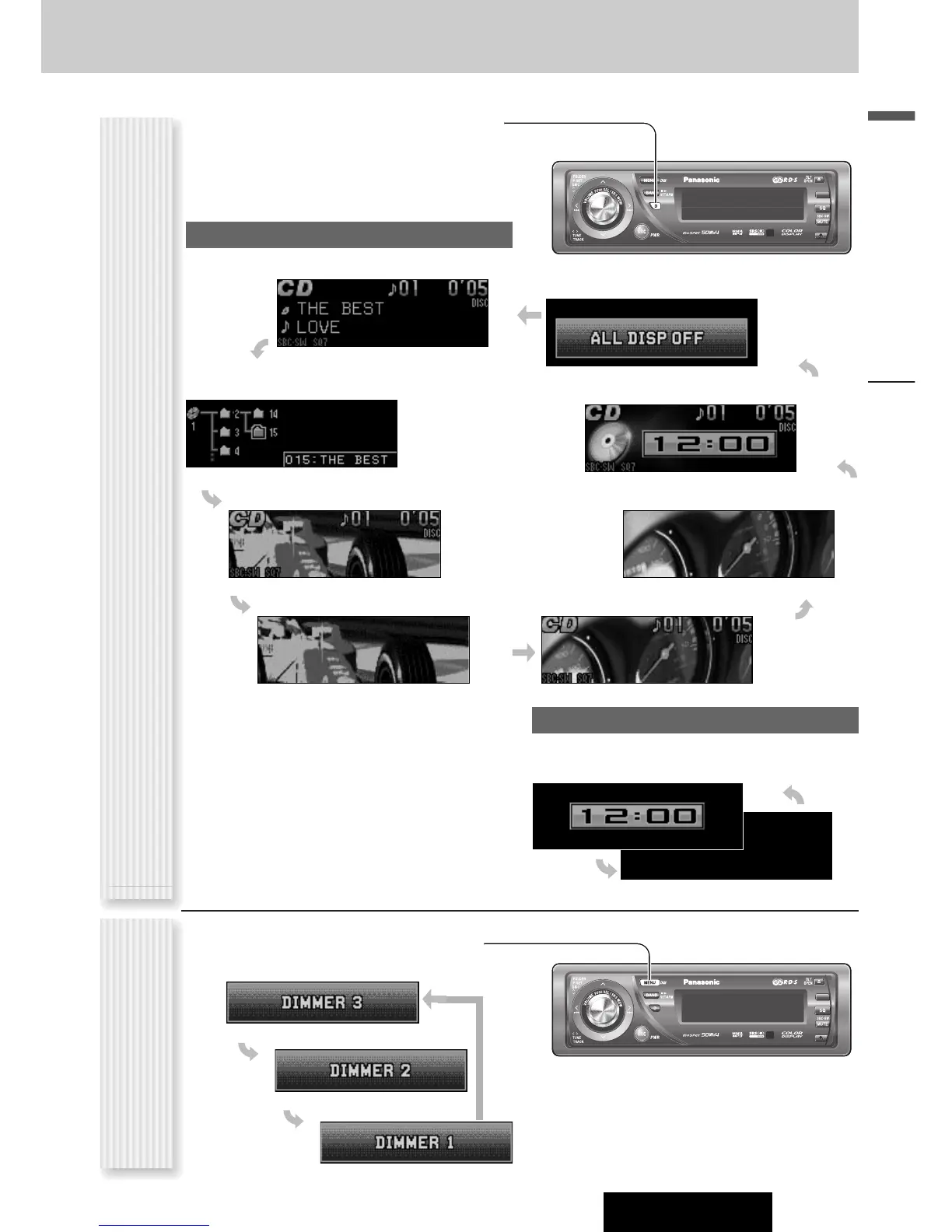
The display changes as follows every time [D] (DISP:
DISPLAY) is pressed.
Note: The graphic pattern and still image are selectable.
(a page 32)
At power-off:
Note: The clock appears only at ACC on setting.
Clock display (default)
Mode
Folder hierarchy (MP3/WMA mode only.)
Ordinary display + graphic pattern
Only graphic pattern Ordinary display + still image
Ordinary display + clock
Display OFF
All displays disappear in 5 seconds.
At power-on:
Off
Only still image
Display Change
(DISP: DISPLAY)
The dimmer level changes as follows every time you hold
down [MENU] (DIM: DIMMER) for 2 sec. or more.
Dimmer Control
(DIM: DIMMER)
Note: This setting is not adjustable with the remote
control.



 To Next Page