22
CQ-C8403N
Radio Data System (RDS) in FM Broadcasting
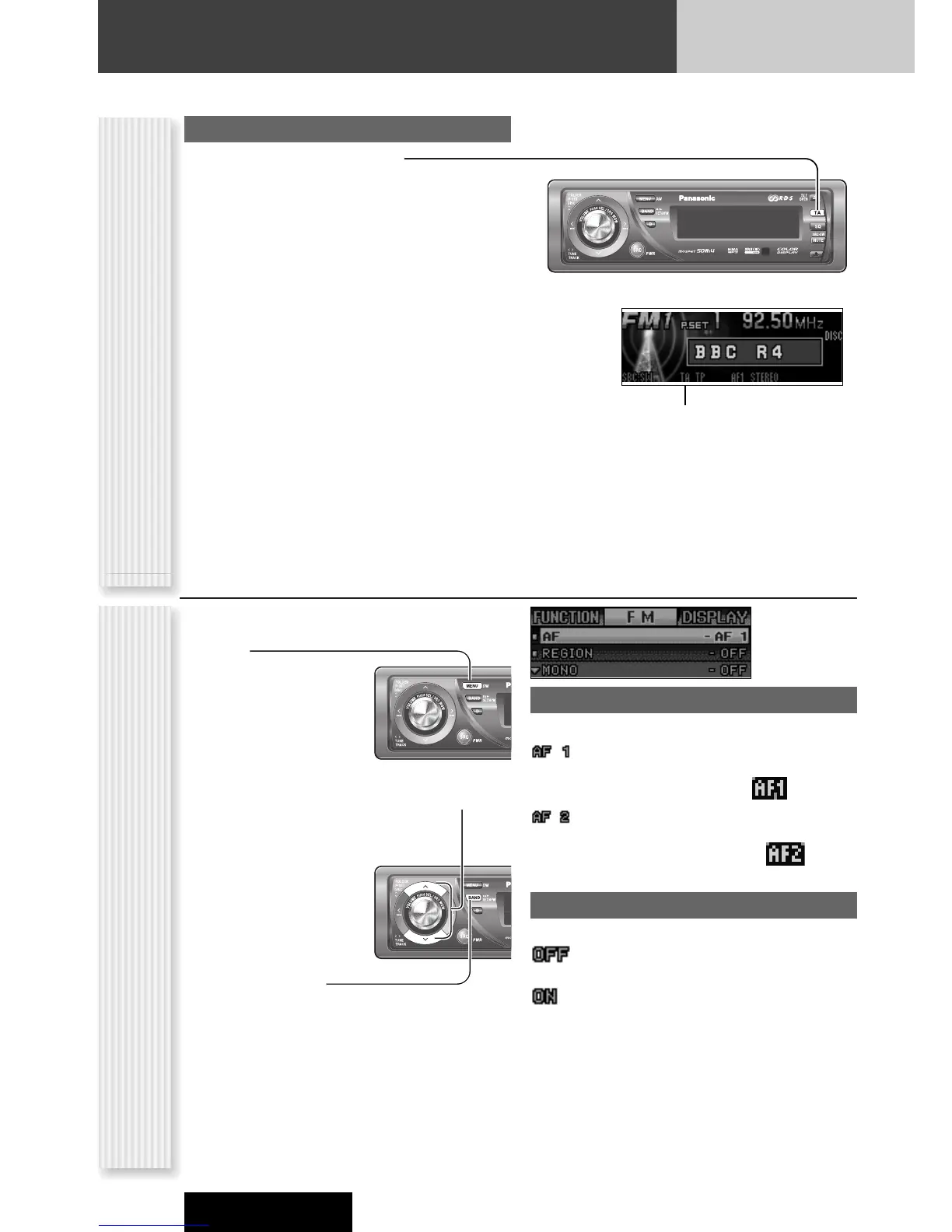
TA
(TA: TRAFFIC ANNOUNCEMENT)
TA ON/OFF
Pressing [TA] toggles TA on and off.
Notes:
¡ This operation is not adjustable by the remote control.
¡ Traffic information is available in monaural.
¡ Adjust the TA volume only while receiving a TA.
Lights when TA is activated.
1
Press [MENU] to display the menu dis-
play.
For using the remote
control, hold down
[SEL] (MENU) for 2
sec. or more.
2
Press [}] or [{] to select a mode to be
adjusted.
3
Press [BAND]
(SET) to adjust.
4
Press [MENU] to confirm the adjust-
ment.
For using the remote control, hold down [SEL]
(MENU) for 2 sec. or more.
AF
Adjusting the AF sensitivity
:Switching immediately after the receiving
sensitivity becomes low (for a suburban area
with a fine view) (default) ( lights.)
:No switching even after the receiving
sensitivity temporarily becomes low (for an
area with a obstructed view) ( lights.)
REGION
Setting the AF range
:The frequency is changed also for programs
outside the region. (default)
: The frequency is changed only for programs
within the region.
AF/Region Setting (FM Menu Display)
(AF: ALTERNATIVE FREQUENCY/REGION)



 To Next Page