CQ-C8803N/C8403N
15
English
Notes:
¡ This item is not selectable by pressing [SRC] (PWR:
POWER), but activated by receiving an incoming call.
¡ Only outline is described here. Refer to the operating
instructions for the Hands-Free Phone System for further
information.
¡ The mute function is automatically canceled when receiving
a call even at mute-on setting.
¡ This unit is not operable when receiving a call at power-off
setting.
¡ We do not guarantee all the operations of connectable
devices.
Note: Speaker output is adjustable only when receiving
calls.
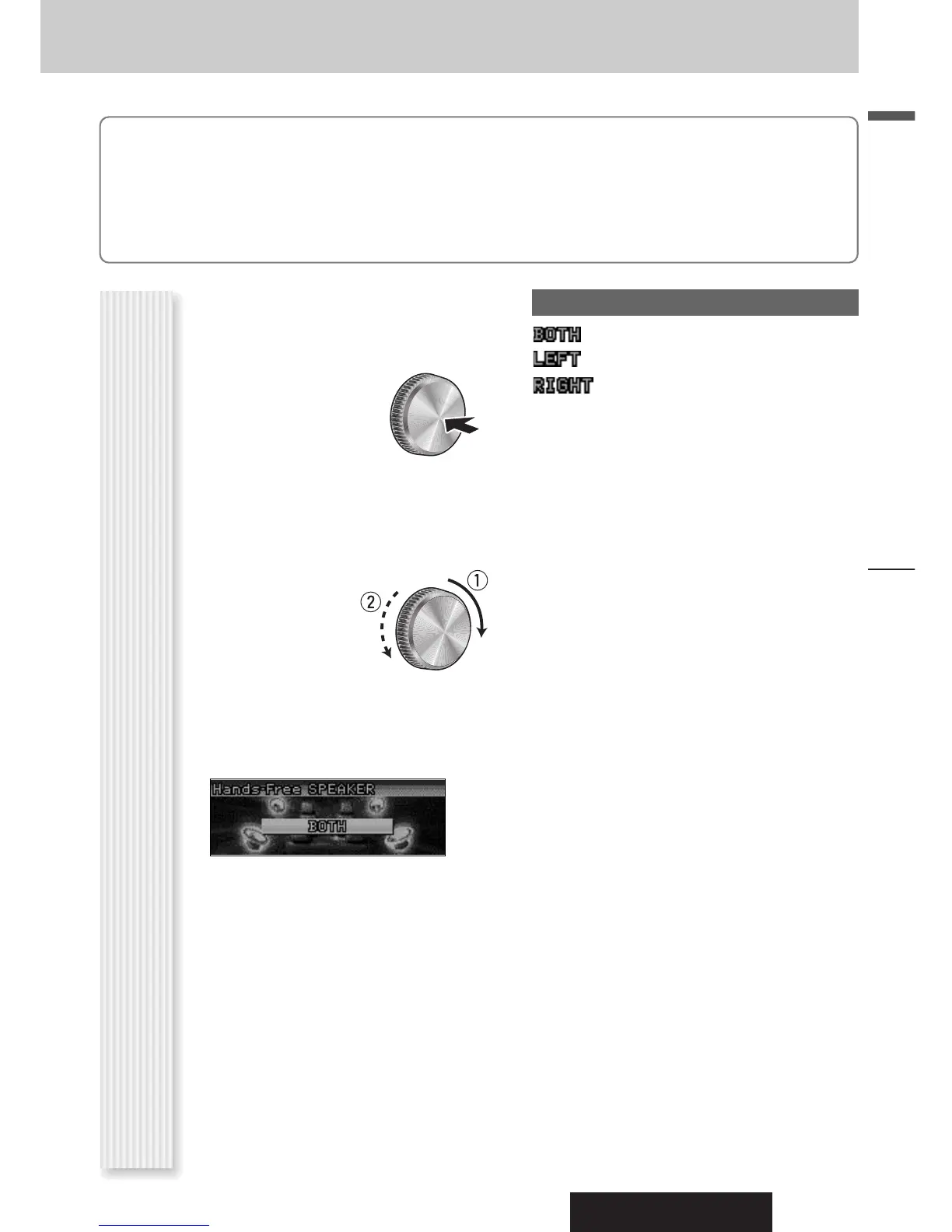
1
Press [VOLUME]
(
PUSH SEL
:
SELECT) to dis-
play the AUDIO
menu display.
2
Press
[VOLUME] (
PUSH SEL
:
SELECT)
to select a mode to be adjust-
ed.
3
Turn [VOLUME]
clockwise or
counterclockwise
to adjust.
Note: If no operation takes place for more than 10 sec-
onds in the audio menu (2 sec. in Main volume adjust-
ment), the display returns to the regular mode.
Speaker selection
: Sound from both speakers (default)
: Sound from left speaker
: Sound from right speaker
Note: Sound comes only from the front speakers.
Speaker Setting
(Hands-Free Phone System Menu Display)
Hands-Free Phone System



 To Next Page