Power and Sound Controls
(continued)
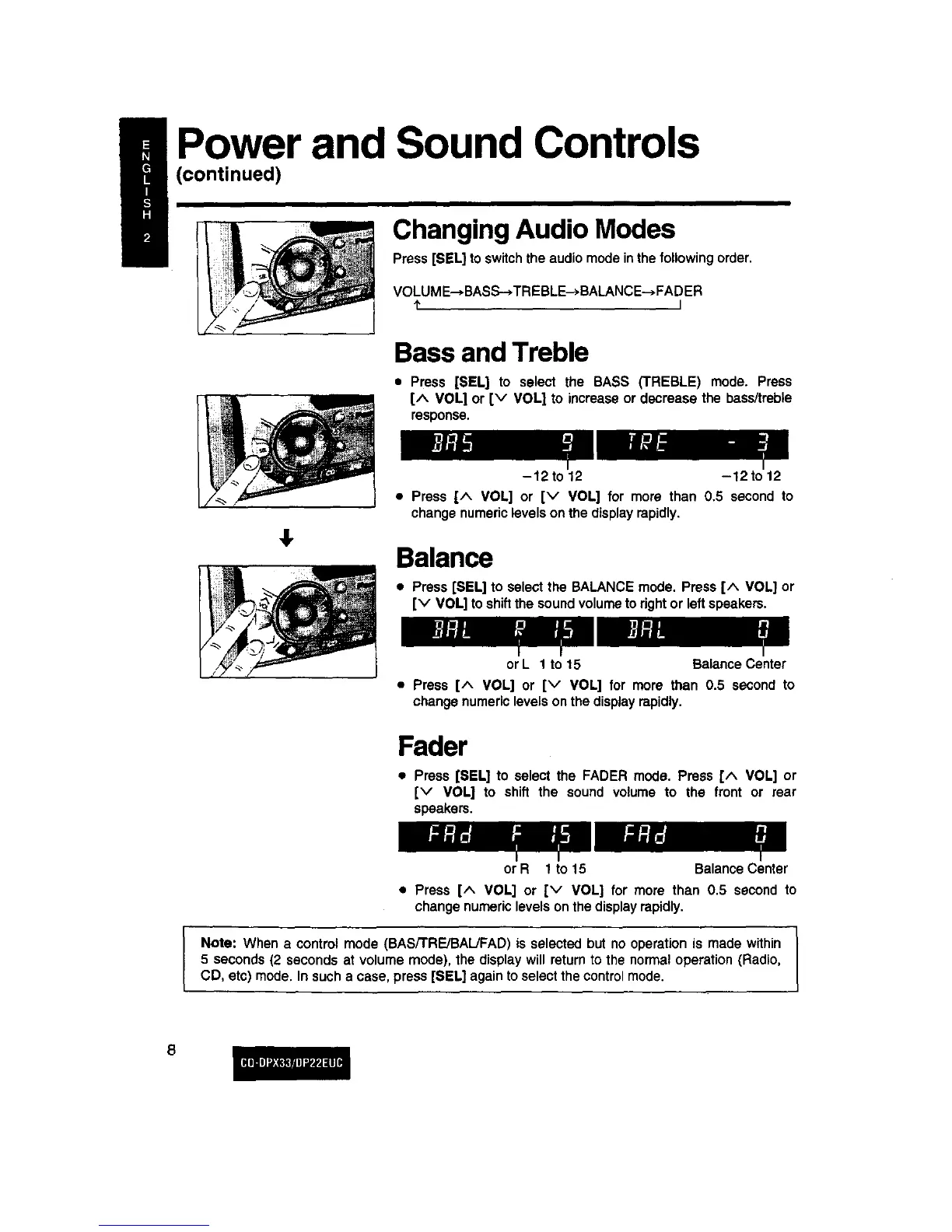
Changing Audio Modes
Press [SEL] toswitchthe audio modeinthe followingorder.
VOLUME-, BASS--*TREBLE-* BALANCE-->FADER
I" I
Bass and Treble
• Press [SELl to select the BASS (TREBLE) mode. Press
[^ VOL] or [v VOL] to increaseor decrease the bass/treble
response.
4,
-12 to 12 -12 to 12
• Press [^ VOL] or [v VOL] for more than 0.5 second to
changenumericlevelson the displayrapidly.
Balance
• Press [SEL] to selectthe BALANCE mode. Press [^ VOL] or
[v VOL] to shiftthe soundvolumeto rightor left speakers.
or L 1 to 15 Balance Center
• Press [^ VOL] or [v VOL] for more than 0.5 second to
changenumericlevelsonthe display rapidly.
Fader
• Press [SEL] to select the FADER mode. Press [^ VOL] or
[v VOL] to shift the sound volume to the front or rear
speakers.
or R 1 to 15 BalanceCenter
• Press [^ VOL] or Iv VOL] for more than 0.5 second to
change numericlevelson thedisplayrapidly.
Note: When a control mode (BAS/TRE/BAL/FAD) is selected but no operation is made within
5 seconds(2 seconds at volume mode), the display will returnto the normaloperation (Radio,
CD, etc) mode. In sucha case, press [SEL] againtoselectthecontrolmode.



 To Next Page