Compact Disc Player Basics
Mode Selection
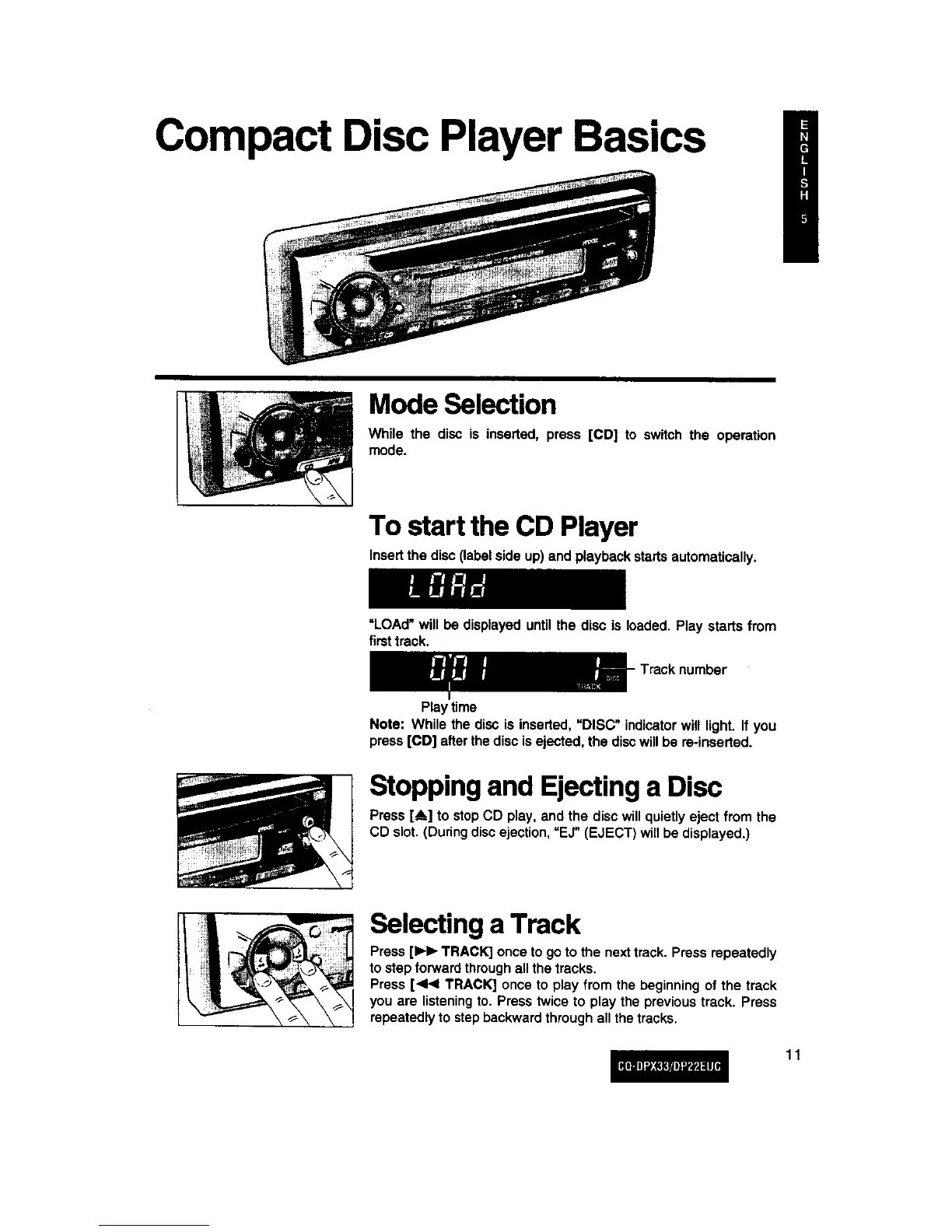
While the disc is inserted, press [CD] to switch the operation
mode.
\
To start the CD Player
Insertthe disc(labelside up) and playbackstartsautomatically.
=LOAd"will be displayeduntilthe disc is loaded.Play starts from
firsttrack.
Play time
- Track number
Note: While the disc is inserted,MDISC"indicatorwill light. If you
press[CD] afterthedisc isejected,the discwill be re-inserted.
Stopping and Ejecting a Disc
Press[A] to stopCD play, and the disc willquietlyeject from the
CD slot. (Duringdiscejection,=EJ" (EJECT) willbe displayed.)
Selecting a Track
Press[IH_ TRACK] once togo to the next track.Press repeatedly
to stepforwardthroughallthe tracks.
Press [<1<1TRACK] once to play from the beginningof the track
you are listeningto. Press twice to play the previoustrack. Press
repeatedlyto stepbackwardthrough all thetracks.
11



 To Next Page