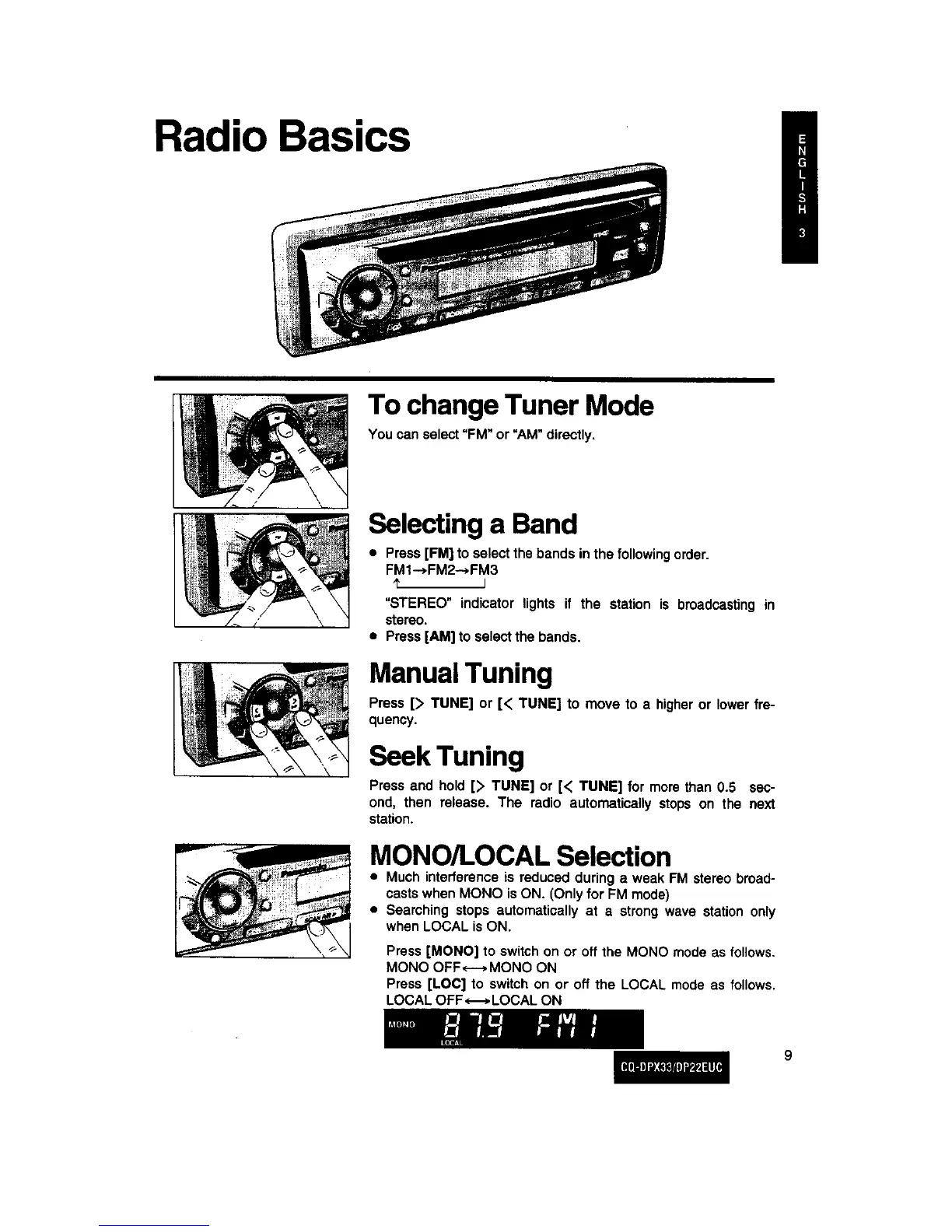
Radio Basics
To change Tuner Mode
You canselect=FM" or "AM"directly.
Selecting a Band
• Press [FM] to select the bands in the followingorder.
FMI---*FM2---*FM3
I
=STEREO" indicator lights if the station is broadcasting in
stereo.
• Press [AM] to select the bands.
ManualTuning
Press [> TUNE] or [< TUNE] to move to a higheror lower fre-
quency.
Seek Tuning
Press and hold [> TUNE] or [< TUNE] for more than 0.5 sec-
ond, then release. The radio automatically stops on the next
station.
MONO/LOCAL Selection
• Much interference is reduced during a weak FM stereo broad-
casts when MONO isON. (Only for FM mode)
• Searching stops automatically at a strong wave station only
when LOCAL is ON.
Press [MONO] to switch on or off the MONO mode as follows.
MONO OFF<---* MONO ON
Press [LOC] to switch on or off the LOCAL mode as follows.
LOCAL OFF _ LOCAL ON
9



 To Next Page