Radio Basics (continued)
4,
4,
Pressand Hold
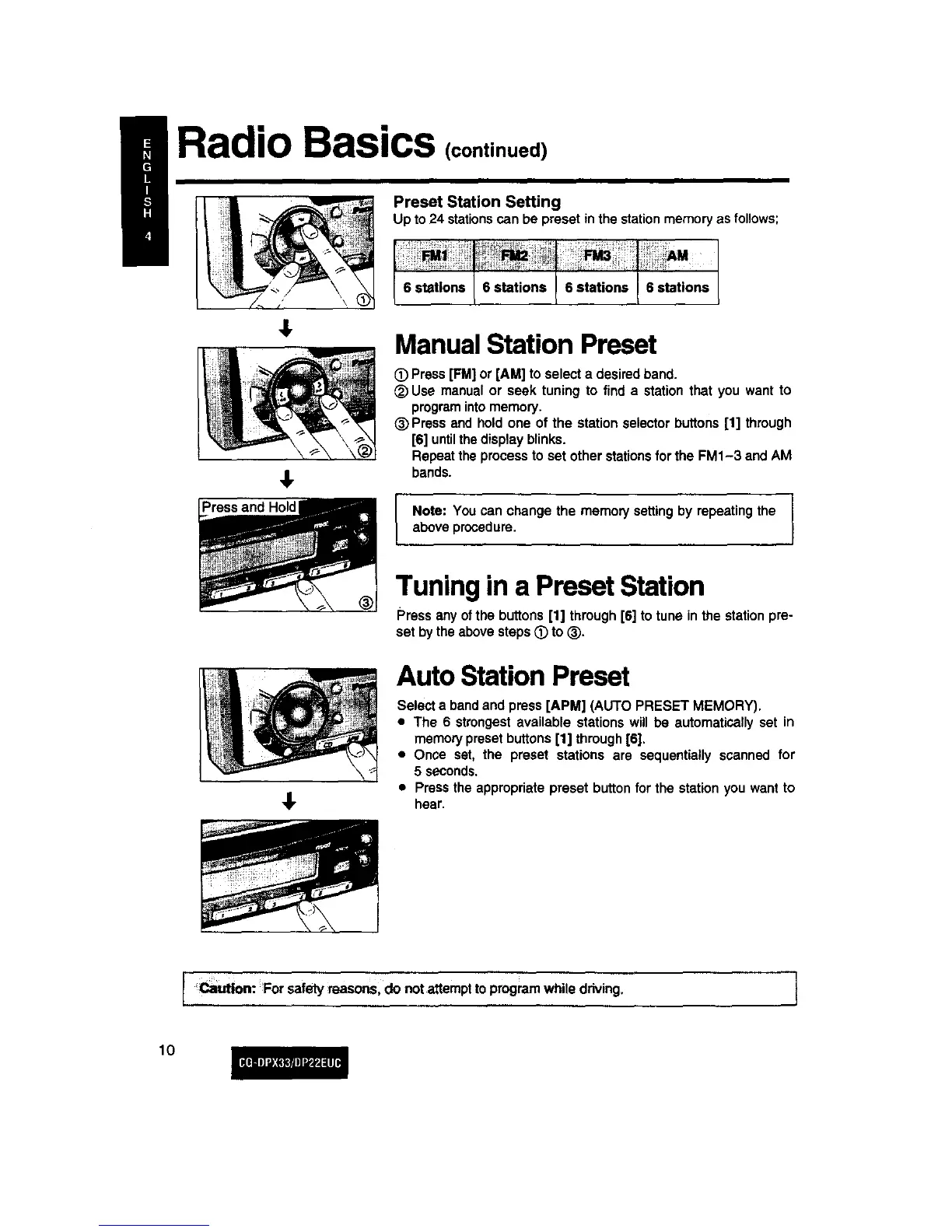
Preset Station Setting
Up to24 stationscan be preset inthe stationmemory as follows;
6 stations 6 stations 6 stations 6 stations
4,
Manual Station Preset
C) Press[FM]or [AM] to selecta desiredband.
_) Use manualor seek tuning to find a stationthat you want to
programintomemory.
_)Press and hold one of the station selector buttons[1] through
[6] untilthedisplayblinks.
Repeat theprocessto set other stationsfor the FM1-3 and AM
bands.
Note: You can change the memory settingby repeatingthe
aboveprocedure.
Tuning in a Preset Station
Press anyofthe buttons[1] through[6] totune inthe stationpre-
set bytheabovesteps_) to (_).
AutoStationPreset
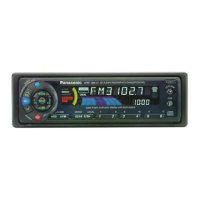
Selecta bandand press [APM] (AUTO PRESET MEMORY).
• The 6 strongestavailable stationswill be automaticallyset in
memorypresetbuttons[1] through[6].
• Once set, the preset stations are sequentially scanned for
5 seconds.
• Pressthe appropriatepreset buttonfor the station you wantto
hear.
I _ution: Forsafetymasons, do not attempttoprogramwhile driving. 1
lO



 To Next Page