52
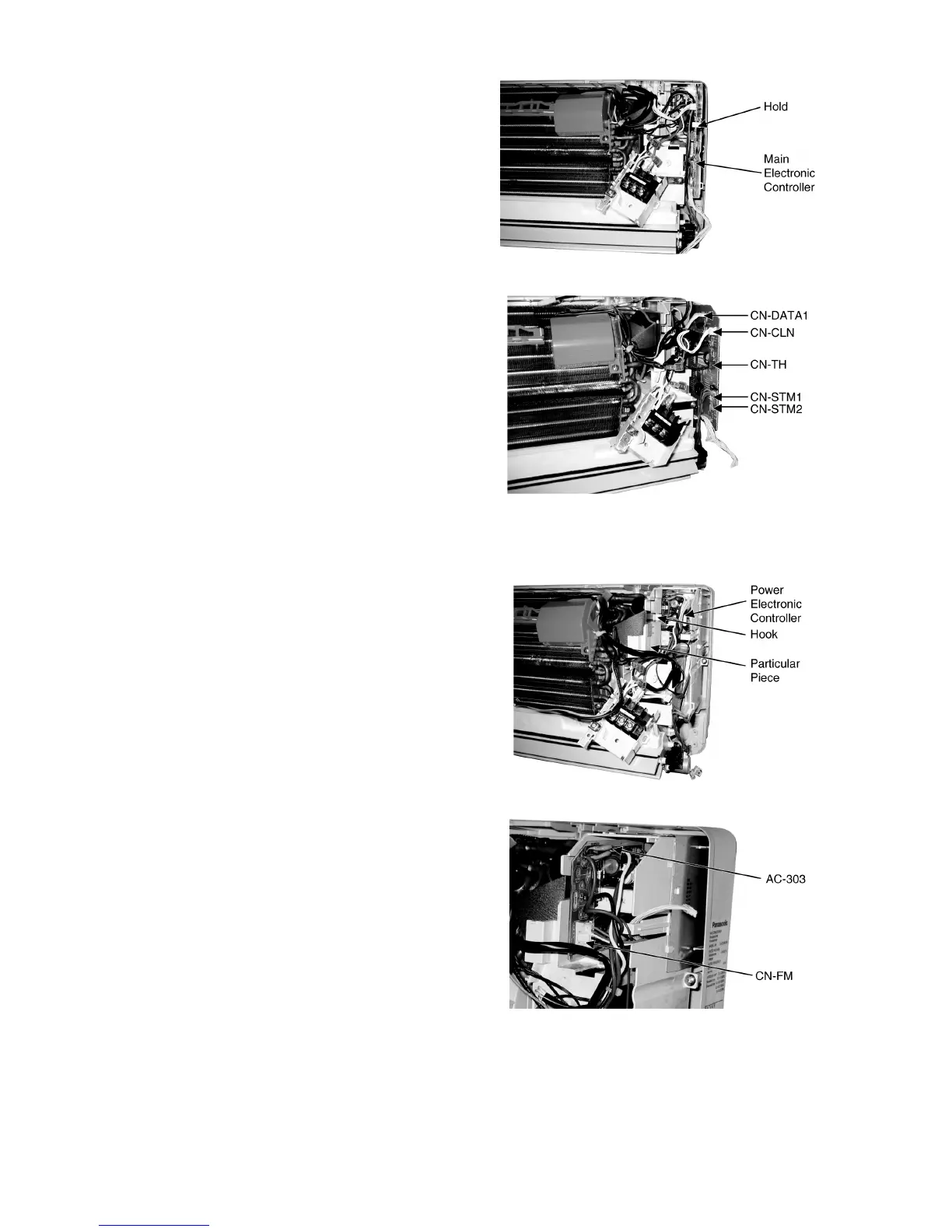
• Release the hooks that hold the Main Electronic Controller
and pull out the Main Electronic Controller. (Fig. 4)
• Release the CN-DATA1 connector. (Fig. 5)
• Release the CN-TH connector. (Fig. 5)
• Release the CN-CLN connector. (Fig. 5)
• Release the CN-STM1 connector. (Fig. 5)
• Release the CN-STM2 connector. (Fig. 5)
Fig. 4
Fig. 5
16.1.3. To remove the Power Electronic Controller
• Release the hook that hold the Particular Piece and pull out
the Power Electronic Controller. (Fig. 6)
• Release the AC-303 connector. (Fig. 7)
• Release the CN-FM connector. (Fig. 7)
Fig. 6
Fig. 7



 To Next Page