EasyManua.ls Logo

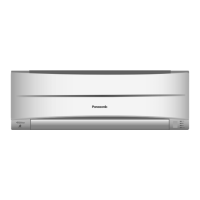
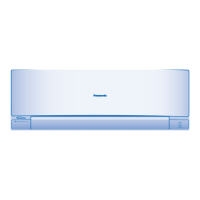
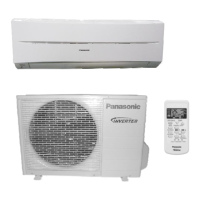
Panasonic CS-RE9SKA - User Manual

Panasonic CS-RE9SKA
20 pages
Print Icon
To Next Page IconTo Next Page
Loading...
English
中文
Model No.
Indoor Unit Outdoor Unit
CS-RE9SKA
CS-RE12SKA
CS-RE18SKA
CS-RE24SKA
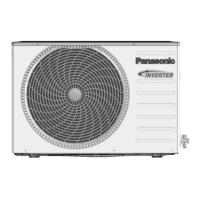
CU-RE9SKA
CU-RE12SKA
CU-RE18SKA
CU-RE24SKA
Operating Instructions
Air Conditioner
ACXF55-00680
操作說明書
空調器
2-9,18
感謝您購買
Panasonic
空調器。
附帶安裝說明。
在操作空調器前 , 請細讀此操作說明 , 並保存此書
以備日後參考。
Operating Instructions
Air Conditioner
10-18
Thank you for purchasing Panasonic Air Conditioner.
Installation instructions attached.
Before operating the unit, please read these operating
instructions thoroughly and keep them for future
reference.

Questions and Answers

  • S
    Sharon SharpAug 19, 2025
    Why doesn't my Panasonic Air Conditioner receive the signal from the remote control?
    • I
      imeadowsAug 19, 2025
      If your Panasonic Air Conditioner remote control isn't working, first ensure that the receiver is not obstructed. Certain fluorescent lights may interfere with the signal; please consult an authorized dealer.
  • J
    John PatelAug 21, 2025
    What to do if the Panasonic CS-RE9SKA Air Conditioner remote control does not work?
    • J
      Jennifer SanchezAug 21, 2025
      If your Panasonic Air Conditioner remote control isn't working, ensure the batteries are inserted correctly and replace weak batteries.
  • K
    Kelli MooreAug 23, 2025
    Why is the TIMER indicator always on my Panasonic Air Conditioner?
    • J
      Joseph PhillipsAug 23, 2025
      The TIMER indicator is always on because the timer setting repeats daily once set on your Panasonic Air Conditioner.
  • E
    Evan RushAug 26, 2025
    Why does my Panasonic Air Conditioner outdoor unit emit water or steam?
    • C
      Cody WashingtonAug 26, 2025
      The outdoor unit emitting water or steam from your Panasonic Air Conditioner is due to condensation or evaporation occurring on the pipes.
  • J
    Jeremy MoralesAug 27, 2025
    How to improve Panasonic Air Conditioner HEAT/COOL mode efficiency?
    • D
      Donna SchmittAug 27, 2025
      If your Panasonic Air Conditioner isn't operating efficiently in HEAT/COOL mode, make sure you've set the temperature correctly, closed all doors and windows, cleaned or replaced the filters, and cleared any obstructions at the air inlet and outlet vents.
  • L
    Lauren McdanielAug 30, 2025
    Why is there dust around my Panasonic Air Conditioner?
    • B
      Brittney NicholsAug 30, 2025
      After extended use, dust may collect around the front panel, grilles, and wall surrounding your Panasonic Air Conditioner due to the air purification effect of negative ions. Remove the dust regularly with a clean, dampened cloth.
  • J
    Jerry HernandezSep 1, 2025
    Why does my Panasonic Air Conditioner make a cracking sound?
    • J
      joshua62Sep 1, 2025
      The cracking sound during Panasonic Air Conditioner operation is caused by temperature changes leading to the expansion and contraction of the unit.
  • K
    Kevin HaynesSep 3, 2025
    Why is there a delay after restarting my Panasonic CS-RE9SKA?
    • A
      Alex PughSep 3, 2025
      The delay in operation after restarting your Panasonic Air Conditioner is a protection mechanism for the unit’s compressor.
  • J
    Jacqueline BartlettSep 5, 2025
    Why does the POWER indicator blink before my Panasonic CS-RE9SKA turns on?
    • R
      Ronald BallSep 5, 2025
      The POWER indicator blinking before the unit is switched on indicates a preliminary step in preparation for operation when the ON timer has been set on your Panasonic Air Conditioner.
  • M
    mary36Sep 7, 2025
    Why does mist emerge from my Panasonic Air Conditioner indoor unit?
    • J
      Jose CastanedaSep 7, 2025
      The mist emerging from the indoor unit of your Panasonic Air Conditioner is a condensation effect due to the cooling process.

Summary

Operating Instructions

Model Numbers

Lists indoor and outdoor unit model numbers for the air conditioner.

Operation Conditions

nanoe-G Air Purification

Explains how nanoe-G purifies air and deactivates microorganisms.

Operating Temperature Ranges

Details the recommended indoor and outdoor temperature ranges for COOL and HEAT modes.

Quick Guide

Inserting the Batteries

Instructions on how to insert batteries into the remote control.

Clock Setting

Steps for setting the clock on the remote control.

Basic Operation

Guide to selecting modes, starting/stopping, and setting temperature.

Safety Precautions

Indoor Unit and Outdoor Unit Safety

Warnings and precautions for operating indoor and outdoor units safely.

Remote Control Safety

Safety guidelines related to the remote control and its batteries.

Power Supply Safety

Precautions for safe use of electrical power supply, cords, and plugs.

How to Use

nanoe-G Air Purification

Details on activating nanoe-G for air purification and filter deactivation.

Remote Control Functions

Explains remote indicators, display, mode selection, and sleep mode.

Manual Unit Operation

How to use the Auto OFF/ON button on the unit for manual control.

Adjusting Airflow and Fan Speed

How to adjust fan speed, and vertical/horizontal airflow direction.

Timer and Auto Restart Settings

Instructions for setting timers and understanding auto restart after power failure.

Cleaning Instructions

Indoor Unit and Filter Cleaning

Steps for cleaning the indoor unit, front panel, and air filters.

nanoe-G Generator Cleaning

Instructions for cleaning the nanoe-G generator using a dry cotton bud.

Seasonal Inspection for Extended Non-use

Checks to perform before storing the unit for extended periods.

Troubleshooting

Symptoms Not Indicating Malfunction

Common operating sounds and visual phenomena that are not errors.

Checks Before Servicing

Steps to check before calling for professional servicing to resolve issues.

Non-Serviceable Conditions

Conditions requiring immediate shutdown and consultation with an authorized dealer.

Information on Collection and Disposal

Disposal of Old Equipment and Batteries

Information on proper disposal of old equipment and batteries.

Panasonic CS-RE9SKA Specifications

General IconGeneral
BrandPanasonic
ModelCS-RE9SKA
CategoryAir Conditioner
LanguageEnglish

Related product manuals