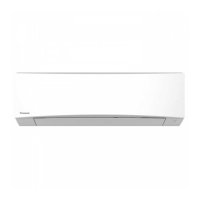
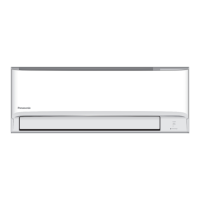
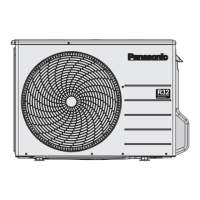
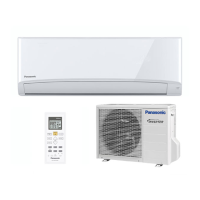
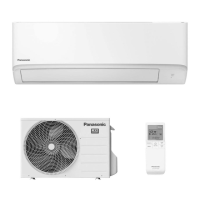
This document provides operating instructions for the Panasonic Air Conditioner, a heat pump system designed for both single and multi-split configurations. It features a built-in Network Adaptor for remote control via an app, allowing users to manage their heat pump from anywhere.
Function Description:
The Panasonic Air Conditioner is designed to provide efficient cooling and heating for indoor spaces. It offers various operation modes including AUTO, HEAT, COOL, and DRY, allowing users to select the most suitable mode for their comfort needs. The unit incorporates a "nanoe™ X" feature for air purification, moisturising skin and hair, and deodorising odours. It also includes a "POWERFUL" mode for rapid temperature adjustment and a "MILD DRY" mode to reduce air dryness during cooling. The system supports timer-based operations, allowing users to set specific ON/OFF times. An auto-restart control ensures the unit resumes operation with the last settings after a power failure.
Important Technical Specifications:
The air conditioner operates within specific temperature ranges for optimal performance.
- COOL Mode:
- Indoor Unit: Max 32 °C (89.6 °F) DBT, 23 °C (73.4 °F) WBT; Min 16 °C (60.8 °F) DBT, 11 °C (51.8 °F) WBT.
- Single Split Outdoor Unit: Max 43 °C (109.4 °F) DBT, 26 °C (78.8 °F) WBT; Min -10 °C (14.0 °F) DBT.
- Multi Split Outdoor Unit: Max 46 °C (114.8 °F) DBT, 26 °C (78.8 °F) WBT; Min -10 °C (14.0 °F) DBT.
- HEAT Mode:
- Indoor Unit: Max 30 °C (86.0 °F) DBT; Min 16 °C (60.8 °F) DBT.
- Single Split Outdoor Unit: Max 24 °C (75.2 °F) DBT, 18 °C (64.4 °F) WBT; Min -15 °C (5.0 °F) DBT, -16 °C (3.2 °F) WBT.
- Multi Split Outdoor Unit: Max 24 °C (75.2 °F) DBT, 18 °C (64.4 °F) WBT; Min -15 °C (5.0 °F) DBT, -16 °C (3.2 °F) WBT.
DBT refers to Dry Bulb Temperature, and WBT refers to Wet Bulb Temperature.
The unit uses R32 refrigerant, which is mildly flammable. Installation and servicing must be carried out by trained and certified personnel, adhering to specific safety precautions related to flammable refrigerants. The charging port thread diameter for R32 and R410A is 1/2 inch.
Usage Features:
- Remote Control: The unit is operated via a remote control, effective within 8 meters of the indoor unit's receiver. The remote control allows setting the clock, selecting operation modes (AUTO, HEAT, COOL, DRY), adjusting temperature, fan speed, and airflow direction.
- Clock Setting: The remote control allows setting the time in either 12-hour (am/pm) or 24-hour format.
- Operation Modes:
- AUTO: The unit automatically selects an operation mode based on room temperature (single split) or room and outdoor temperature (multi-split).
- HEAT: Provides heating. The POWER indicator blinks initially as the unit warms up.
- COOL: Provides efficient cooling.
- DRY: Operates at low fan speed for gentle dehumidification.
- Fan Speed and Quiet Operation: Users can select "FAN AUTO" for automatic fan speed adjustment or choose specific fan speeds, including a "QUIET" setting for reduced noise.
- Airflow Direction: The horizontal and vertical flaps can be adjusted for optimal air distribution. In COOL/DRY mode, the horizontal flap swings up/down automatically, fixing at an upper position once the set temperature is reached. In HEAT mode, the horizontal flap is fixed, and the vertical flap swings left/right as temperature rises.
- nanoe™ X: This feature can be activated independently or during other operations to provide cleaner air, moisturise skin and hair, and deodorise. It resumes if activated before the unit is turned off.
- POWERFUL Mode: Provides quick temperature adjustment for 20 minutes, then automatically stops.
- MILD DRY Mode (Single Split Only): Reduces air dryness during COOL mode.
- Sleep Mode: Provides a comfortable sleeping environment by automatically adjusting the temperature and dimming the indoor unit indicator. It can be set with a timer for 0.5 to 9 hours.
- Timer Function: Allows setting ON and OFF timers at two different preset times, repeating daily.
- Wireless LAN: A built-in Network Adaptor enables control via the "Panasonic Comfort Cloud" app. Users can turn the Wireless LAN feature ON or OFF using the remote control.
- Multi-Split System Considerations: In multi-split systems, indoor units can operate individually or simultaneously. HEAT and COOL modes cannot be active simultaneously across different indoor units. "MILD DRY" mode is not applicable for multi-split systems when vertical airflow direction is set to AUTO.
Maintenance Features:
- Regular Cleaning: Cleaning is essential for optimal performance and to prevent malfunctions (e.g., "H 99" error code).
- Power Disconnection: Always switch off the power supply and unplug the unit before cleaning.
- Indoor Unit Surface: Wipe gently with a soft damp cloth, avoiding sharp or rough items.
- Front Panel: The front panel can be removed for cleaning by raising it, sliding it to the right, and pulling it out. It should be washed gently and dried.
- Air Filters: Clean every 2 weeks by washing/rinsing gently with water and drying thoroughly under shade. Replace damaged filters.
- Outdoor Unit: Clean debris around the unit and clear any blockages from the drain pipe.
- Coils and Fans: Should be cleaned periodically by an authorised dealer.
- Extended Non-Use: For long periods of non-use, activate HEAT mode for 2-3 hours to remove moisture, then turn off the power supply, unplug the unit, and remove remote control batteries.
Safety Precautions:
The manual outlines extensive safety precautions, classified as WARNING (death or serious injury) and CAUTION (injury or property damage).
- General Safety: Do not use modified cords, operate with wet hands, over-bend the power supply cord, or operate/stop the unit by plugging/unplugging. Ensure proper earthing and periodic cleaning of the power plug.
- Refrigerant Safety (R32): Due to the use of mildly flammable R32 refrigerant, specific precautions are mandatory. Installation and servicing must be performed by trained and certified personnel. The appliance must be installed in a room with a floor area larger than Amin (m²) and kept away from ignition sources. Ventilation openings must be clear. Do not pierce or burn the appliance.
- Servicing: Only qualified personnel should service the unit. Safety checks for refrigerant presence, fire extinguishers, and ignition sources are crucial. Work must be undertaken in a controlled, well-ventilated area.
- Electrical Devices: Electrical components must be fit for purpose and to correct specifications. Initial safety checks, including capacitor discharge and earth bonding, are required.
- Leak Detection: Use appropriate leak detection equipment suitable for flammable refrigerants, calibrated to the refrigerant's LFL percentage. Naked flames are prohibited.
- Refrigerant Removal and Charging: Follow specific procedures for refrigerant removal (purge with OFN, evacuate) and charging (ensure no contamination, use short hoses, earth the system, label, do not overfill).
- Decommissioning: All refrigerants must be recovered safely. Electrical power must be available. Personal protective equipment is required.
- Remote Control: Do not allow children to play with the remote control to prevent accidental battery swallowing. Do not use rechargeable batteries. Remove batteries during long periods of non-use.
Troubleshooting:
The manual provides a comprehensive troubleshooting guide for common symptoms and their causes, as well as instructions for retrieving error codes from the unit. If the remote control is missing or malfunctioning, the unit can be operated manually via the AUTO OFF/ON button on the indoor unit.


 To Next Page

 General