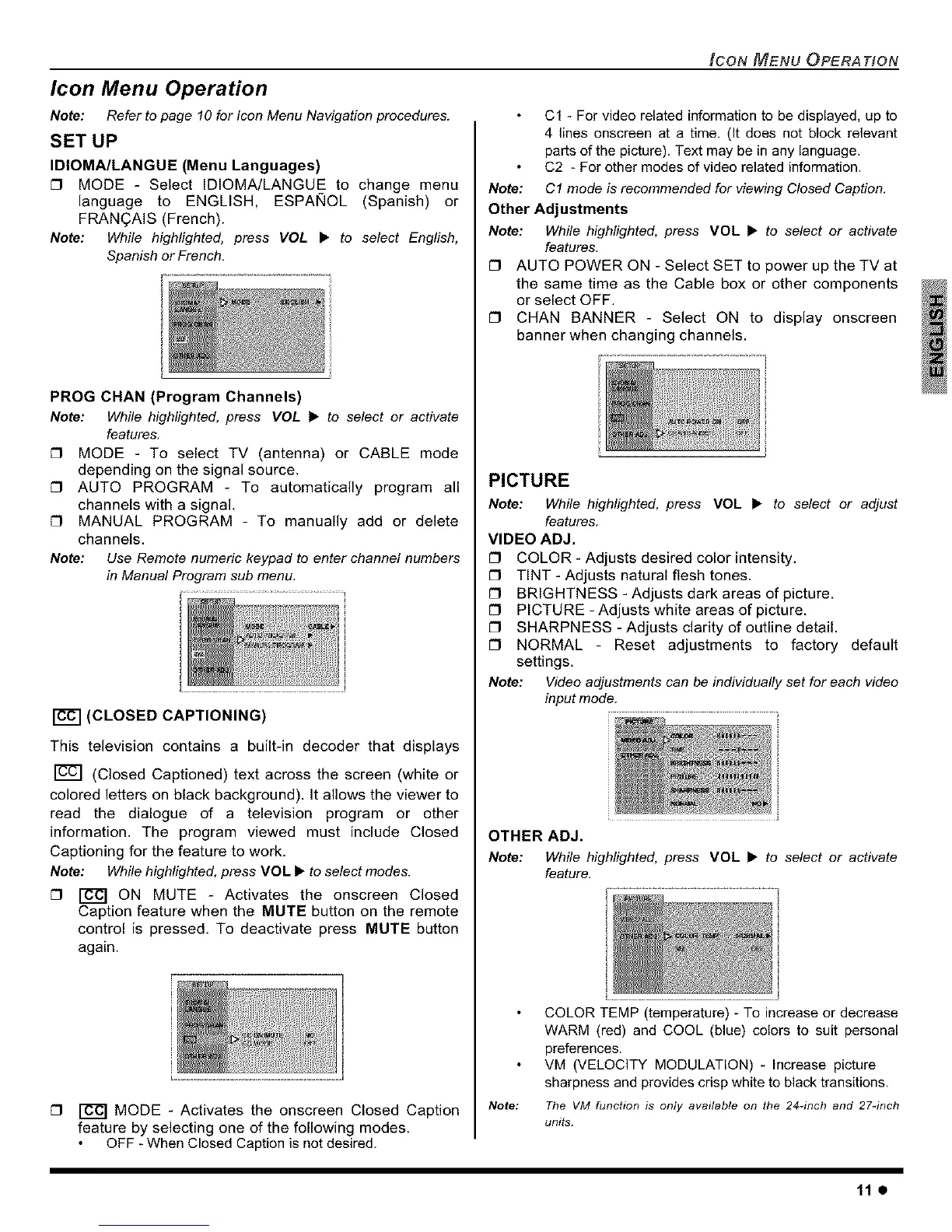
Icon Menu Operation
Note: Refer to page 10 for IconMenu Navigationprocedures.
SET UP
IDIOMA/LANGUE (Menu Languages)
[] MODE - Select IDIOMA/LANGUE to change menu
language to ENGLISH, ESPAi_IOL (Spanish) or
FRAN(_AIS (French).
Note: While highlighted, press VOL • to select English,
Spanish or French.
PROG CHAN (Program Channels)
Note: While highlighted, press VOL • to select or activate
features.
[] MODE - To select TV (antenna) or CABLE mode
depending on the signal source.
[] AUTO PROGRAM - To automatically program all
channels with a signal.
[] MANUAL PROGRAM - To manually add or delete
channels.
Note: Use Remote numeric keypad to enter channel numbers
in Manual Program sub menu,
r_ (CLOSED CAPTIONING)
This television contains a built-in decoder that displays
(Closed Captioned) text across the screen (white or
colored letters on black background). It allows the viewer to
read the dialogue of a television program or other
information. The program viewed must include Closed
Captioning for the feature to work.
Note: While highlighted, press VOL • to select modes.
[] _ ON MUTE - Activates the onscreen Closed
Caption feature when the MUTE button on the remote
control is pressed. To deactivate press MUTE button
again.
[] _ MODE - Activates the onscreen Closed Caption
feature by selecting one of the following modes.
OFF - When Closed Caption is not desired.
ICON MENU OPERA TtON
C1 - For video related information to be displayed, up to
4 lines onscreen at a time. (It does not block relevant
parts of the picture). Text may be in any language.
C2 - For other modes of video related information.
Note: C1 mode is recommended for viewing Closed Caption.
Other Adjustments
Note: While highlighted, press VOL • to select or activate
features
[] AUTO POWER ON - Select SET to power up the TV at
the same time as the Cable box or other components
or select OFF.
[] CHAN BANNER - Select ON to display onscreen
banner when changing channels.
PICTURE
Note: While highlighted, press VOL • to select or adjust
features.
VIDEO ADJ.
[] COLOR - Adjusts desired color intensity.
[] TINT - Adjusts natural flesh tones.
[] BRIGHTNESS - Adjusts dark areas of picture.
[] PICTURE - Adjusts white areas of picture.
[] SHARPNESS - Adjusts clarity of outline detail.
[] NORMAL - Reset adjustments to factory default
settings.
Note: Videoadjustments can be individually set far each video
inputmode.
OTHER ADJ.
Note: While highlighted, press VOL • to select or activate
feature.
Note:
COLOR TEMP (temperature) To increase or decrease
WARM (red) and COOL (blue) colors to suit personal
preferences.
VM (VELOCITY MODULATION) _ Increase picture
sharpness and provides crisp white to black transitions.
Tile VM function is only available on the 24-inch and 27_inch
units.
11e





 To Next Page