14
M
AIN
M
ENU
F
EATURE
C
HART
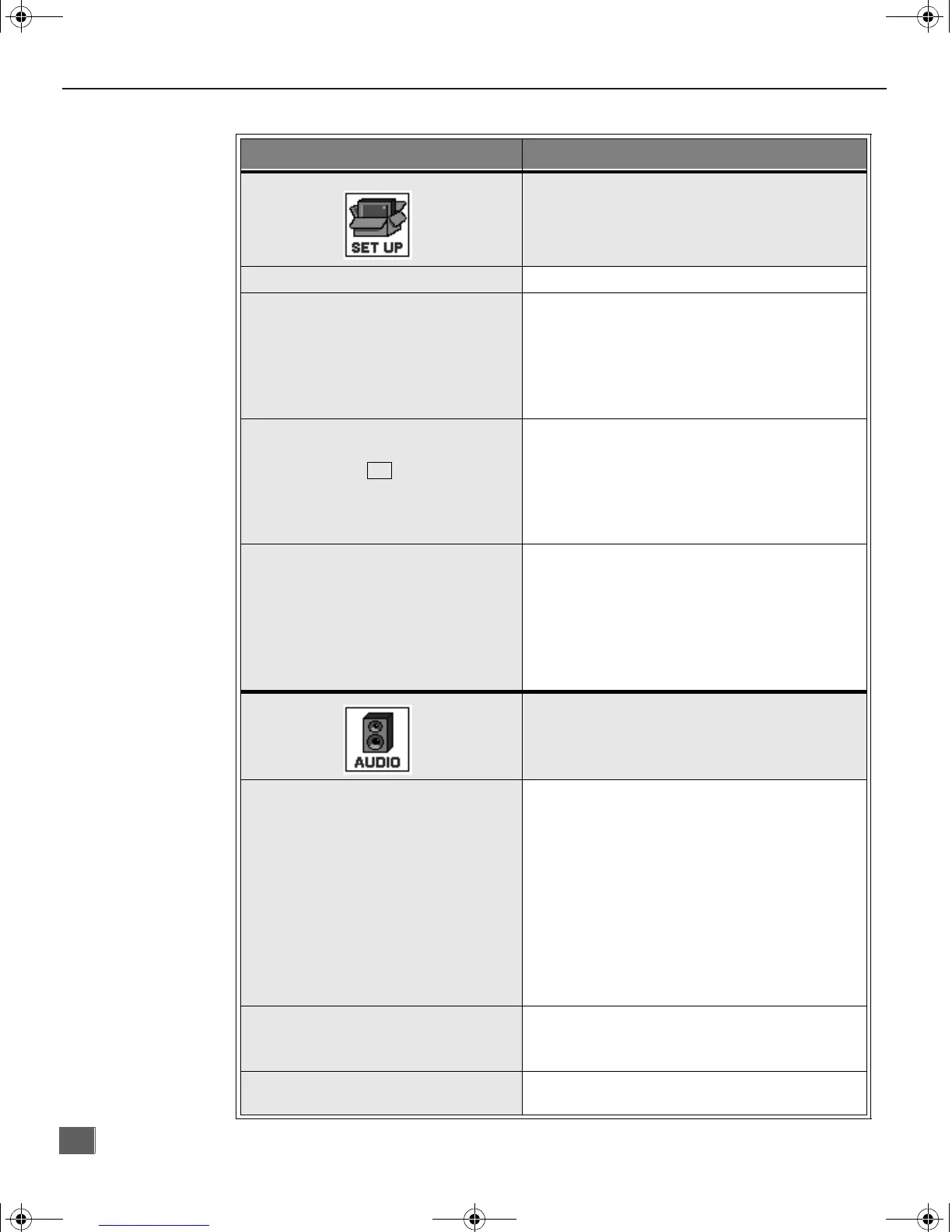
Main Menu Feature Chart
M
ENU
D
ESCRIPTION
SET UP
LANGUAGES
r Select English, Spanish, or French menu.
PROG. CHAN
(Program Channels)
r MODE - Select Cable or TV. See Installa-
tion section in manual.
r AUTO PROGRAM - Automatically program
channels having a signal into memory.
r MANUAL PROGRAM - Manually add or
delete channels from memory.
CC
(Closed Captioning)
r CC ON MUTE - Activate C1-C2 for Closed
Captioning display when the remote MUTE
button is pressed.
r CC MODE - Select C1 or C2 for Closed
Captioning, program guides and other
information.
OTHER ADJ.
r AUTO POWER ON - Select SET to power
up the TV at the same time as the Cable
Box or other components or select OFF.
r CHAN BANNER - Select ON to display
onscreen banner when changing channels.
Note: Press RECALL to display onscreen
Channel Banner at any time.
AUDIO
AUDIO ADJ.
(Adjustments)
r MODE - Select STEREO, SAP (Second
Audio Program) or MONO. (Use MONO
when stereo signal is weak.)
r BASS - Increase or decrease the bass
response.
r TREBLE - Increase or decrease the treble
response.
r BALANCE - Emphasize the left/right
speaker volume.
r NORMAL - Reset BASS, TREBLE and
BALANCE to factory default.
OTHER ADJ.
(Adjustments)
r AI SOUND - Automatically adjust volume
to maintain a comfortable listening level.
(AI sound is not available in VIDEO mode).
SURROUND
r SURROUND - Enhances audio response
when listening to stereo.
0373 -1E.fm Page 14 Monday, February 26, 2001 3:47 PM





 To Next Page