MAIN MENU FEATURE CHART
Main Menu Feature Chart (ConL)
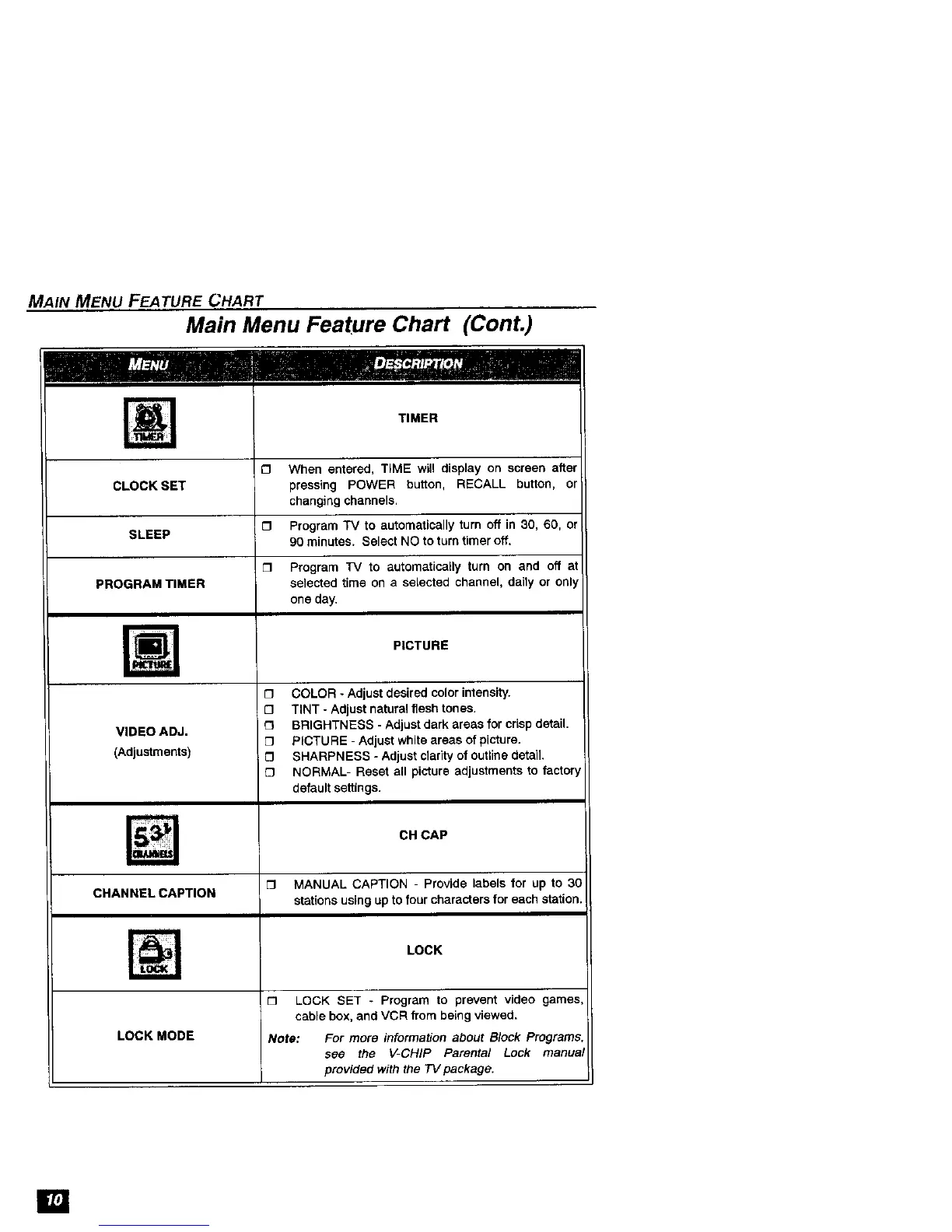
TIMER
£3 When entered, TIME will display on screen after
CLOCK SET pressing POWER button, RECALL button, or
changing channels.
O Program TV to automatically turn off in 30, 60, or
SLEEP
90 minutes. Select NO to turn timer off.
O Program TV to automatically turn on and off at
PROGRAM TIMER selected time on a selected channel, daily or only
one day.
PICTURE
O COLOR - Adjust desired color intensity.
O TINT- Adjust natural flesh tones,
VIDEO ADJ. I3 BRIGHTNESS - Adjust dark areas for crisp detail,
D PICTURE - Adjust white areas of picture.
(Adjustments) [] SHARPNESS - Adjust clarity of outline detail.
£3 NORMAL- Reset all picture adjustments to factory
default settings.
CH CAP
[] MANUAL CAPTION - Provide labels for up to 30
CHANNEL CAPTION stations using up to four characters for each station,
LOCK
m
[] LOCK SET - Program to prevent video games
cable box, and VCR from being viewed.
LOCK MODE Note: For more information about Block Programs
see the V-CHIP Parental Lock manua
provided with the TV package.
[]









 To Next Page