MAIN MENU
Main Menu
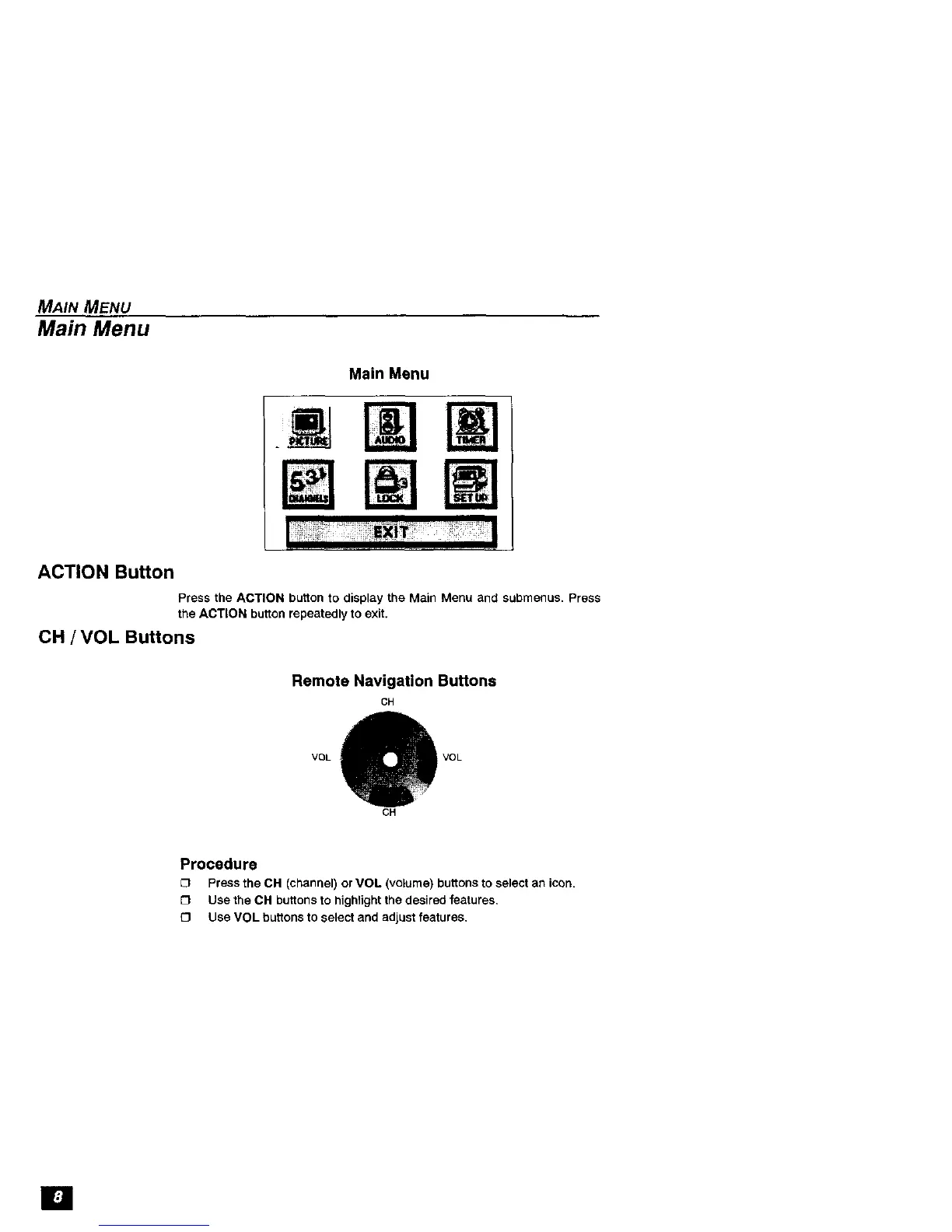
Main Menu
ACTION Button
Press the ACTION button to display the Main Menu and submenus. Press
the ACTION button repeatedly to exit.
OH / VOL Buttons
Remote Navigation Buttons
CH
VOL VOL
CH
Procedure
[] Press the CH (channel) orVOL (volume)buttonsto select an icon.
[] Usethe CH buttonsto highlightthedesiredfeatures,
_3 UseVOL buttons to select and adjustfeatures,
[]



 To Next Page