•
• •
•
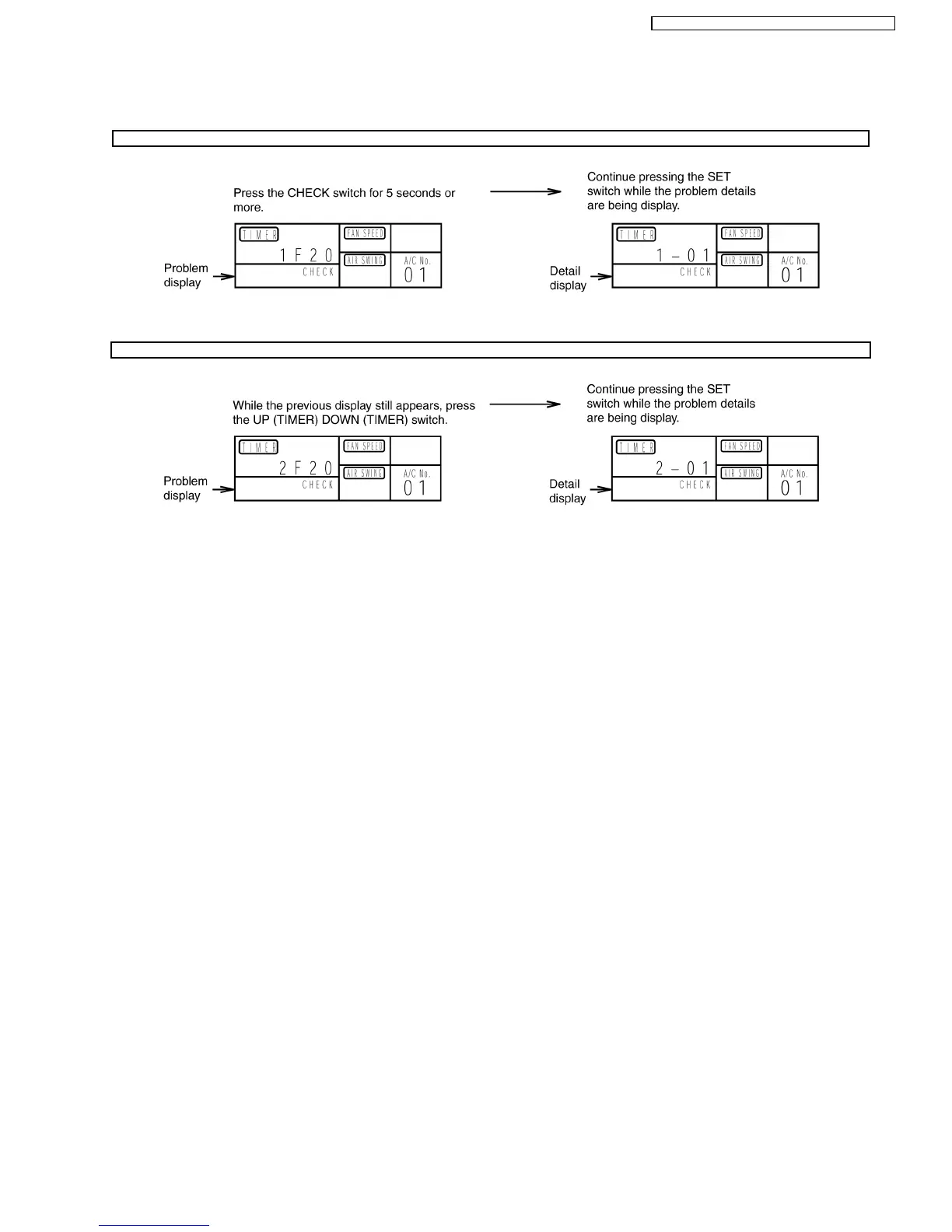
You can then switch between the display for the previous problem and the problem before that by pressing the UP (TIMER)
DOWN (TIMER) switches.
•
• •
•
Press the CHECK switch once more to return to the normal display.
Example of previous problem display
Example of abnormality display before previous display
•
• •
•
The display can be switched between the previous problem and the one before that by pressing the UP (TIMER) DOWN
(TIMER) switches.
•
• •
•
After eliminating the cause of the problem, press the CHECK switch once more to return to the normal display.
65
CS-F24DB4E5 CU-L24DBE5 / CS-F28DB4E5 CU-L28DBE5




 To Next Page