46
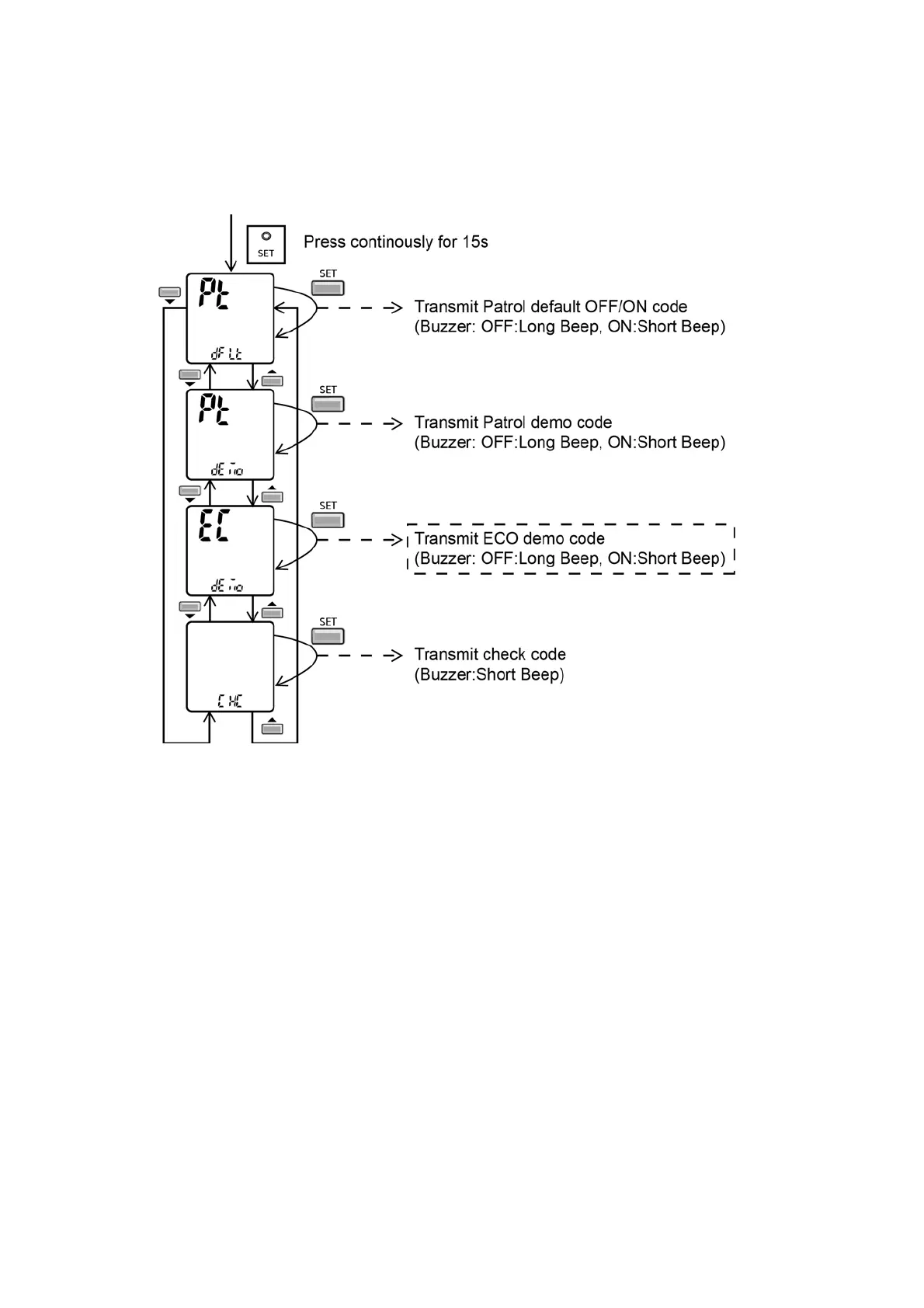
• ECONAVI & AUTO COMFORT Demo Mode
- Press “Set” button continuously for 15 seconds by using pointer during Air Conditioner is OFF condition to enter internal
setting mode.
- Press “Timer Decrement" button to select “EC demo”.
- Press “Timer Set” button to toggle ECONAVI & AUTO COMFORT Demo mode.
- Short "beep": Turn ON ECONAVI & AUTO COMFORT Demo mode.
- Long "beep": Turn OFF ECONAVI & AUTO COMFORT Demo mode.
Control details:
• During ECONAVI & AUTO COMFORT Demo mode, operation LED ON and horizontal vane will set to Auto Swing.
• When Hi activity judge, Fan speed change to Hi Fan and ECONAVI & AUTO COMFORT LED ON.
• When Lo activity judge, Fan speed change to Lo Fan and ECONAVI & AUTO COMFORT LED OFF.
• No setting temperature adjustment.
• During ECONAVI & AUTO COMFORT operation, the internal setting temperature and fan speed are adjusted in order to provide
comfort and energy saving.
• ECONAVI Start condition.
- Press ECONAVI button.
• ECONAVI Stop Conditon
- Press ECONAVI button again.
- OFF Timer activates.
- Press OFF/ON button to turn off the air conditioner.
- Press AUTO OFF/ON button to turn off the air conditioner.
• AUTO COMFORT Start condition.
- Press AUTO COMFORT button.



 To Next Page