▲
14
Setting the Timers
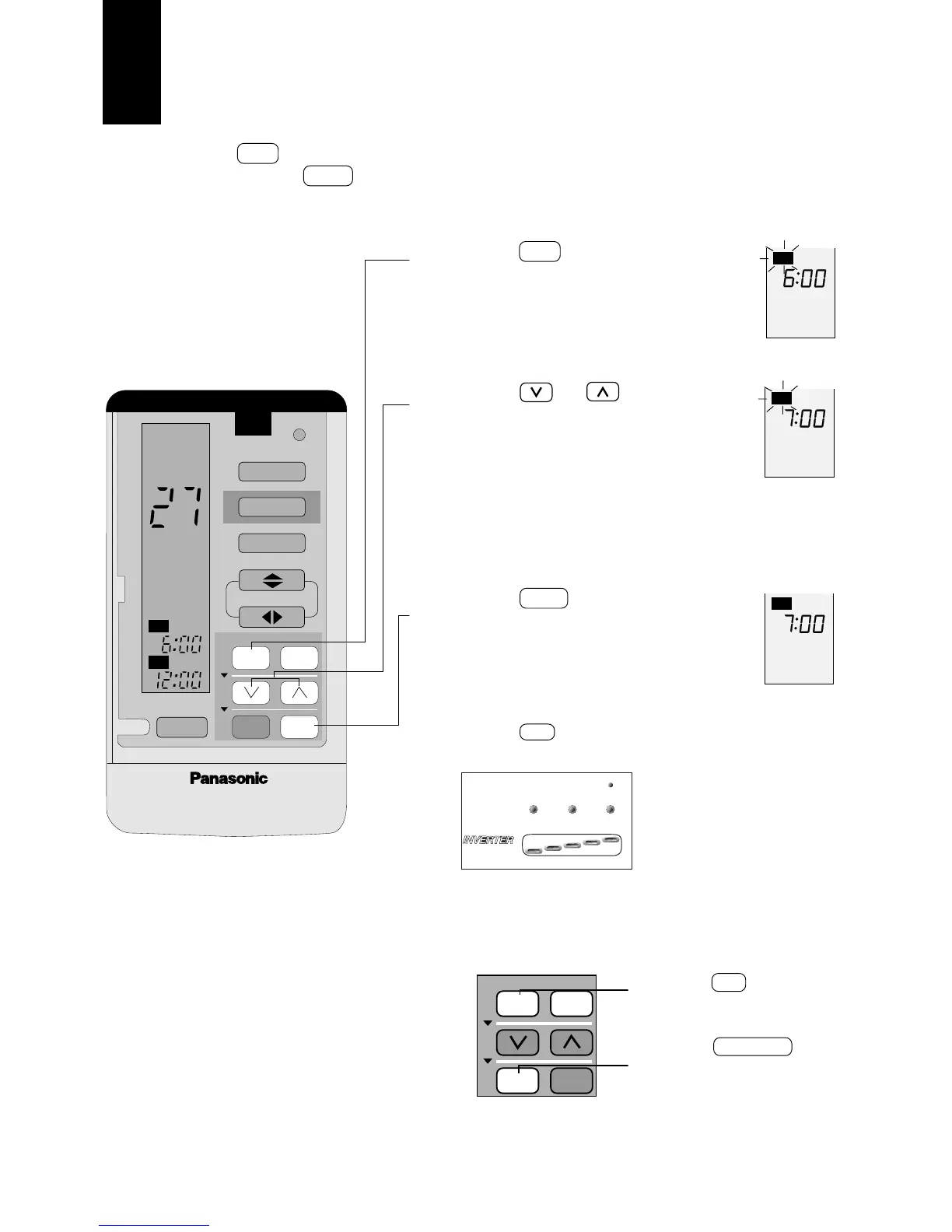
Set the ON to the time at which you want heating or cooling to
begin. Set the OFF to the desired stop time. Use both timers to-
gether for maximum comfort and efficiency.
1
2
3
Press ON Button
Display Ex: Set the ON timer for 7:00AM.
Press or to set the
time
● Increases or decreases by 10 minutes.
Press continuously to reach the desired
setting time quickly.
Press SET Button
■ To set OFF-Timer
Press OFF and follow steps 2 and 3.
(TIMER LED on the indoor
unit lights up.)
■ To cancel the timer
(Ex) Cancel ON timer.





 To Next Page