218
Playback/Editing
You can do the following if a mark has been added to pictures and they have been set as
favorites.
•
Play back the pictures set as favorites only as a slide show.
• Play back only the pictures set as favorites. ([Favorite Play])
• Delete all the pictures not set as favorites. ([All Delete Except Favorite])
1 Select the menu.
∫ Canceling all the [Favorite] settings
Select the menu.
•
Confirmation screen is displayed. It is executed when [Yes] is selected.
Exit the menu after it is executed.
• In [Playback Mode], the [Cancel] is disabled.
• You can set up to 999 pictures as favorites.
• When you set pictures in a group as [Favorite], the number of your [Favorite] pictures is
displayed on the [Favorite] icon of the group’s top picture.
Not available in these cases:
•
You may not be able to set pictures taken with other equipment as favorites.
• You cannot use [Favorite] for the following pictures.
– Pictures taken with [ ]
[Favorite]
[MENU] > [Playback]>[Favorite]>[Single]/[Multi]
2 Select the picture.
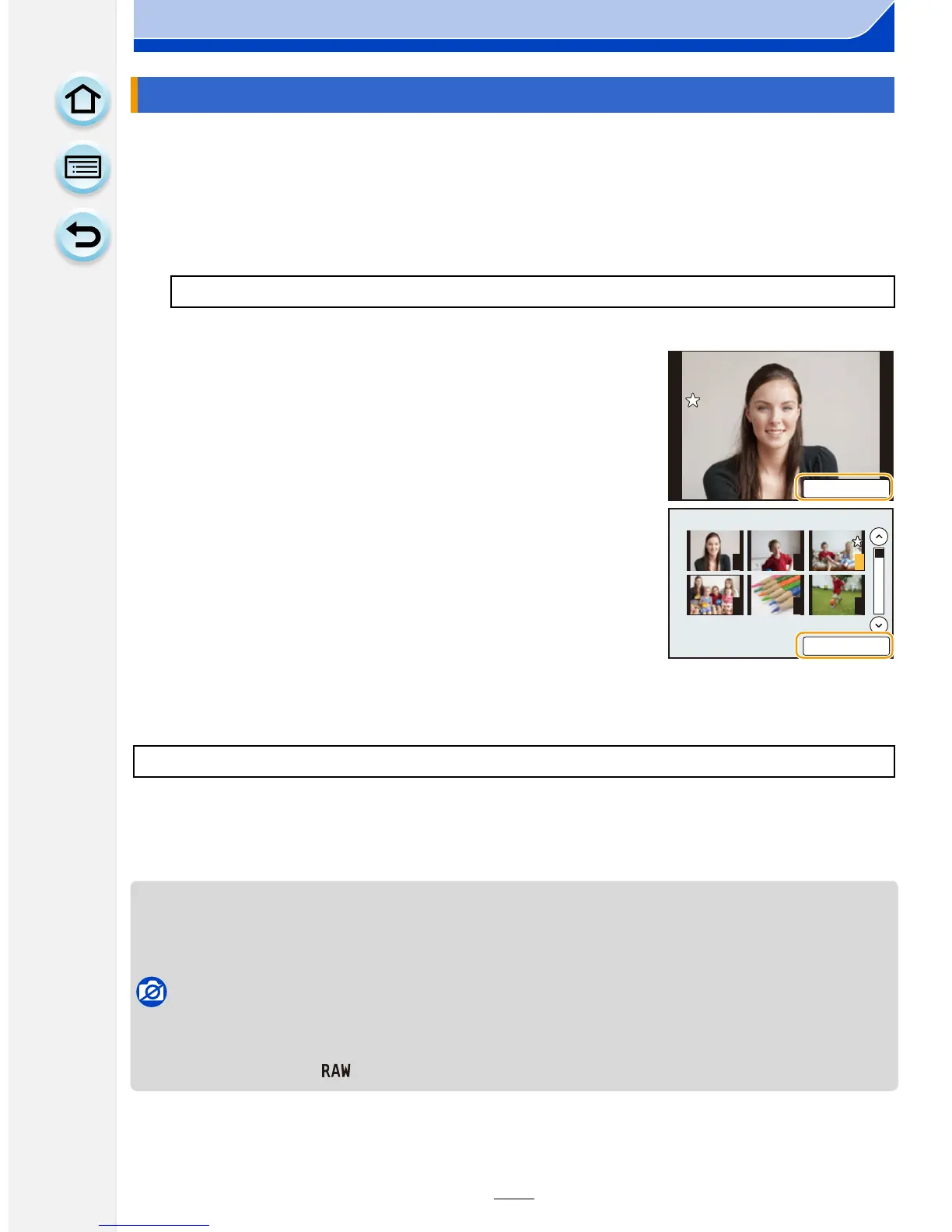
[Single] setting
Drag the screen horizontally to select an image, and
then touch [Set/Cancel].
•
Setting is canceled by touching [Set/Cancel] again.
• Exit the menu after it is set.
[Multi] setting
Touch the pictures you wish to set as favorites.
•
Setting is canceled by touching the same picture again.
• Exit the menu after it is set.
[MENU] > [Playback]>[Favorite]>[Cancel]
6HW&DQFHO
1 2 3
4 5 6
6HW&DQFHO











 To Next Page