221
Playback/Editing
You can set protection for pictures you do not want to delete by mistake.
1 Select the menu.
∫ Canceling all the [Protect] settings
Select the menu.
•
Confirmation screen is displayed. It is executed when [Yes] is selected.
Exit the menu after it is executed.
• The [Protect] feature is only designed to work with this camera.
• Even if you protect pictures on a card, they will be deleted if the card is formatted.
• When you set pictures in a group to [Protect], the number of pictures with the [Protect] setting is
displayed on the [Protect] icon of the group’s top picture.
[Protect]
[MENU] > [Playback]>[Protect]>[Single]/[Multi]
2 Select the picture.
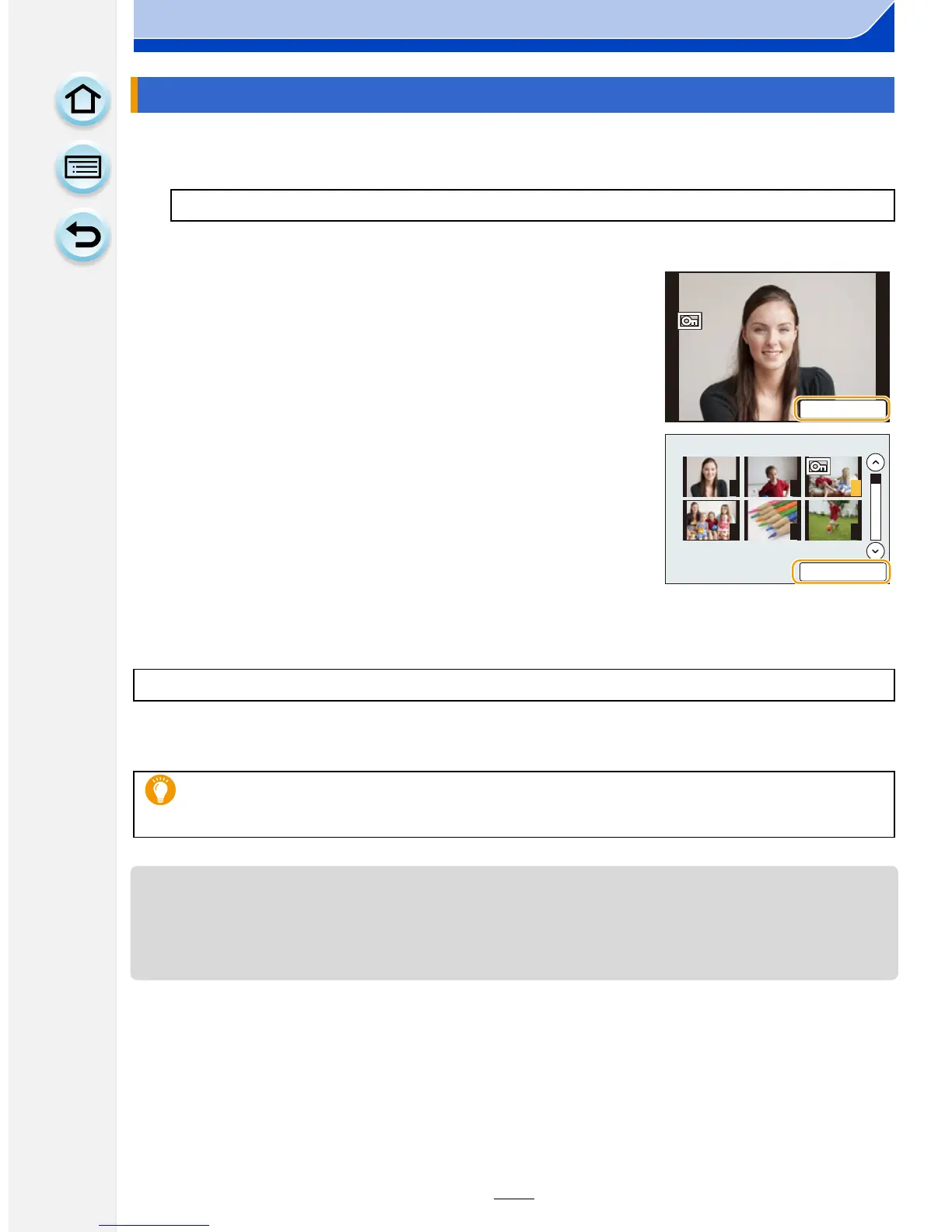
[Single] setting
Drag the screen horizontally to select an image, and then
touch [Set/Cancel].
•
Setting is canceled by touching [Set/Cancel] again.
• Exit the menu after it is set.
[Multi] setting
Touch the picture you wish to protect.
•
Setting is canceled by touching the same picture again.
• Exit the menu after it is set.
[MENU] > [Playback]>[Protect]>[Cancel]
•
Even if you do not protect pictures on a card, they cannot be deleted when the card’s
Write-Protect switch is set to [LOCK].
6HW&DQFHO
1 2 3
4 5 6
6HW&DQFHO











 To Next Page