19
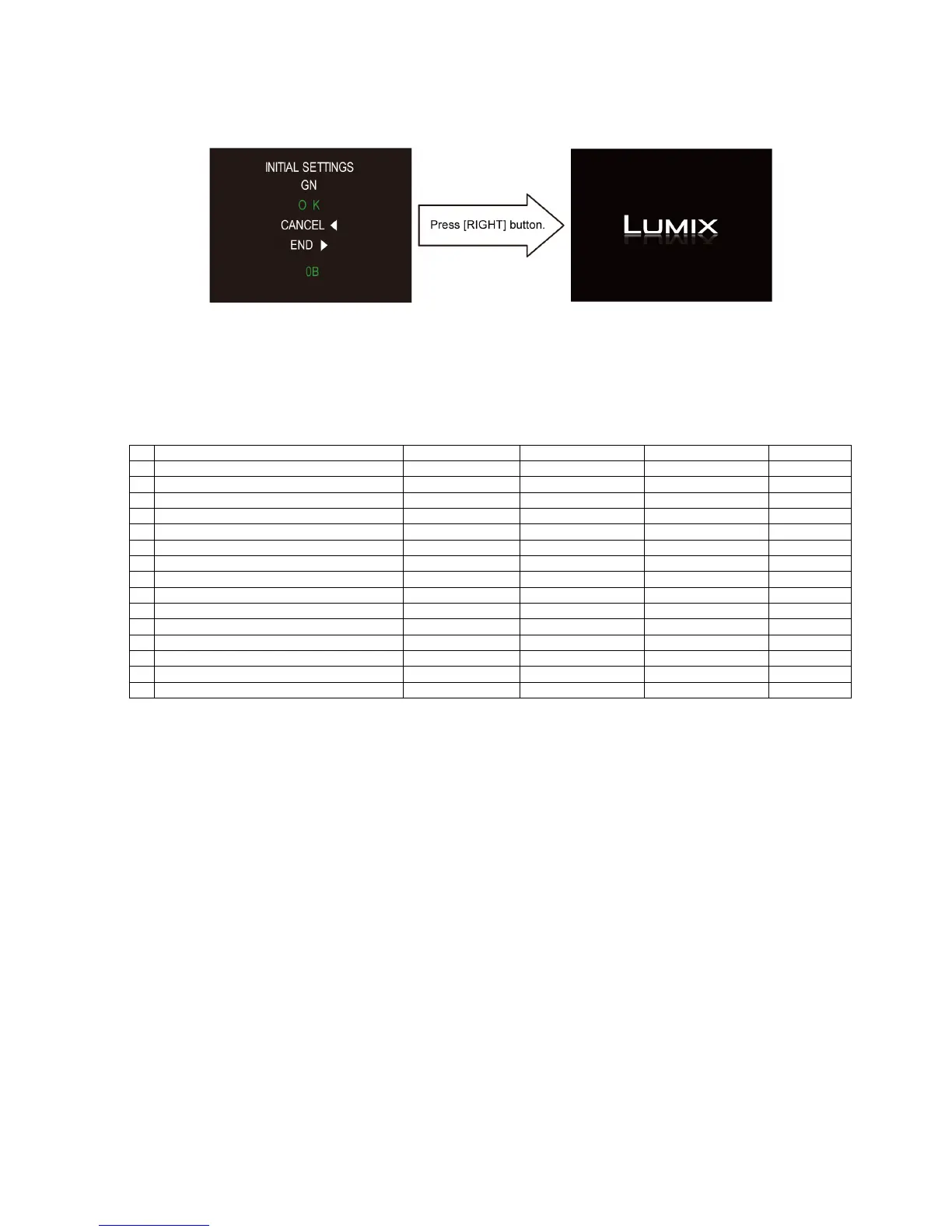
• Step 6. Set the model suffix in “INITIAL SETTINGS”:
- Press the “[ RIGHT ] of Cursor buttons”.
- The only set area is displayed, and then press the “[ RIGHT ] of Cursor buttons” after confirmation.
(The unit is powered off automatically.)
• Step 7. CONFIRMATION:
Confirm the display of “PLEASE SET THE CLOCK” in concerned language when the unit is turned on again.
When the unit is connected to PC with USB cable, it is detected as removable media.
(When the “GT” or “GK” model suffix is selected, the display shows “PLEASE SET THE CLOCK” in Chinese.)
1) As for your reference, major default setting condition is as shown in the following table.
• Default setting (After “INITIAL SETTINGS”)
MODEL VIDEO OUTPUT LANGUAGE DATE REMARKS
a) DMC-GH3 (Japan domestic model) NTSC Japanese Year/Month/Date
b) DMC-GH3P NTSC English Month/Date/Year
c) DMC-GH3PC NTSC English Month/Date/Year
d) DMC-GH3PU NTSC Spanish Month/Date/Year
e) DMC-GH3EB PAL English Date/Month/Year
f) DMC-GH3EC PAL English Date/Month/Year
g) DMC-GH3EE PAL Russian Date/Month/Year
h) DMC-GH3EF PAL French Date/Month/Year
i) DMC-GH3EG PAL English Date/Month/Year
j) DMC-GH3GC PAL English Date/Month/Year
k) DMC-GH3GD NTSC Korean Year/Month/Date
l) DMC-GH3GH PAL English Date/Month/Year
m) DMC-GH3GK PAL Chinese (simplified) Year/Month/Date
n) DMC-GH3GN PAL English Date/Month/Year
o) DMC-GH3GT NTSC Chinese (Traditional) Year/Month/Date




 To Next Page