Advanced (Playback)
65
VQT1C52
Advanced (Playback)
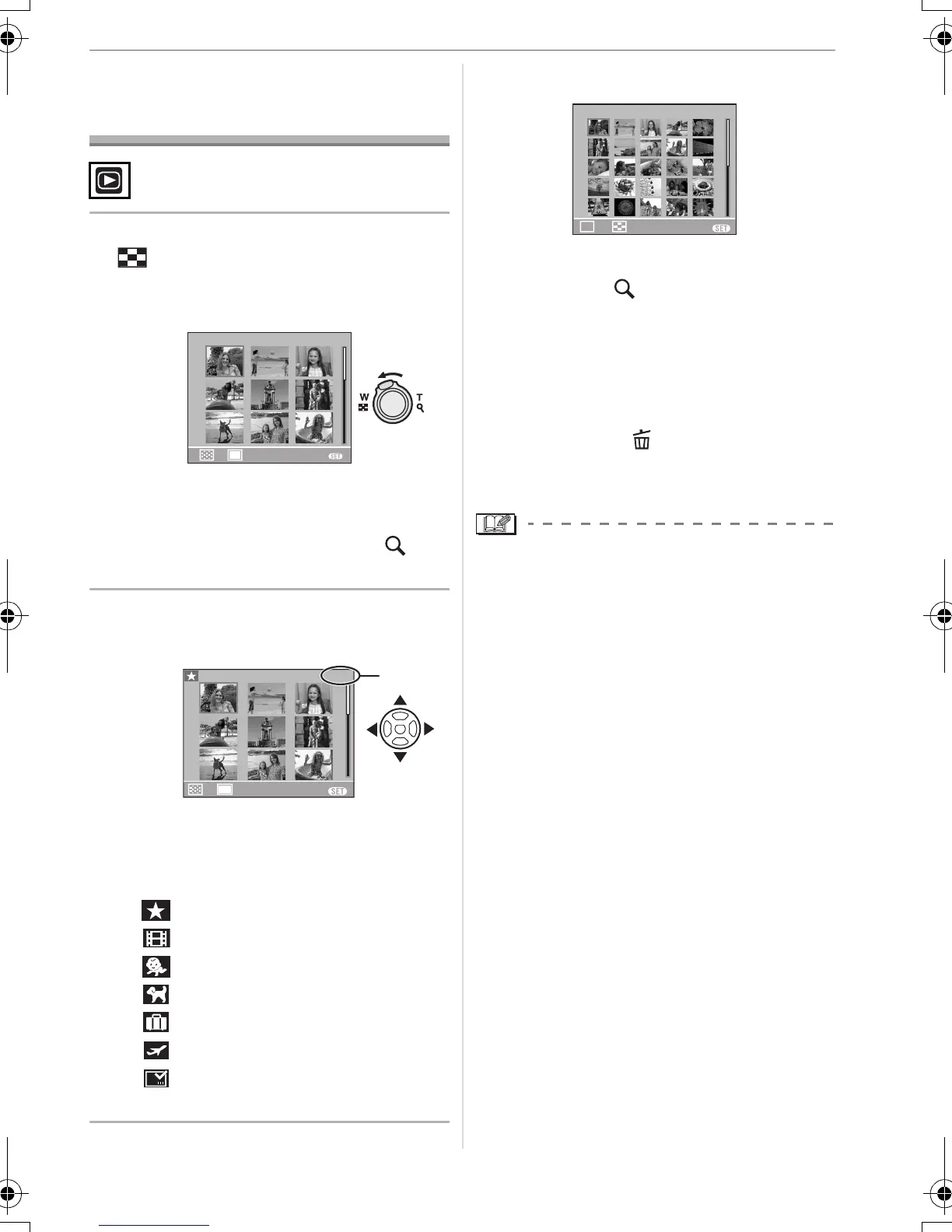
Displaying Multiple
Screens (Multi Playback)
1 Rotate the zoom lever towards
[ ] [W] to display multiple
screens.
(Screen when 9 screens are displayed)
• 1 screen>9 screens>25 screens>
Calendar screen display (P66)
• Rotate the zoom lever towards [ ] [T]
to return to the previous screen.
2 Press 3/4/2/1 to select a
picture.
A: Number of the selected picture and the
total number of recorded pictures
• Depending on the recorded picture and
the setting, the following icons will appear.
– [ ] (Favourites)
– [ ] (Motion picture)
–[ ]
([BABY1]/[BABY2] in scene mode)
– [ ] ([PET] in scene mode)
– [ ] (Travel date)
– [ ] (Travel destination)
– [ ] (Pictures stamped with [DATE
STAMP])
∫ Examples of 25 screens
∫ To return to normal playback
Rotate towards [ ] [T] or press
[MENU/SET].
• The picture that was selected will appear.
∫ To delete a picture during multi
playback
1 Press 3/4/2/1 to select a picture
and then press [ ].
2 Press 3 to select [YES].
3 Press [MENU/SET].
• The recording information etc. on the LCD
monitor cannot be deleted in multi
playback even if you press [DISPLAY].
• Pictures will not be displayed in the
rotated direction even if [ROTATE DISP.] is
set to [ON]. (P70)
1. DEC .
2007
1/26
W
T
CANCEL
MENU
T
CANCEL
MENU
1. DEC.
2007
1/26
W
A
W
MENU
CAL
T
1/26
CANCEL
1. DEC .
2007
VQT1C52ENG.book 65 ページ 2006年12月29日 金曜日 午後2時14分






 To Next Page