
 To Next Page
K
katherinecooperSep 9, 2025
Why does my Panasonic Blu-ray Player turn off when the TV input is switched?
- MMrs. Jenny BenderSep 9, 2025
This is a normal phenomenon when using VIERA Link (HDAVI Control 4 or later).

Why does my Panasonic Blu-ray Player turn off when the TV input is switched?
This is a normal phenomenon when using VIERA Link (HDAVI Control 4 or later).
What to do if my Panasonic Blu-ray Player cannot eject disc?
The unit may have a problem. While the unit is off, press and hold [OK], [B] and [Y] on the remote control at the same time for more than 5 seconds. Repeatedly press [1] (right) on the remote control or [POWER Í/I] on the remote control until “06 FTO” is displayed on the unit’s display. Press [OK] on the remote control or [< OPEN/CLOSE] on the unit.
What to do if Panasonic Blu-ray Player doesn't respond?
If still unable to power the unit off, disconnect the power cord, wait 1 minute, then reconnect the power cord.
How to fix distorted picture on my Panasonic Blu-ray Player?
An incorrect resolution may be selected in “Component Video Resolution” or “HDMI Resolution”. Reset the setting as follows: While the unit is on, press and hold [OK], [B] and [Y] on the remote control at the same time for more than 5 seconds. Repeatedly press [1] (right) on the remote control or [POWER Í/I] on the unit until “04 PRG” is displayed on the unit’s display. Press and hold [OK] on the remote control or [< OPEN/CLOSE] on the unit for at least 3 seconds. Set the item again. When Dolby Digital Plus, Dolby TrueHD, and DTS-HD audio are not output in bitstream, select “Yes” in “Restore Default Settings” and make proper settings.
How to enable high-definition video output on Panasonic Blu-ray Player?
Confirm that the “HDMI Video Mode”, “HDMI Resolution”, and “Component Video Resolution” in the Setup menu are set properly.
Why can't I play back BD-Live on my Panasonic Blu-ray Player?
The SD card may be write-protected. Confirm that this unit is connected to the broadband Internet. Confirm the “BD-Live Internet Access” settings. Confirm an SD Card is inserted into the SD Card slot.
Why there are no subtitles on my Panasonic Blu-ray Player?
When progressive output is on, closed captions/subtitles cannot be displayed.
What to do if subtitles overlap closed captions on Panasonic Blu-ray Player?
Turn off the subtitles or turn off the closed caption setting on the TV.
Why can't I switch audio on my Panasonic Blu-ray Player?
When connecting an amplifier/receiver using an OPTICAL terminal or an HDMI terminal, you cannot switch the audio if “Digital Audio Output” is set to “Bitstream”. Set “Digital Audio Output” to “PCM” or connect using AUDIO OUT terminal.
How to cancel ratings level on Panasonic Blu-ray Player if I forgot the password?
While the unit is on, press and hold [OK], [B] and [Y] on the remote control at the same time for more than 5 seconds. Repeatedly press [1] (right) on the remote control or [POWER Í/I] on the unit until “03 VL” is displayed on the unit’s display. Press [OK] on the remote control or [< OPEN/CLOSE] on the unit.
Connects the unit to an AV receiver via HDMI for digital audio output.
Guides through initial basic setup procedures for the unit.
Assists in configuring network connection settings for online services.
Provides steps to resolve issues when connecting to a network.
Details on controlling playback: Stop, Pause, Search, Skip, Frame-by-frame, Audio.
Explains how to access online content and features on BD-Live discs.
Configures playback method, type, and precautions for 3D discs.
Enables control of the unit using the TV's remote via VIERA Link.
Addresses common problems like unit response, remote control, and password forgotten.
Troubleshoots distorted images, no video output, 3D issues, and black bands.
Diagnoses issues with switching audio or hearing the desired audio type.
Addresses issues with discs and USB devices not playing back correctly.
Provides solutions for inability to connect to the network.
 General
| HDMI | Yes |
|---|---|
| Depth | 207 mm |
| Width | 430 mm |
| Height | 59 mm |
| Weight | 2100 g |
| I/O ports | Video Out, Audio Out, SD Card |
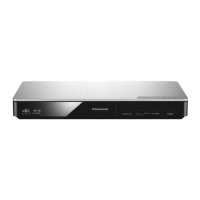
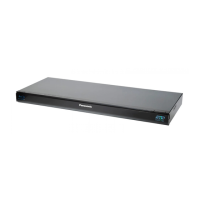
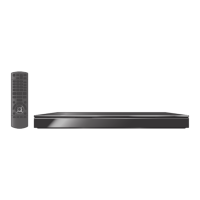
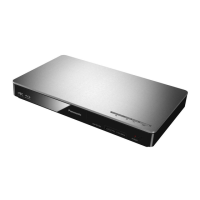
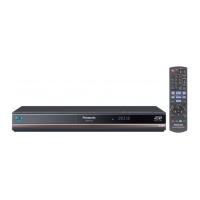
| Device type | Blu-Ray player |
| Product color | Black |
| Audio decoders | DTS, Dolby Digital Plus, Dolby TrueHD |
| AC input voltage | 220-240 V |
| Playback formats | BD-Live, FULL HD 3D BD, DivX /DivX HD /DivX Plus HD, DVD Video, DVD-VR, AVCHD |
| AC input frequency | 50 Hz |
| Disc types supported | BD, BD-R, BD-R DL, BD-RE, BD-RE DL, BD-ROM, CD, CD-R, CD-RW, DVD, DVD-R, DVD-RAM, DVD-ROM, DVD-RW |
| Dynamic range (1kHz) | 100 dB |
| Supported video modes | 1080p |
| USB 2.0 ports quantity | 1 |
| Audio formats supported | MP3 |
| Compatible memory cards | SD |
| Ethernet LAN data rates | 10, 100 Mbit/s |
| Image formats supported | JPG |
| Video formats supported | AVCHD, DIVX, DIVX HD |
| Digital audio coaxial out | - |
| Operating temperature (T-T) | 5 - 35 °C |
| Power consumption (standby) | 0.2 W |
| Power consumption (typical) | 24 W |
| Operating relative humidity (H-H) | 10 - 80 % |
| Consumer Electronics Control (CEC) | VIERA Link |