EasyManua.ls Logo

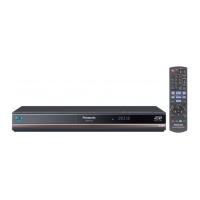
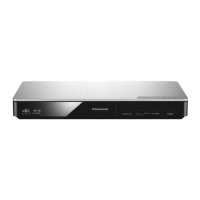
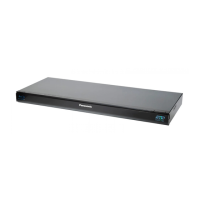
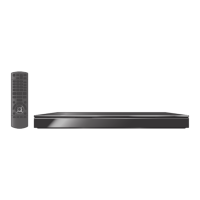
Panasonic DMP-BDT100 - User Manual

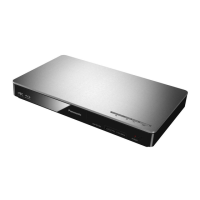
Panasonic DMP-BDT100
48 pages
Print Icon
To Next Page IconTo Next Page
Loading...
VQT2U33
Operating Instructions
Blu-ray Disc Player
Model No. DMP-BDT100
DMP-BDT105
Dear customer
Thank you for purchasing this product.
For optimum performance and safety, please read these instructions carefully.
Before connecting, operating or adjusting this product, please read the instructions completely. Please keep this manual for
future reference.
For Canada only: The word “Participant” is used in place
of the word “Partner”.
As an ENERGY STAR Partner,
Panasonic has determined that
this product meets the ENERGY STAR
guidelines for energy efficiency.
®
®
If you have any questions contact
U.S.A. and Puerto Rico : 1-800-211-PANA(7262)
Canada : 1-800-561-5505
U.S.A. and Puerto Rico : The warranty can be found on
page 44.
Canada :The warranty can be found on page 45.
La referencia rápida en español se puede encontrar en la página 46.
until
2010/7/1
P PC
DMP-BDT100_VQT2U33_eng.book 1 ページ 2010年6月7日 月曜日 午後1時28分

Questions and Answers

  • G
    Gregory WallaceAug 21, 2025
    Why is my Panasonic Blu-ray Player remote control not working properly?
    • E
      Edward OwensAug 21, 2025
      The remote control might not be working because it's using a different code than the main unit. Try changing the code on the remote. Also, after changing the batteries, you may need to set the manufacturer code or the remote control code again.
  • D
    Deborah HernandezSep 3, 2025
    How to remove black bars on Panasonic Blu-ray Player?
    • F
      fsteeleSep 3, 2025
      Confirm the “TV Aspect” is set properly. Adjust the aspect setting on the television.
  • G
    Gabriella ArellanoSep 1, 2025
    Why can't my Panasonic Blu-ray Player read the contents of the USB device?
    • O
      odanielsSep 1, 2025
      USB devices connected using a USB extension cable other than the supplied with the Wireless LAN Adaptor DY-WL10 (optional) or a USB hub may not be recognized by this unit. If inserted during playback the USB device may not be recognized by this unit.
  • E
    Elizabeth VazquezAug 30, 2025
    How to fix audio issues on Panasonic Blu-ray Player?
    • M
      Mr. Brandon GomezAug 31, 2025
      Check the connections and the “Digital Audio Output” settings. To output audio from a device connected with an HDMI cable, set “HDMI Audio Output” to “On” in the Setup menu.
  • K
    Kelly LeeAug 29, 2025
    Why can't I play back BD-Live on my Panasonic Blu-ray Player?
    • T
      tonya63Aug 29, 2025
      The SD card may be write-protected. Confirm that this unit is connected to the broadband Internet. Confirm the “BD-Live Internet Access” settings. Confirm an SD Card is inserted into the SD Card slot.
  • W
    Wesley DavisAug 27, 2025
    How to enable high-definition video output on Panasonic Blu-ray Player?
    • K
      Kelli HallAug 28, 2025
      Confirm that the “HDMI Video Mode”, “HDMI Resolution”, and “Component Video Resolution” in the Setup menu are set properly.
  • B
    Brandi SampsonAug 26, 2025
    How to fix distorted picture on my Panasonic Blu-ray Player?
    • W
      williamwadeAug 27, 2025
      An incorrect resolution may be selected in “Component Video Resolution” or “HDMI Resolution”. Reset the setting as follows: While the unit is on, press and hold [OK], [B] and [Y] on the remote control at the same time for more than 5 seconds. Repeatedly press [1] (right) on the remote control or [POWER Í/I] on the unit until “04 PRG” is displayed on the unit’s display. Press and hold [OK] on the remote control or [< OPEN/CLOSE] on the unit for at least 3 seconds. Set the item again. When Dolby Digital Plus, Dolby TrueHD, and DTS-HD audio are not output in bitstream, select “Yes” in “Restore Default Settings” and make proper settings.
  • E
    Ethan MurphyAug 25, 2025
    What to do if Panasonic Blu-ray Player doesn't respond?
    • P
      Patricia BishopAug 25, 2025
      If still unable to power the unit off, disconnect the power cord, wait 1 minute, then reconnect the power cord.
  • J
    Jimmy SmithAug 23, 2025
    What to do if my Panasonic Blu-ray Player cannot eject disc?
    • S
      Steven FigueroaAug 23, 2025
      The unit may have a problem. While the unit is off, press and hold [OK], [B] and [Y] on the remote control at the same time for more than 5 seconds. Repeatedly press [1] (right) on the remote control or [POWER Í/I] on the remote control until “06 FTO” is displayed on the unit’s display. Press [OK] on the remote control or [< OPEN/CLOSE] on the unit.

Summary

IMPORTANT SAFETY INSTRUCTIONS

Control reference guide

STEP 1: Connecting to a TV

STEP 2: Connecting to an amplifier;receiver

Via an HDMI AV OUT terminal

Connects the unit to an AV receiver via HDMI for digital audio output.

STEP 3: Connecting to a broadband network

STEP 4: Connecting to an AC power

STEP 5: Setting

Easy Setting

Guides through initial basic setup procedures for the unit.

Network Easy Setting

Assists in configuring network connection settings for online services.

Network Connection Troubleshooting

Provides steps to resolve issues when connecting to a network.

Playing video contents

Playback Operations

Details on controlling playback: Stop, Pause, Search, Skip, Frame-by-frame, Audio.

Enjoying BD-Live or BONUSVIEW in BD-Video

Enjoying BD-Live discs with Internet

Explains how to access online content and features on BD-Live discs.

Enjoying 3 D video

3 D settings

Configures playback method, type, and precautions for 3D discs.

Enjoying VIERA CAST

Linked operations with the TV (VIERA Link HDAVI Control)

Easy control only with VIERA remote control

Enables control of the unit using the TV's remote via VIERA Link.

Playback menu

Playback menu options

Setup menu

Setup Menu Audio and Display

TV; Device Connection

Network Settings

Other Settings

Troubleshooting Guide

General Operation Issues

Addresses common problems like unit response, remote control, and password forgotten.

Picture Issues

Video Display Problems

Troubleshoots distorted images, no video output, 3D issues, and black bands.

Audio Issues

Audio Output Problems

Diagnoses issues with switching audio or hearing the desired audio type.

Playback Issues

Disc and USB Playback Problems

Addresses issues with discs and USB devices not playing back correctly.

Network Issues

Network Connection Problems

Provides solutions for inability to connect to the network.

Messages

Audio Information

Recommended audio output setting

File Format Specifications

Specifications

Limited Warranty (ONLY FOR U.S.A. AND PUERTO RICO)

Limited Warranty (Only for CANADA)

Panasonic DMP-BDT100 Specifications

General IconGeneral
HDMIYes
Depth207 mm
Width430 mm
Height59 mm
Weight2100 g
I/O portsVideo Out, Audio Out, SD Card
Device typeBlu-Ray player
Product colorBlack
Audio decodersDTS, Dolby Digital Plus, Dolby TrueHD
AC input voltage220-240 V
Playback formatsBD-Live, FULL HD 3D BD, DivX /DivX HD /DivX Plus HD, DVD Video, DVD-VR, AVCHD
AC input frequency50 Hz
Disc types supportedBD, BD-R, BD-R DL, BD-RE, BD-RE DL, BD-ROM, CD, CD-R, CD-RW, DVD, DVD-R, DVD-RAM, DVD-ROM, DVD-RW
Dynamic range (1kHz)100 dB
Supported video modes1080p
USB 2.0 ports quantity1
Audio formats supportedMP3
Compatible memory cardsSD
Ethernet LAN data rates10, 100 Mbit/s
Image formats supportedJPG
Video formats supportedAVCHD, DIVX, DIVX HD
Digital audio coaxial out-
Operating temperature (T-T)5 - 35 °C
Power consumption (standby)0.2 W
Power consumption (typical)24 W
Operating relative humidity (H-H)10 - 80 %
Consumer Electronics Control (CEC)VIERA Link

Related product manuals