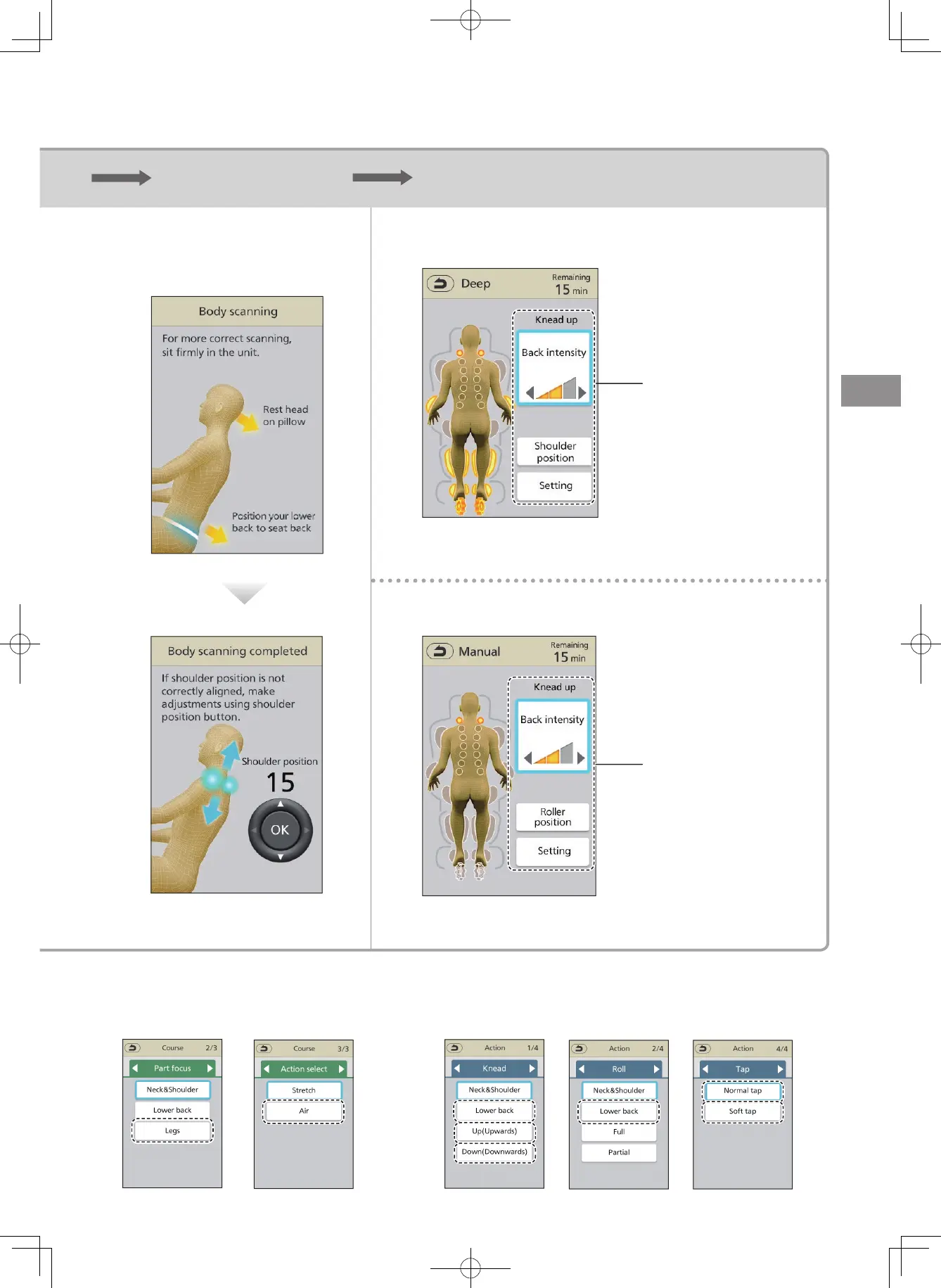
Menu Course & action selection Body scanning Start the massage and adjust to suit your desire
Just select the course
and let the machine do
the massaging
When you want a
complete massage
(EN22 to EN23)
Select one course, press
Massage with your
favorite action
When you want to
massage with your
favorite action
(EN24)
Select one action, press
⁃
See EN20 to 21 for details.
Body scanning is not performed when any of the followings is selected.
<When Legs course and Air course are selected>
Actions can be adjusted.
(EN28 to EN32)
< When Lower back Knead, Up(Upwards), Down(Downwards),
Lower back roll, Normal tap, Soft tap are selected>
Actions can be adjusted.
(EN28 to EN32)
Ⱚ
Manual
Ⱚ
Auto
Simple use
EN19


 To Next Page