2
Press .
1
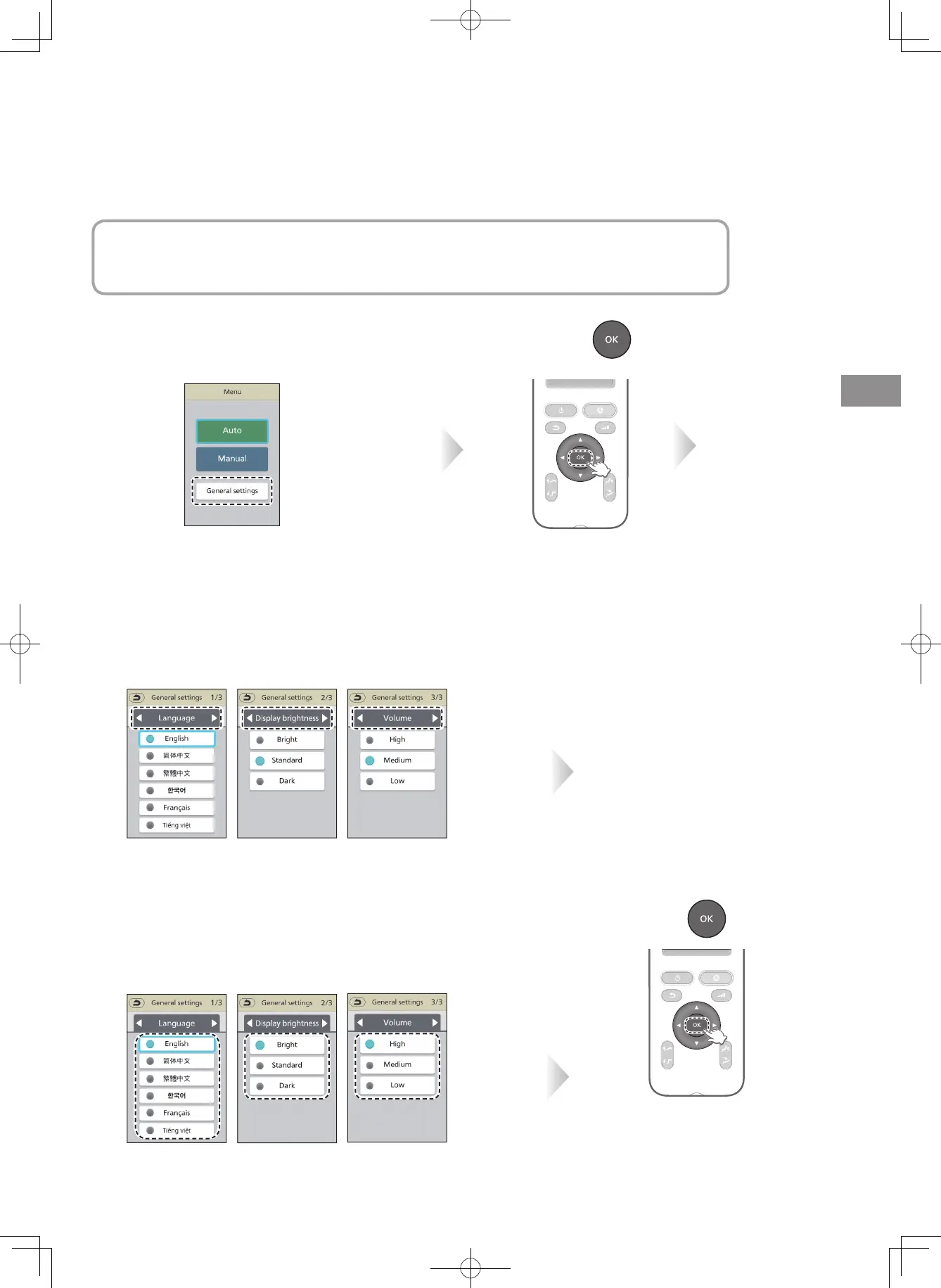
Select "General settings"
from the menu.
3
Select the "Language", "Display brightness" or
"Volume" screen.
4
Select any one.
( Example: When
"Bright" is selected)
( Example: When
"High" is selected)
Screen settings
Ⱚ
Language ……………… Select a language
Ⱚ
Display brightness …… Setting the brightness of the display section
Ⱚ
Volume ………………… Setting the operation tone volume
Select with
▲
or
▼
.
Select with
◀
or
▶
.
5
Press .
Select with
▲
or
▼
.
The contents of the action
EN27















 To Next Page