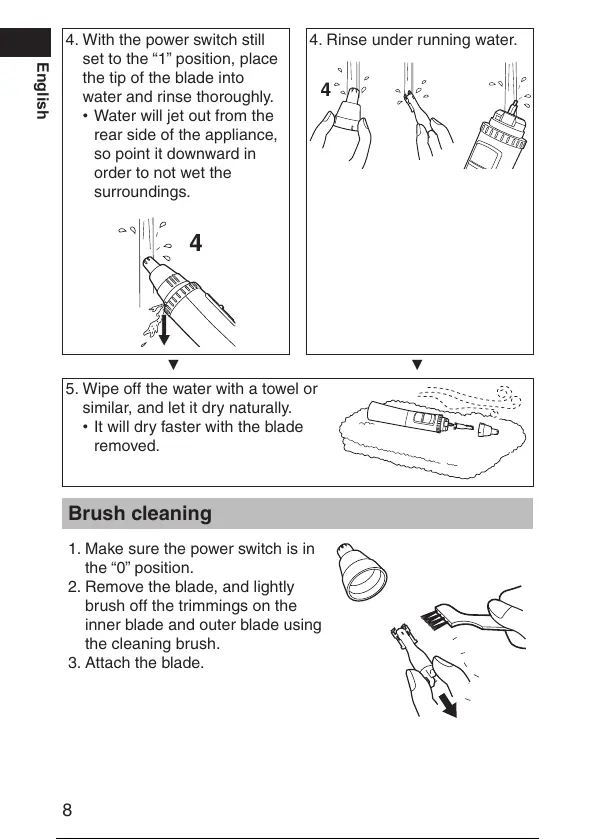
4. With the power switch still
set to the “1” position, place
the tip of the blade into
water and rinse thoroughly.
Water will jet out from the
rear side of the appliance,
so point it downward in
order to not wet the
surroundings.
•
4. Rinse under running water.
▼ ▼
5. Wipe off the water with a towel or
similar, and let it dry naturally.
It will dry faster with the blade
removed.
•
Brush cleaning
1. Make sure the power switch is in
the “0” position.
2
. Remove the blade, and lightly
brush off the trimmings on the
inner blade and outer blade using
the cleaning brush.
3. Attach the b
lade.
9 / 22




 To Next Page