4-ENGLISH
■
Product list
The product names and model numbers of the projection lenses covered by this manual
are as follows.
Product name Model number
Fixed focus lens ET-ELW21
Zoom lens ET-ELW20 / ET-ELT22 / ET-ELT23
■
Supported projectors
PT-MZ770 / PT-MW730 / PT-MZ670 / PT-MW630 / PT-MZ570 / PT-MW530 / PT-EZ770 /
PT-EW730 / PT-EX800
Note
z
This manual omits the alphabets at the end of projector model numbers.
z
Models other than the above may also be supported. Refer to the operating instructions of
the projector you are using.
■
Supplied Accessories
Make sure that the following has been provided.
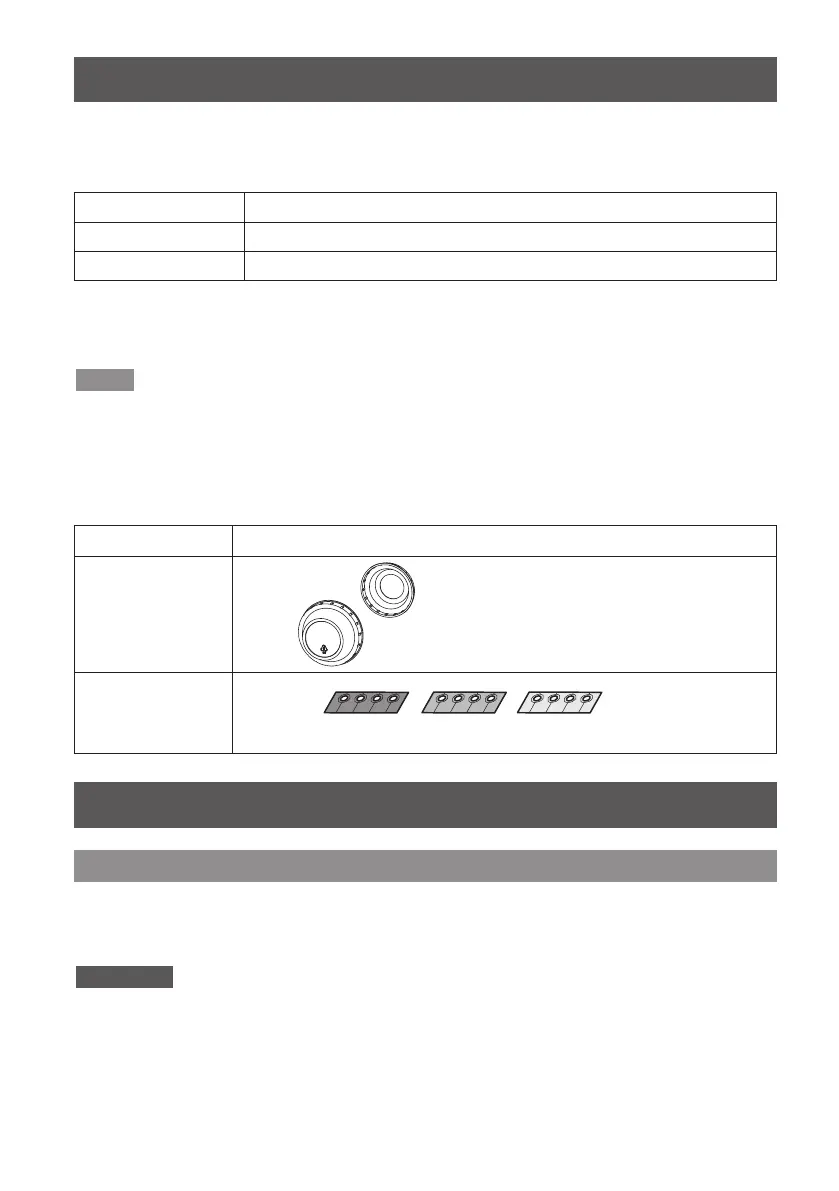
Part name Appearance
Lens cover
1 each for front and rear
Spacer
(T0SAS0001--)
(Colors: black, cream, clear)
4 each
z
The product is delivered with a
lens cap attached.
z
The shape and size of the lens
caps are different for each product.
Before replacing the projection lens
Return the projection lens to the home position before replacing or removing it.
For details on how to return the lens to the home position, refer to the operating
instructions of the projector.
Attention
z
Make sure that the projector power supply is switched off before attaching or detaching the
projection lens.
z
After removing the projection lens, store it safely away from vibration or impacts.
z
Do not touch the electric contact points of the projection lens with your fingers. Dust and dirt
on the contacts may cause contact malfunctions, while static electricity may damage the unit.
Attaching / removing the projection lens
Before Use



 To Next Page