4.1 Changing the Set Value of Timer/Counter During RUN
4-3
4.1 Changing the Set Value of T imer/Counter During RUN
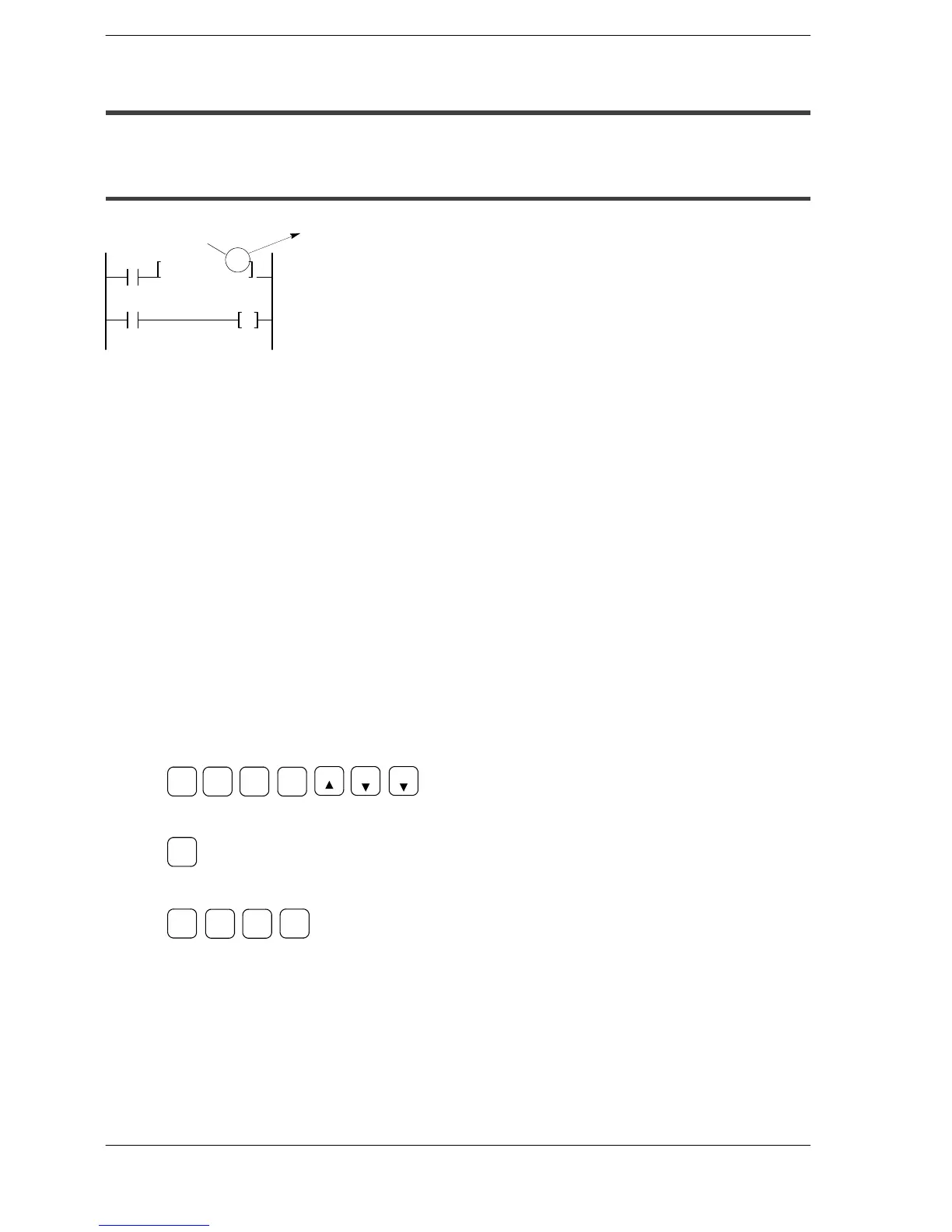
4.1.1 Method of Rewriting Constant in the Program
Timer set value
TMX5, K
T5
30
Y10
X0
This method rewrites the
value in the program.
Changing the set values (constants) in the program
Constants in the program can be rewritten as long as the following conditions are
observed.
Operation method: RAM operation only
Rewriting method: Method using the programming tool software
Method using the FP Programmer II
Rewrite method using the programming tool software
Example of changing the set value of timer 5 from K30 to K50
1. Place the cursor on the value of K30 set for the timer 0.
2. Press the “Delete” key of computer to clear the value.
3. Enter a new constant of K50, and press the “Enter” key.
Rewrite method using FP programmer II
Example of changing the set value of timer 5 from K30 to K50
1. Read the address containing the timer instruction.
SHIFT
SC
5
READ
TM
T-SV
ST
X-WX
READ
SRC
2. Clear the constant (K30).
(HELP)
CLR
3. Enter the new constant (K50).
WRT
(BIN)
K/H
5 0






 To Next Page