Basic Instructions
2 − 149
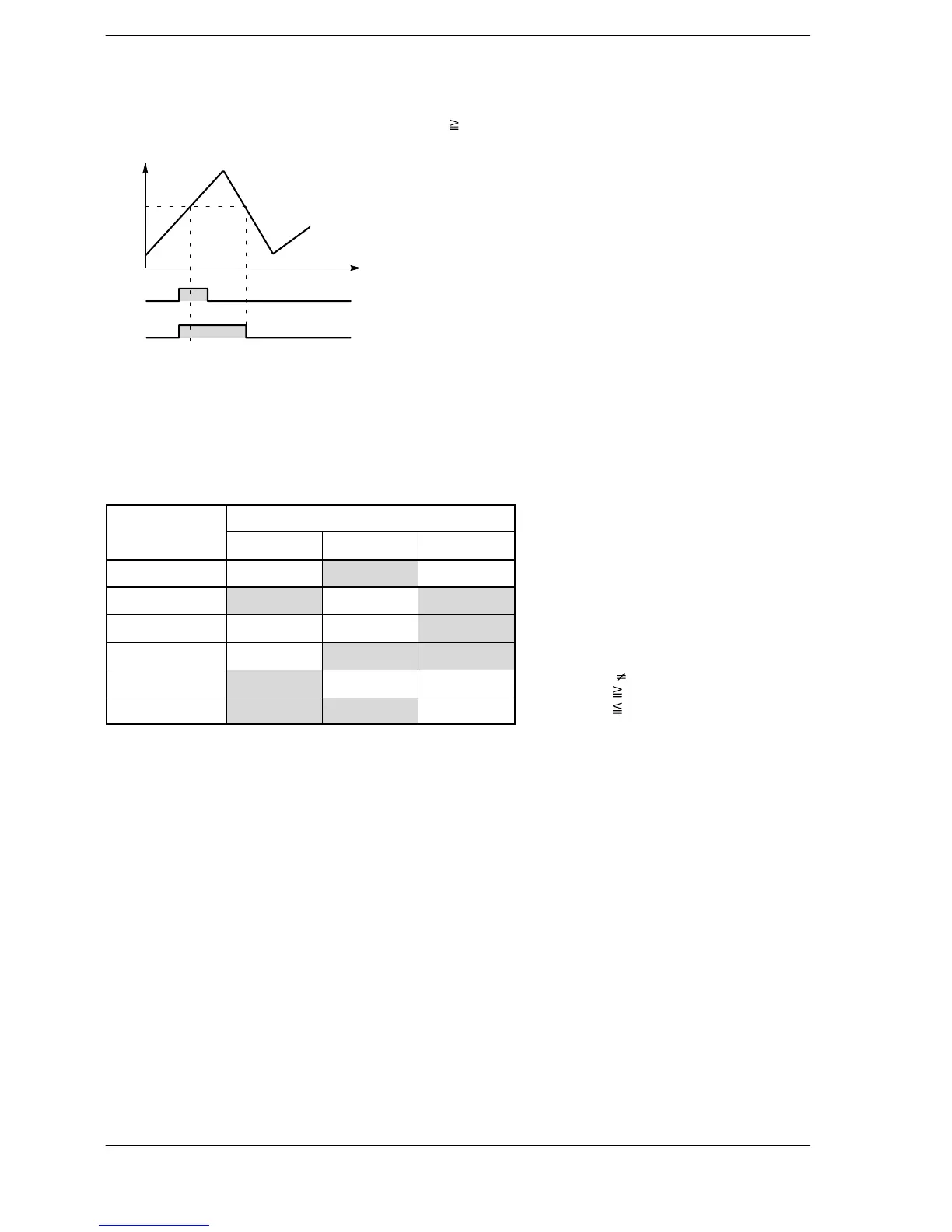
Explanation of example
Y30 goes on when X0 is in the on state, or when DT0 K60. If DT0 < K60 and if X0 is in the off state, then Y30
goes off.
60
10
X0
Y30
DT0
on
off
on
off
Description
Compares the word data specified by S1 with the word data specified by S2 according to the comparison
condition.
The OR instruction results in parallel connection as the liaison contact when the comparison result is a
specified status (=, <, >, etc.).
The result of the comparison operation is as follows:
Comparison
Condition
instruction
S1 < S2 S1 = S2 S1 > S2
OR= off on off
OR<> on off on
OR> off off on
OR>= off on on
OR< on off off
OR<= on on off
Precautions concerning usage
The OR comparison instructions OR =, OR <>, OR >, OR >=, OR <, and OR<= are programmed from the bus
line.
Multiple OR comparison instructions OR =, OR <>, OR >, OR >=, OR <, and OR <= can be used
consecutively.
If mixed with BCD or other type of data, the value will be regarded as negative when the most significant bit is 1
and a correct comparison may not be obtained. In this case, use an F81 (BIN) instruction or similar instruction
to change the data to binary data before making the comparison.
Flag conditions
・Error flag (R9007): Turns on and stays on when the area specified using the index modifier
exceeds the limit.
・Error flag (R9008): Turns on for an instant when the area specified using the index modifier
exceeds the limit.
< > indicates
>= indicates
<= indicates












 To Next Page