High−level Instructions
3 − 48
Specifying a file name with the ASCII conversion instruction, and converting it
The file name is converted to a character code using the ASCII conversion instruction “F95 (ASC)”, and is
written to a specified memory area.
− Programming can only be done with the programming tool software.
− When the ASCII conversion instruction is executed, the results are stored in a 6−word (12−character)
memory area. The specification should be made as follows.
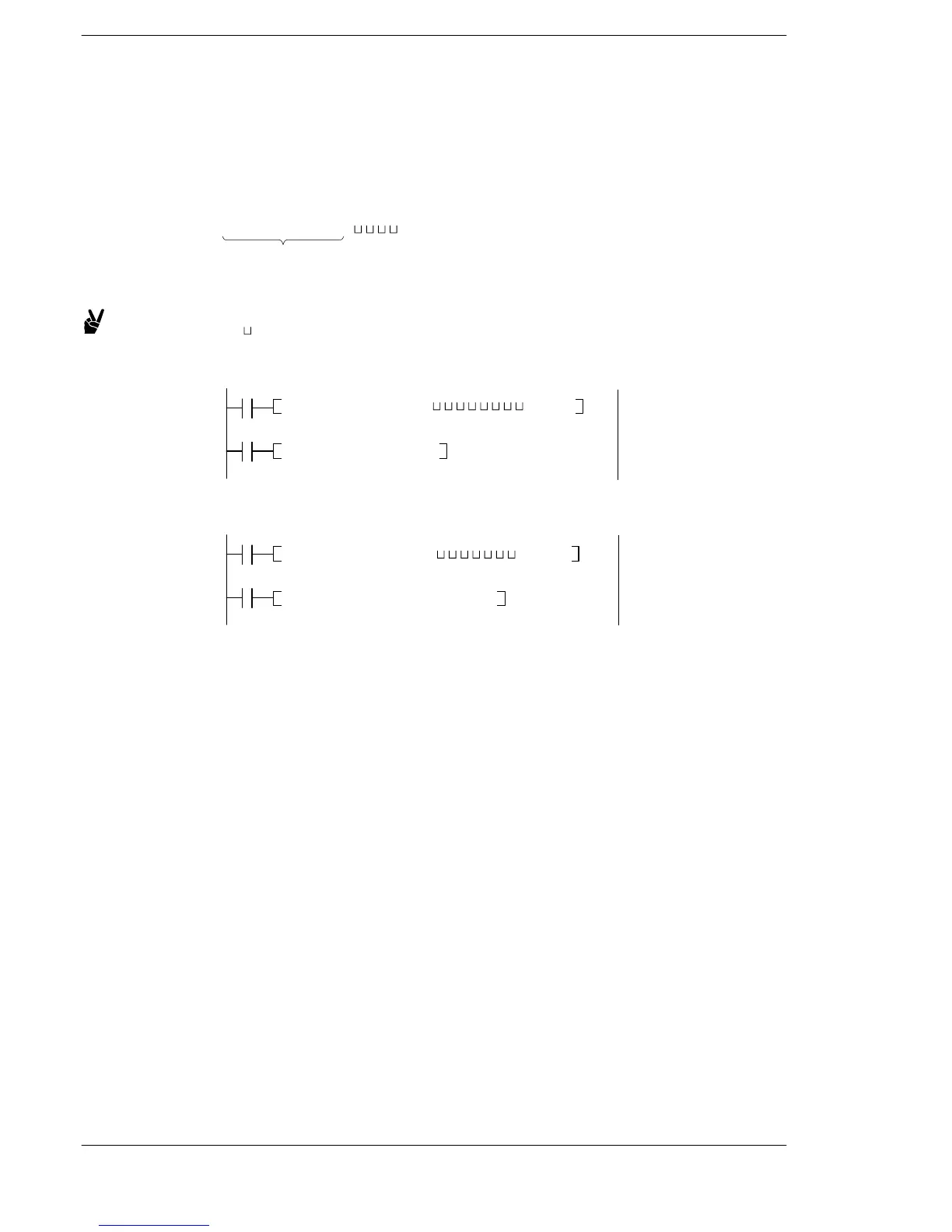
Operand of F95 M □□□□□□□□
The file name (8 characters) should be entered with characters filling the spaces
starting from the left. Spaces should be entered where characters are not specified.
Example: (“ ” indicates a space)
Specifying a file name of “ABCD”
F95 (ASC), M ABCD ,DT 100
R0
R1
F14 (PGRD), DT 100
Specifying a file name of “STEP2”
F95 (ASC), M STEP2 ,DT 100
R0
R1
F14 (PGRD), DT 100






 To Next Page