High−level Instructions
3 − 178
Description
Converts the ASCII codes that express the decimal digits, starting from the 16-bit area specified by S1 to
16-bit data as specified by S2. The converted result is stored in the area specified by D.
S2 specifies the number of source data bytes to be converted using decimal number. (This specification
cannot be made with BCD data.)
Precautions during programming
The ASCII codes being converted should be stored in the direction of the last address in the specified area.
If the area specified by S1 and S2 is more than that required for the data you want to convert, place “0” (ASCII
HEX code: H30) or “SPACE” (ASCII HEX code: H20) into the extra bytes.
ASCII codes with signs (such as +: H2B and −: H2D) are also converted. The + codes can be omitted.
Flag conditions
Σ Error flag (R9007): Turns on and stays on when:
Σ Error flag (R9008): Turns on for an instant when:
− The area specified using the index modifier exceeds the limit.
− The number of bytes specified by S2 exceeds the area specified by S1.
− The data specified by S2 is recognized as “0”.
− The converted result exceeds the 16-bit area specified by D.
− The converted result exceeds the 16-bit data.
− ASCII code not corresponding to decimal numbers (0 to 9) or ASCII
characters (+, −, and SPACE) is specified.
Conversion Example
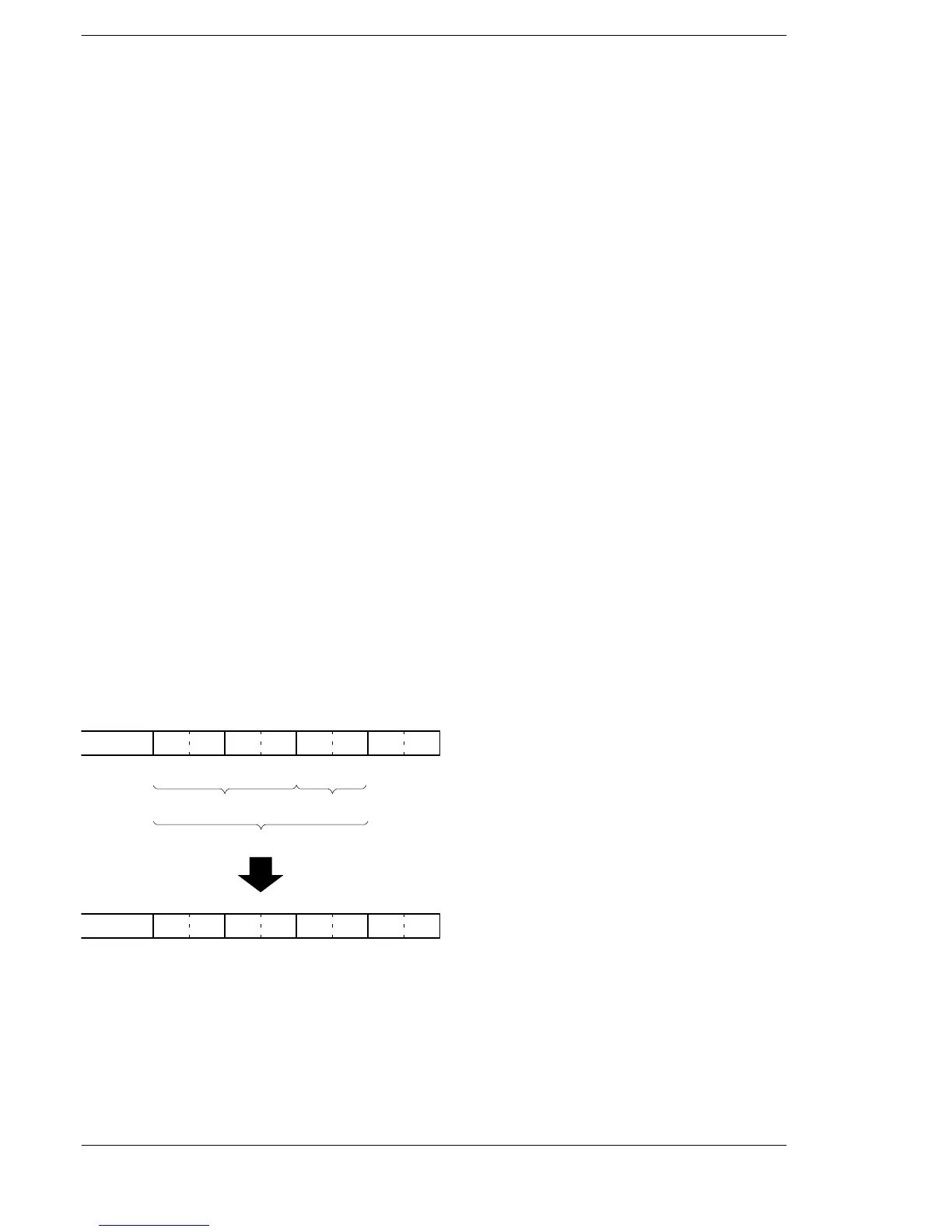
The following shows conversion from ASCII codes to decimal data in a 16−bit configuration.
Example of converting an ASCII code indicating a negative number
Converted result
2D
S1+2 S1+1 S1
31
1 −
ASCII code
3030
00
3030
Extra bytes
Range specified by S2
D
K−100
9CFF
ASCII code
(0) (0)
F76 (ABIN) instruction execution





 To Next Page