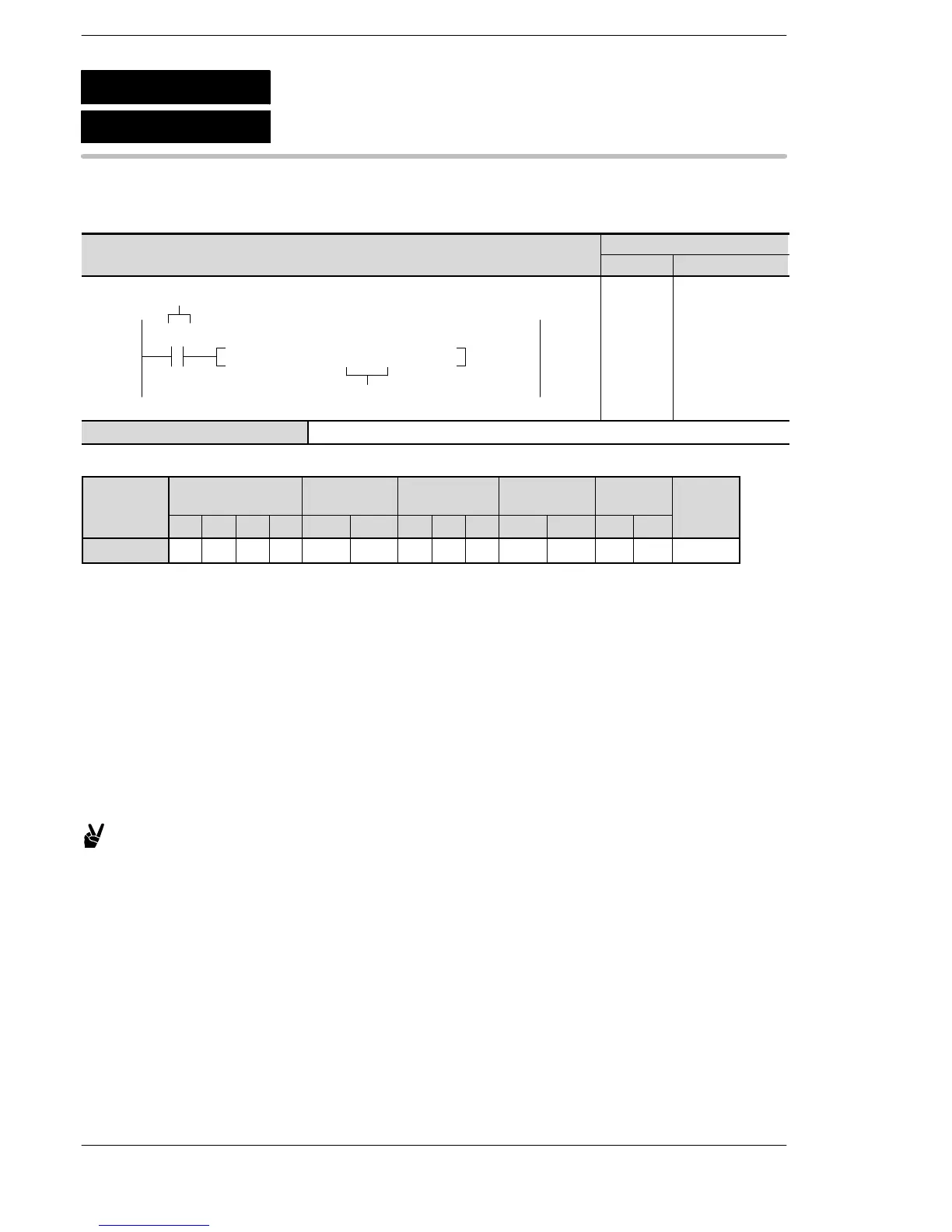
WX WY WR WL SV EV DT LD FL IX IY K H
modifier
S N/A N/A N/A N/A N/A N/A N/A N/A N/A N/A N/A A A N/A
Explanation of example
The watching dog timer value is changed to K128 (12.8 ms) when R0 turns on.
Description
This is a set value specified by S, and presets the time−out time for the operation delay watching dog timer.
Operation processing blocks which occur after a preset specified by this instruction will be monitored at the
time−out time specified here.
S can be specified within the ranges given below.
K4 to K6400
The time−out time is S × 0.1(ms)
Example: If S is K100, the time−out time is 10ms
The time−out time of operation delay watching dog timer is updated at the start of each scan by referring to
system register 30.
If you need to change the time−out time of watching dog timer for all scans, change the value in system
register 30.
Using the F142 (WDT)/P142 (PWDT) instruction, you can change the time−out time (watching dog timer
value) only for that scan.
F142
P142
(PWDT)
(WDT)
Watching dog timer update
A: Available
N/A: Not Available





 To Next Page