High−level Instructions
3 − 612
Particular examples
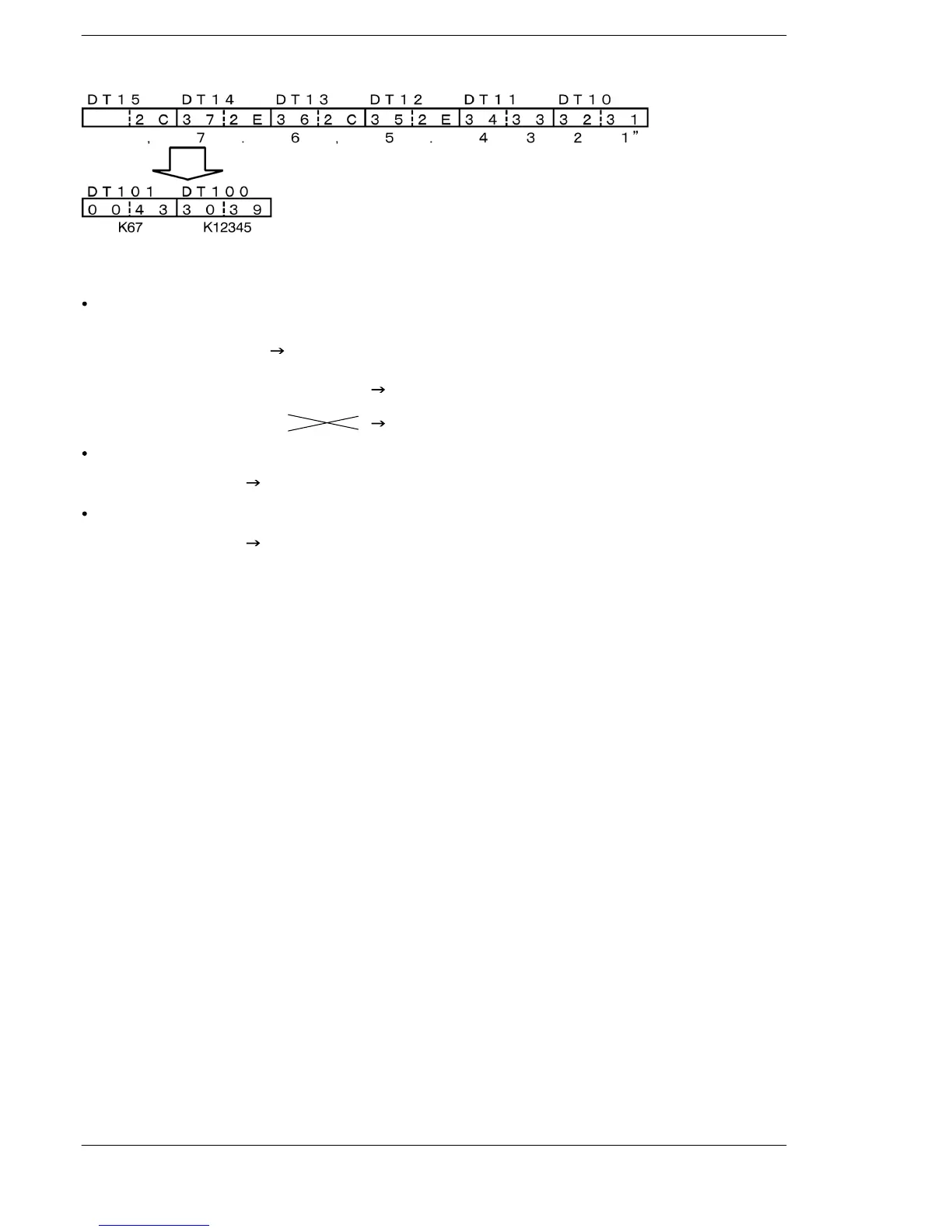
If there is numeric data larger than the specified digit number between commas.
(Example: Decimal number x 4, the digit number of the numeric data is 4)
”1234,567890,12,345”
K 1234
K 5678
K90
K12
K 345
The overflowed numbers become one numeric data.
It is ignored.
If there is no value between commas (Example: Decimal number x 4)
”123,456,,78”
Operation error
If there is only a decimal point between commas (Example: Decimal number with a decimal point x 3)
”1234.5,.,6.7” Operation error
*If any number exists like “2.” or “.2”, the data will be converted.
Flag conditions
ΣError flag (R9007): Turns on and stays on when
Σ Error flag (R9008): Turns on for an instant when
− There is an error in the control string specified by S1.
− The direction of converted data is changed to the normal direction when the
conversion format specified by S1 is in decimal.
− The size of the area for storing ASCII codes specified by N exceeds the
rated value when the conversion format specified by S1 is in hexadecimal.
(Rated value for 16−bit data: 4) (Rated value for 32−bit data: 8)
− Any code other than 0 to F, symbols, space, dot, comma exists in ASCII
code specified by S2.
− The No. of the converted blocks specified by N is 0.
− The size of the area for storing ASCII codes specified by N is 0.
− The ASCII code to be converted exceeds the area.
− The converted result exceeds the area.
− The converted result exceeds the converted data scale specified by N.
− The area specified using the index modifier exceeds the limit.
FPΣ/FP−X/FP0R





 To Next Page