High−level Instructions
3 − 652
Description
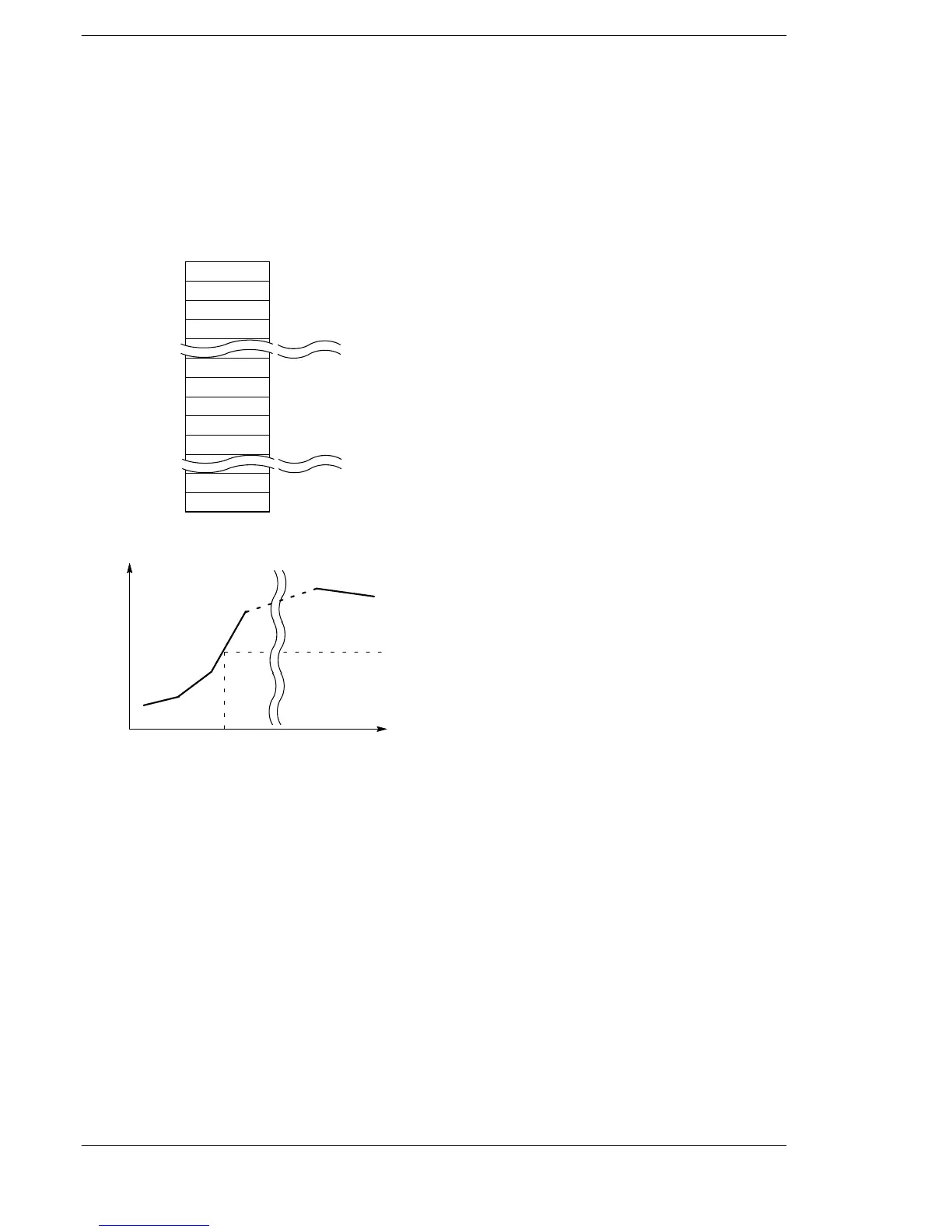
The output value for the input value X is found by performing scaling according to the data table, where the
16−bit data designated in “S1” is designated in “S2”.
The number “n” of items in the data table is determined by the value “n” designated for the head “S2” of the
data table.
S2:
S2+1:
Configuration of the data table used for scaling
S2+2:
S2+3:
n
x1
x2
x3
xn−1
xn
y1
y2
y3
yn−1
yn
S2+n:
S2+n+1:
S2+n+2:
S2+n+3:
S2+n−1:
S2+2n−1:
S2+2n:
DT10
DT11
DT12
DT13
DT19
DT20
DT21
DT22
DT23
DT29
DT30
When S2 = DT10 and n = K10
Input value
(x1,y1)
Output value
(x2,y2)
(x3,y3)
(x4,y4)
(xn−1,yn−1)
(xn,yn)
X=“S1”
Y=“D”
Precautions during programming
Make x
t
greater than x
t−1
.
xt and yt should be created as 16−bit data to indicate which line is specified.
If X(S1) is a value smaller than x1, the value of Y(D) will be the value of y1.
If X(S1) is larger than xn, Y(D) will be the value of yn.
The maximum value of n is 99.
Flag conditions
・Error flag (R9007): Turns on and stays on when:
・Error flag (R9008): Turns on for an instant when:
− The specified range is exceeded when an index is modified.
− The n specified by “S2” is smaller than 2, or if the n is larger than 99
− The data table specified by “S2” exceeds the available area
− Xn are not in ascending order







 To Next Page