35Getting Started
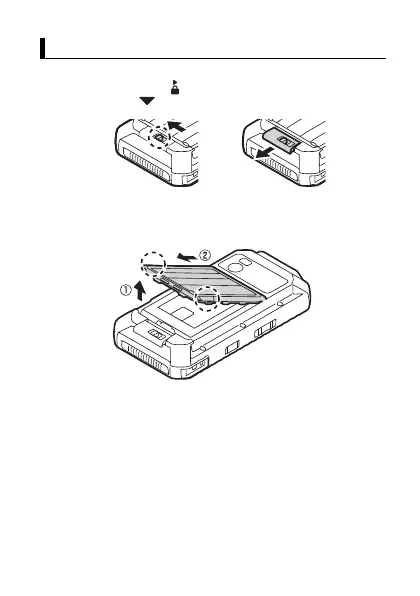
Removing the battery cover
1.
Unlock the cover latch by sliding the switch (circled in the
illustration) away from (
A
), and then open the cover latch by
sliding it toward (
B
).
2.
While holding the bottom corners of the battery cover (circled in
the illustration), lift the battery cover (
A
) and then remove the
cover (
B
).
Removing the battery cover
A
B


 To Next Page