43Getting Started
Configuring the unit for the first time
The first time you turn the unit on, you will be prompted to configure
different settings. Follow the on-screen instructions and configure
each item as needed. An Internet connection is required to configure
certain items.
• If you cannot select
[next]
on the handheld setting screen, select
[More Options]
→
[Consumer setup]
→
[OK]
to restart the unit
and proceed to the next setting screen.
Screen display
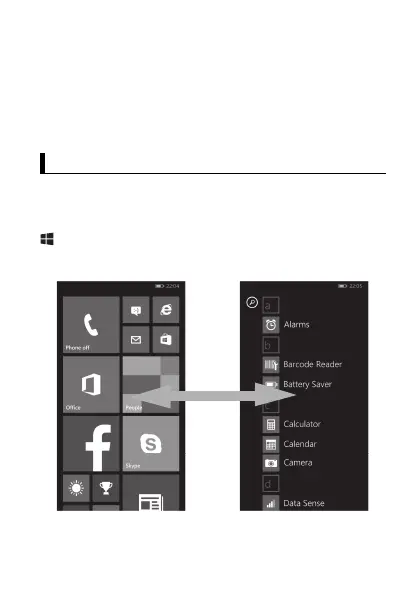
Using the Start screen and the App list
The Start screen is the starting point for all operations. The Start
screen already has a number of tiles displayed on it, but the tiles
displayed and their locations can be changed as necessary. Press
(start button) to return to the Start screen at any time. Flick the
Start screen to the left to switch to the App list, where all of the
applications on the device are displayed in a list.
• Tap any letter on the App list to jump to that letter's section.
Screen display
Start screen App list


 To Next Page