42
Confirming the battery level
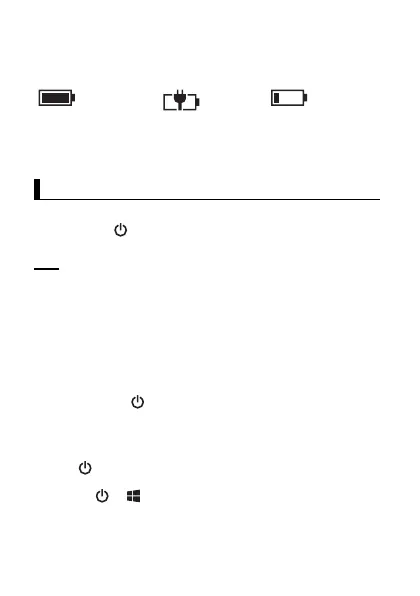
The battery level is displayed in the upper-right corner of the screen,
in the status bar.
You can also confirm the specific amount of battery level remaining.
Flick the Start screen to the left, and then in the App list, tap
[Settings]
→
[battery saver]
.
Turning the unit on and off
Turning the unit on
Press and hold (power button) on the top of the unit until the unit
briefly vibrates.
Note
• We recommend that you fully charge the battery before turning
on the unit for the first time or after an extended period of
storage.
• If the unit’s temperature is -12
°
C or less when you try to turn
the unit on, the indicator flashes in green and orange and the
unit will not turn on. When the unit warms up, the indicator will
stop flashing and the unit will turn on automatically.
Turning the unit off
1.
Press and hold until
[slide down to power off]
is displayed.
2.
Tap the screen and slide your finger down.
Turning the screen on and off
• To turn the screen off
Press .
• To turn the screen on
1.
Press or .
• The lock screen is displayed.
2.
Flick the lock screen upwards.
Fully
charged
Charging Very low
Turning the unit on and off


 To Next Page