23 (E)
Setting the menu items
Color Matrix 1/3 to 3/3 screens:
Matrix Select [Normal, EBU, NTSC, USER]
This loads the color matrix data which has been preset,
and compensates the saturation and hue.
When “USER” is selected, the saturation and hue can be
finely adjusted using the 16-axis color matrix (Axis01 to
Axis16).
Color Matrix 1/3 to 3/3 screens:
Axis01 to Axis16: Saturation
[–127 to +127]
User Color Matrix Setup screen:
Axis01 to Axis16: Saturation
[–127 to +127]
This enables the saturation of Axis01 to Axis16 to be
finely adjusted.
Color Matrix 1/3 to 3/3 screens:
Axis01 to Axis16: Phase
[–127 to +127]
User Color Matrix Setup screen:
Axis01 to Axis16: Phase
[–127 to +127]
This enables the hue of Axis01 to Axis16 to be finely
adjusted.
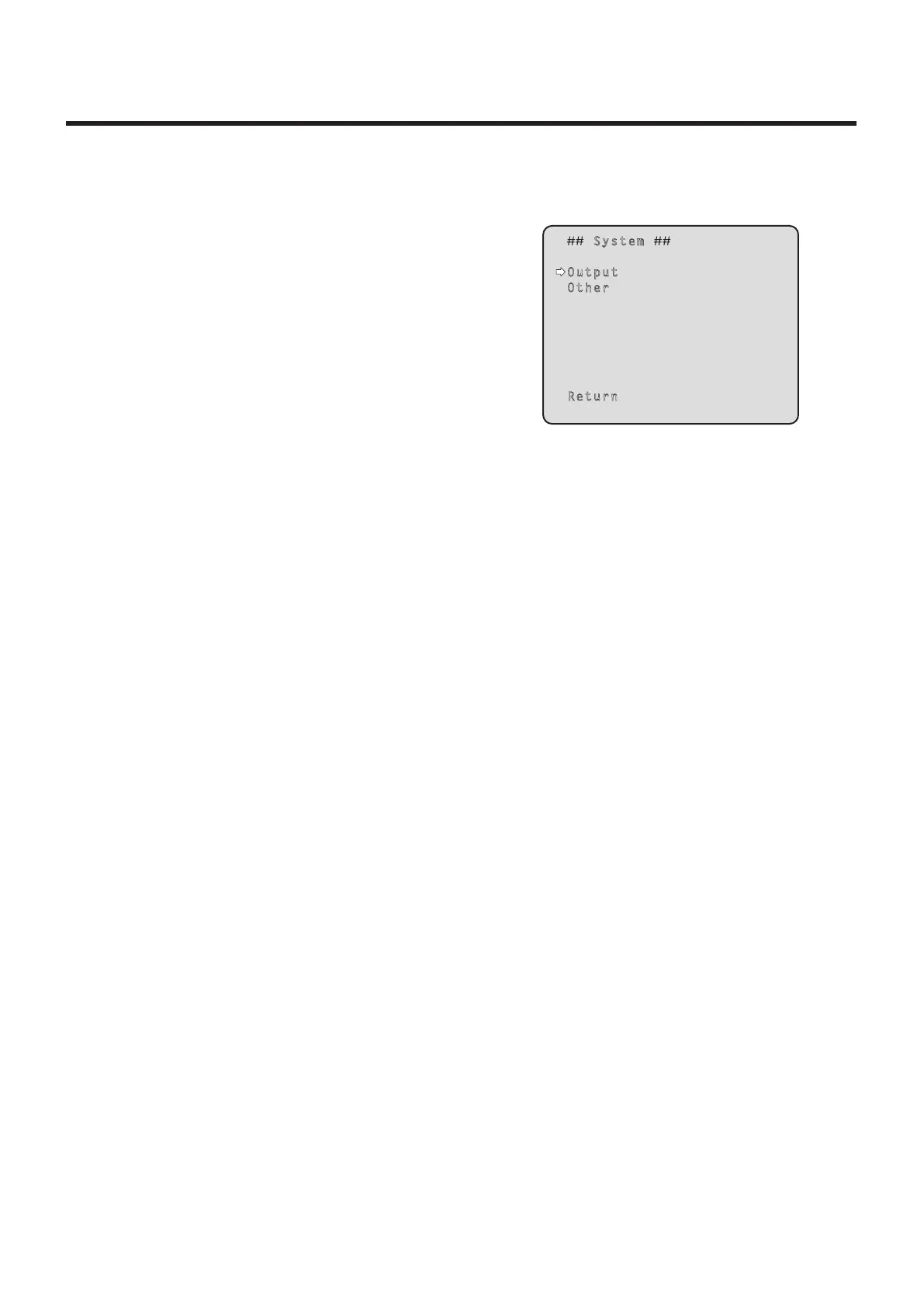
System screen
This menu has items that relate to the camera’s output
image settings.
System
Output
Other
Return
Output
This displays the Output screen on which to select the
camera’s output image settings.
Other
This displays the Other screen on which to select the
settings for the installation status of the camera’s pan-tilt
head unit and operating speed as well as the settings
relating to the other functions.
Return
Use this to return to the previous menu.


 To Next Page