27 (E)
Setting the menu items
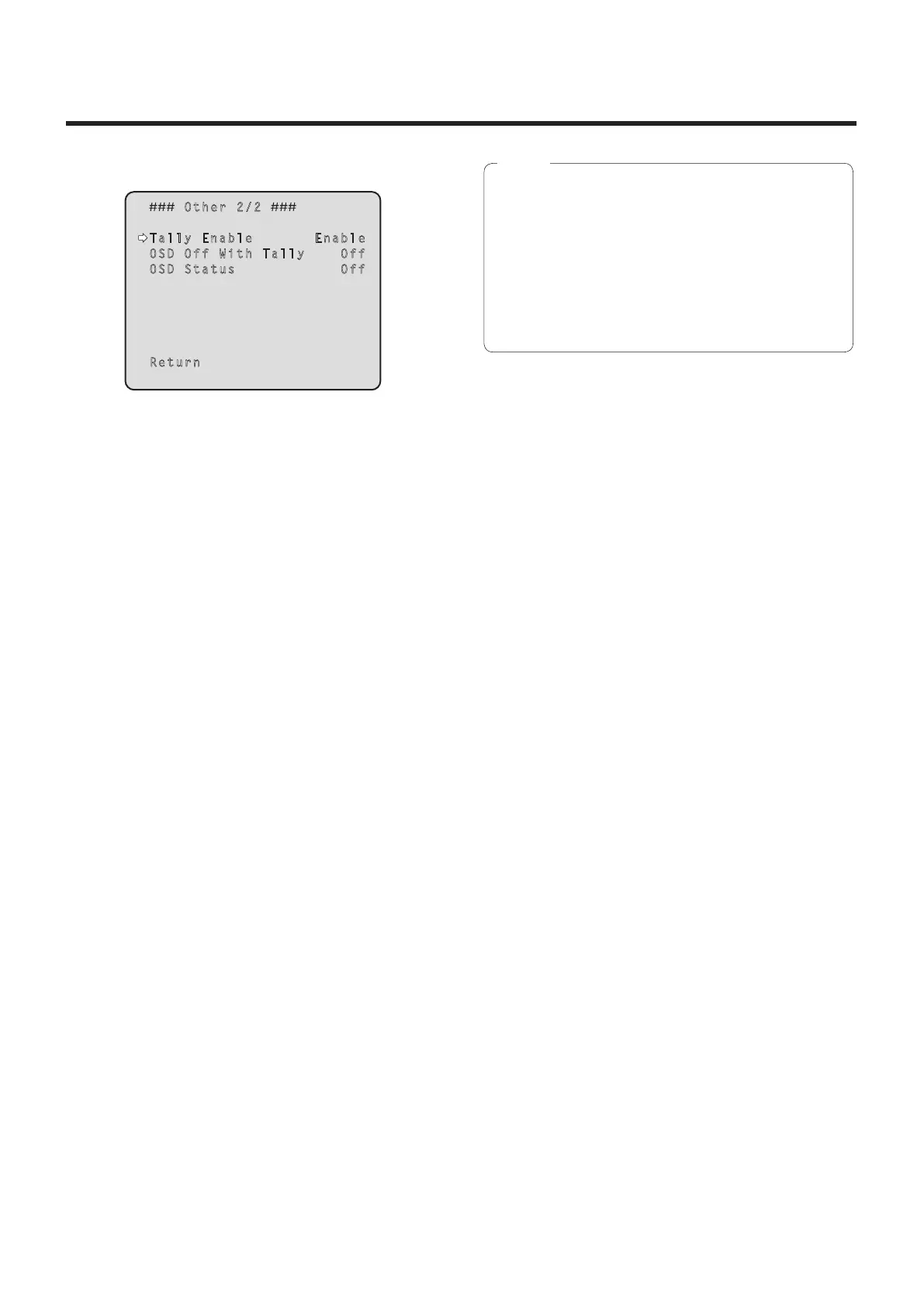
Other 2/2 screen
Other 2/2
Tally Enable Enable
OSD Off With Tally Off
OSD Status Off
Return
Tally Enable [Disable, Enable]
Selecting this item has no effect since this is an
expansion function.
OSD Off With Tally [Off, On]
Selecting this item has no effect since this is an
expansion function.
OSD Status [Off, On]
“On” or “Off” is set here for the status display which
appears during AWB operations.
Return
Use this to return to the previous menu.
When menu operations cannot be performed:
1. Turn off the power of the units and devices that are
connected.
2. Disconnect the unit’s power cable, and plug it back
in.
3. Perform the operation for turning on the unit’s
power from the wireless remote controller.
4. After changing this item, turn off the unit’s power
and turn it back on.
Note


 To Next Page