file:///C|/U...al/Temp/Rar$EXa0.719/viewing/SGML_VIEW_DATA/ALL/H-E08018PP/SVC/DSC1705017CE/doc/DSC1705017CE_06.xml[11/11/2018 5:09:11 PM]
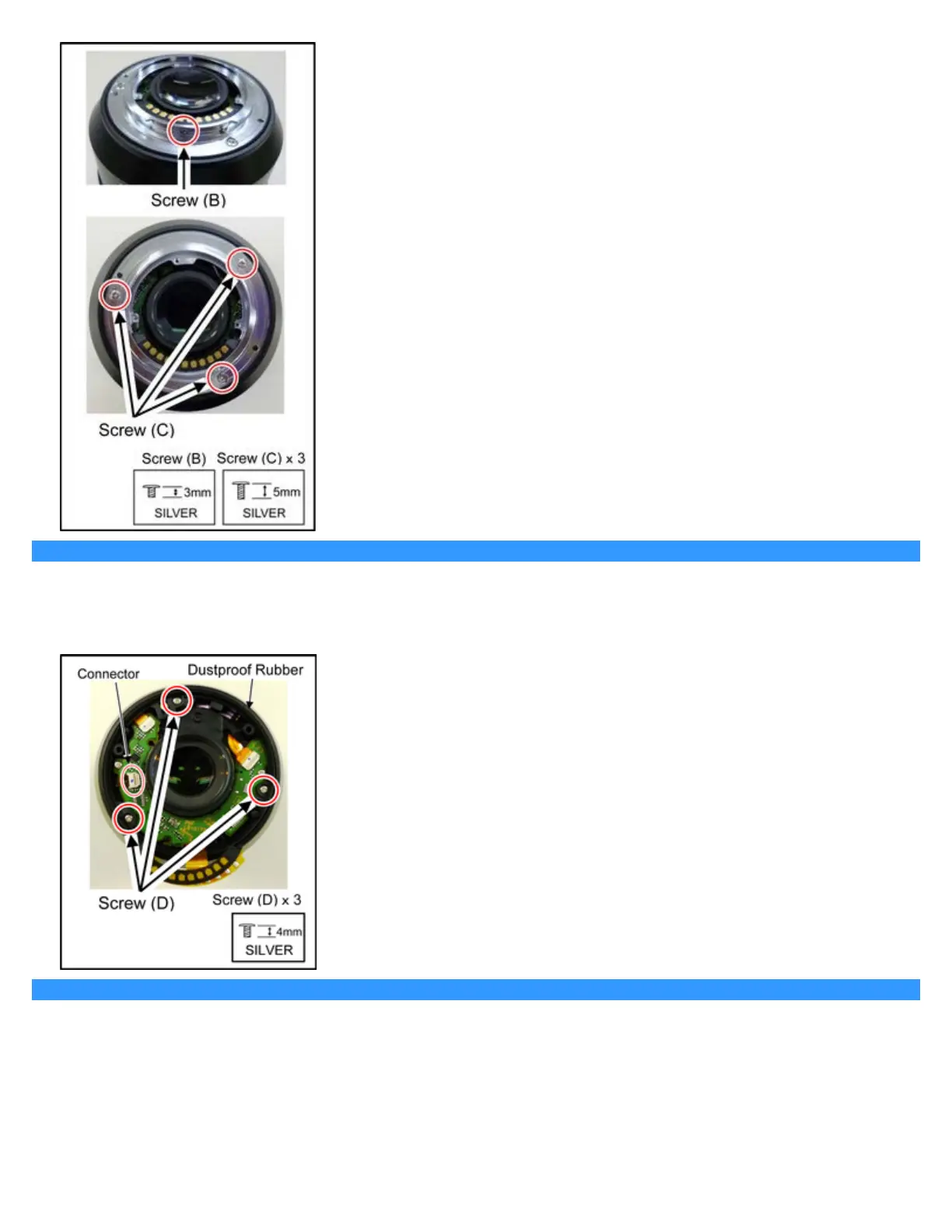
6.3.4 Removal of the Dustproof Rubber and the Rear Frame Unit
1. Remove the Dustproof Rubber.
2. Disconnect the Connector of the Lens P.C.B..
3. Remove 3 screws (D) and the Rear Frame Unit.
6.3.5 Removal of the Lens P.C.B. Unit and the Mount Contact Unit
1. Disconnect the 2 Connectors of the Lens P.C.B..





 To Next Page