EasyManua.ls Logo

Panasonic HC-X900M - User Manual

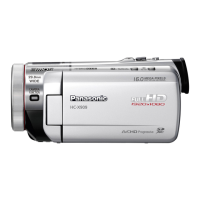
Panasonic HC-X900M
184 pages
Print Icon
To Next Page IconTo Next Page
Loading...
Owners Manual
High Definition Video Camera
Model No. HC-X900M
HC-X800
Before connecting, operating or adjusting this product, please read the instructions completely.
VQT4C76
until
2012/1/31
For USA and Puerto Rico assistance, please call: 1-800-211-PANA(7262) or,
contact us via the web at: http://www.panasonic.com/contactinfo
For Canadian assistance, please call: 1-800-561-5505 or visit us at www.panasonic.ca
HC-X900M&X800P&PC&PU-VQT4C76_mst.book 1 ページ 2012年1月11日 水曜日 午後10時6分

Table of Contents

Questions and Answers

  • A
    Andre FrostSep 23, 2025
    How to see the PDF operating instructions for HD Writer AE 4.1 for Panasonic Camcorder?
    • B
      Brianna PageSep 23, 2025
      You will need Adobe Acrobat Reader 5.0 or later or Adobe Reader 7.0 or later to read the PDF operating instructions for HD Writer AE 4.1.
  • B
    brownscottAug 23, 2025
    What to do if Panasonic Camcorder is not detected by PC via USB?
    • K
      Kathryn LewisAug 23, 2025
      If your Panasonic Camcorder is not detected by the PC when connected by USB cable, try the following: Re-insert the SD card into the unit, then reconnect the supplied USB cable. Try selecting another USB terminal on your PC. Check the operating environment. Restart your PC and turn on the unit again before reconnecting the USB cable.
  • L
    lancematthewsAug 25, 2025
    Why is the battery indication wrong on my Panasonic HC-X900M?
    • C
      Charles ThompsonAug 25, 2025
      If your Panasonic Camcorder's remaining battery indication is not displayed correctly, fully charge the battery, discharge it, and then charge it again. Note that the remaining battery capacity indication is an approximation.
  • T
    Tyler JoyceAug 27, 2025
    Why is there no image on TV from my Panasonic Camcorder?
    • P
      Patricia MartinezAug 27, 2025
      If your Panasonic Camcorder is correctly connected to a TV but images cannot be seen, please read the operating instructions of your TV and select the channel that matches the input used for the connection. If the images are squeezed horizontally, change the [TV ASPECT] setting to match the aspect ratio of the TV. Also, change the setting of the unit depending on the cable connecting to the TV.
  • C
    Carolyn MitchellAug 27, 2025
    What to do if my Panasonic HC-X900M Camcorder displays 'ERROR OCCURRED' message?
    • T
      Tina WareAug 27, 2025
      If your Panasonic Camcorder displays the message “ERROR OCCURRED. PLEASE TURN UNIT OFF, THEN TURN ON AGAIN,” the unit has automatically detected an error and needs to be restarted. Turn the unit off and then on again. If the error message continues to appear even after restarting, the device requires repair. Detach the power and contact consumer support.
  • W
    William Miles DDSSep 18, 2025
    Why does the remote control not function on my Panasonic Camcorder?
    • K
      kristinortizSep 18, 2025
      If the remote control does not function with your Panasonic Camcorder, check if [REMOTE CONTROL] of the [SETUP] is [OFF]. Also, the button-type battery of the remote control may be run out, replace it with a new button-type battery.
  • S
    Samantha MorrisonSep 15, 2025
    Why won't my Panasonic HC-X900M DVD burner turn on?
    • L
      lisacarlsonSep 15, 2025
      If the power of the DVD burner cannot be turned on when the unit is connected to the DVD burner, use the respective AC adaptors for both this unit and the DVD burner.
  • N
    Nicole HughesSep 16, 2025
    What to do when a USB disconnect error appears on my Panasonic HC-X900M?
    • D
      Dawn LewisSep 17, 2025
      To disconnect the USB cable safely, double-click the icon in the task tray and follow the instructions on the screen when an error message appears on the PC after disconnecting the USB cable from your Panasonic Camcorder.
  • J
    Jennifer Hardin MDSep 6, 2025
    Why can't I copy scenes from my Panasonic HC-X900M via USB?
    • J
      James SchaeferSep 6, 2025
      If you cannot copy scenes on the SD card by connecting your Panasonic Camcorder to other equipment with the USB cable, the other equipment might have not recognized the SD card. Unplug the USB cable once, and reconnect it.
  • B
    Benjamin BrownSep 4, 2025
    Why is the color balance off on my Panasonic HC-X900M?
    • R
      Roger MartinezSep 4, 2025
      If the color balance of images from your Panasonic Camcorder is strange when recording in a place such as a gymnasium, set the White Balance setting to (Indoor mode 2). If you cannot record clearly with the (Indoor mode 2), set it to (Manual adjustment mode). This is useful in places with multiple light sources.

Summary

Safety Precautions

General Safety Warnings

Important warnings and cautions for safe operation to prevent hazards.

Quick Guide

Initial Setup Procedures

Step-by-step guide for inserting battery, SD card, and charging.

Main Parts Identification

Camera Exterior Overview

Detailed explanation of the camera's external parts and their functions.

Advanced Recording Features

Image Stabilizer Function

Activating and selecting modes for optical image stabilization.

Manual Recording Controls

Switching to Manual Mode

How to switch the camcorder to manual recording mode for greater control.

White Balance and Exposure Adjustment

Manually setting white balance and adjusting shutter/iris for exposure.

3 D Image Recording and Playback

Recording 3 D Content

Attaching the 3D conversion lens and recording lifelike 3D images.

Data Transfer and PC Connectivity

Troubleshooting and Support

Panasonic HC-X900M Specifications

General IconGeneral
Sensor typeMOS
Total megapixels9.15 MP
Optical sensor size1/4 \
Filter size49 mm
Digital zoom700 x
Optical zoom12 x
Image stabilizerYes
Focal length range2.84 - 34.1 mm
Interchangeable lens-
Image stabilizer typeOptical Image Stabilization (OIS)
Maximum aperture number2.8
Minimum aperture number1.5
Focal length (35mm film equivalent)29.8 - 368.8 mm
Memory slots1
Camera file systemDCF 2.0, Exif 2.2
Camcorder media typeMemory card
Compatible memory cardsSD, SDHC, SDXC
Internal storage capacity32 GB
Focus adjustmentAuto/Manual
Shutter speed (photo)1/2 - 1/2000 s
Shutter speed (video)1/50 - 1/8000 s
Display diagonal3.5 \
Display resolution (numeric)1152000 pixels
Viewfinder typeOptical
Camcorder typeHandheld camcorder
Minimum illumination1 lx
On Screen Display (OSD) languagesCZE, DEU, DUT, ENG, ESP, FRE, ITA, POL, SWE, TUR
Product colorBlack
Video resolutions960 x 540, 1920 x 1080 pixels
Supported video modes1080p
Video formats supportedAVCHD, H.264, MP4, MPEG4
Maximum video resolution1920 x 1080 pixels
Image formats supportedEXIF, JPG
Maximum image resolution5120 x 2880 pixels
Still image resolution(s)640 x 480, 1920 x 1080, 3200 x 1800, 3600 x 2400, 3840 x 2160, 5120 x 2880
Audio formats supportedAAC, MP4
PictBridgeNo
USB 2.0 ports quantityUSB 2.0 ports have a data transmission speed of 480 Mbps, and are backwards compatible with USB 1.1 ports. You can connect all kinds of peripheral devices to them.
Component video (YPbPr/YCbCr) out0
Battery voltage7.2 V
Battery life (max)- h
Cables includedAC, AV, USB
Bundled softwareHD Writer AE 4.1
Weight and Dimensions IconWeight and Dimensions
Depth150 mm
Width67 mm
Height72 mm
Weight425 g

Related product manuals