
EasyManua.ls Logo

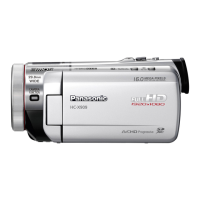
Panasonic HC-X909 - User Manual

Panasonic HC-X909
168 pages
Print Icon
To Next Page IconTo Next Page
Loading...
Operating Instructions
High Definition Video Camera
Model No. HC-X900
HC-X909
HC-X900M
HC-X800
Before use, please read these instructions completely.
VQT4D01
until
2012/1/31
HC-X900&X900M&X800EP-VQT4D01_mst.book 1 ページ 2012年1月12日 木曜日 午前10時44分

Table of Contents

Questions and Answers

  • A
    Amy BuchananSep 9, 2025
    Why doesn't VIERA Link work on my Panasonic HC-X909?
    • A
      Alejandro EdwardsSep 9, 2025
      To troubleshoot VIERA Link: * Connect with a HDMI mini cable (optional). * Touch MENU , then touch [SETUP] # [VIERA Link] # [ON]. * Turn the unit off and then back on again. * If the TV input does not switch automatically, switch the input using the TV remote control. * Check the VIERA Link setting on the connected device.
  • J
    Jennifer GuzmanAug 23, 2025
    What to do if my Panasonic HC-X909 Camcorder is not detected by PC via USB?
    • J
      jacob72Aug 23, 2025
      If your Panasonic Camcorder is not detected by the PC when connected via USB, try the following: * Re-insert the SD card into the unit, then reconnect the supplied USB cable. * Try a different USB terminal on your PC. * Restart the PC and turn on the unit again before reconnecting the USB cable.
  • N
    Nancy SavageAug 25, 2025
    Why are the images squeezed horizontally when my Panasonic HC-X909 is connected to the TV?
    • S
      stonelaurenAug 25, 2025
      If images are squeezed horizontally when your Panasonic Camcorder is connected to the TV, select the correct channel on your TV that matches the input used for the connection. Also, change the [TV ASPECT] setting on the camcorder to match the aspect ratio of your TV and change the setting of the unit depending on the cable connecting to the TV.
  • D
    Dr. Benjamin DuncanAug 26, 2025
    Why does my Panasonic Camcorder battery run down so quickly?
    • J
      Julia HarrisonAug 27, 2025
      There are several reasons why your Panasonic Camcorder's battery might be draining quickly. Ensure the battery is fully charged. Keep in mind that battery life is shorter in cold environments. Also, batteries have a limited lifespan. If the battery still drains quickly after a full charge, it likely needs replacing.
  • J
    jamiemcmillanAug 27, 2025
    What to do if my Panasonic HC-X909 Camcorder does not operate normally?
    • A
      Ashley SmithAug 28, 2025
      If your Panasonic Camcorder is not operating normally, remove the battery or AC adapter, wait about a minute, and then reconnect it. Wait another minute before turning the unit back on. If this doesn't restore normal operation, detach the power and consult the dealer from whom you purchased the unit.
  • P
    Patricia SellersAug 29, 2025
    Why does my Panasonic HC-X909 Camcorder arbitrarily stop recording?
    • K
      Kim MerrittAug 29, 2025
      Your Panasonic Camcorder may stop recording for several reasons: * Ensure you are using an SD card suitable for motion picture recording. * Format the SD card or built-in memory using the unit, as the recordable time may have shortened due to deterioration of data writing speed or repeated recording and deletion. * If [AGS] is set to [ON], record in the normal horizontal position or set [AGS] to [OFF].
  • L
    lgillSep 18, 2025
    What to do if the SD card is not recognized in my Panasonic HC-X909 Camcorder?
    • E
      Edward RuizSep 18, 2025
      If the SD card is formatted on a PC, it may not be recognised by this unit. Use this unit to format SD cards.
  • W
    William GardnerSep 19, 2025
    Why doesn't the remote control function on my Panasonic HC-X909?
    • W
      wendykellySep 22, 2025
      The remote control may not function if [REMOTE CONTROL] of the [SETUP] is [OFF]. Also, the button-type battery of the remote control may be run out, so replace it with a new button-type battery.
  • K
    Kelly McgeeSep 7, 2025
    Why is my SD card not recognized when inserted in another device from Panasonic HC-X909?
    • T
      Tamara SanchezSep 7, 2025
      Check that the device is compatible with the capacity or type of SD card (SD Memory Card/SDHC Memory Card/ SDXC Memory Card) that you inserted. Refer to the operating instructions of the device for details.
  • A
    Ann RodriguezSep 4, 2025
    Why does the colour or brightness change on my Panasonic HC-X909 Camcorder, or why do I see horizontal bars?
    • J
      Jack HallSep 5, 2025
      If you observe color or brightness changes, or horizontal bars in the image, it may be due to recording under fluorescent, mercury, or sodium light. In Motion Picture Recording Mode, switch to Intelligent Auto Mode or set the shutter speed to 1/100 in areas where the power supply frequency is 50 Hz, or 1/125 in areas of 60 Hz.

Panasonic HC-X909 Specifications

General IconGeneral
Sensor TypeMOS
Optical Zoom20x
Recording MediaSD/SDHC/SDXC Memory Card
Video FormatAVCHD, MP4
Maximum Video Resolution1920 x 1080
Audio FormatDolby Digital 2ch
HDMI OutputYes
Maximum Aperturef/1.5 - f/3.6
Image StabilizationOptical
ViewfinderYes
Frame Rate60p, 60i
USBUSB 2.0
Battery TypeLithium-ion
LCD Screen Size3.5 inches

Related product manuals







