112
VQT2B44
3
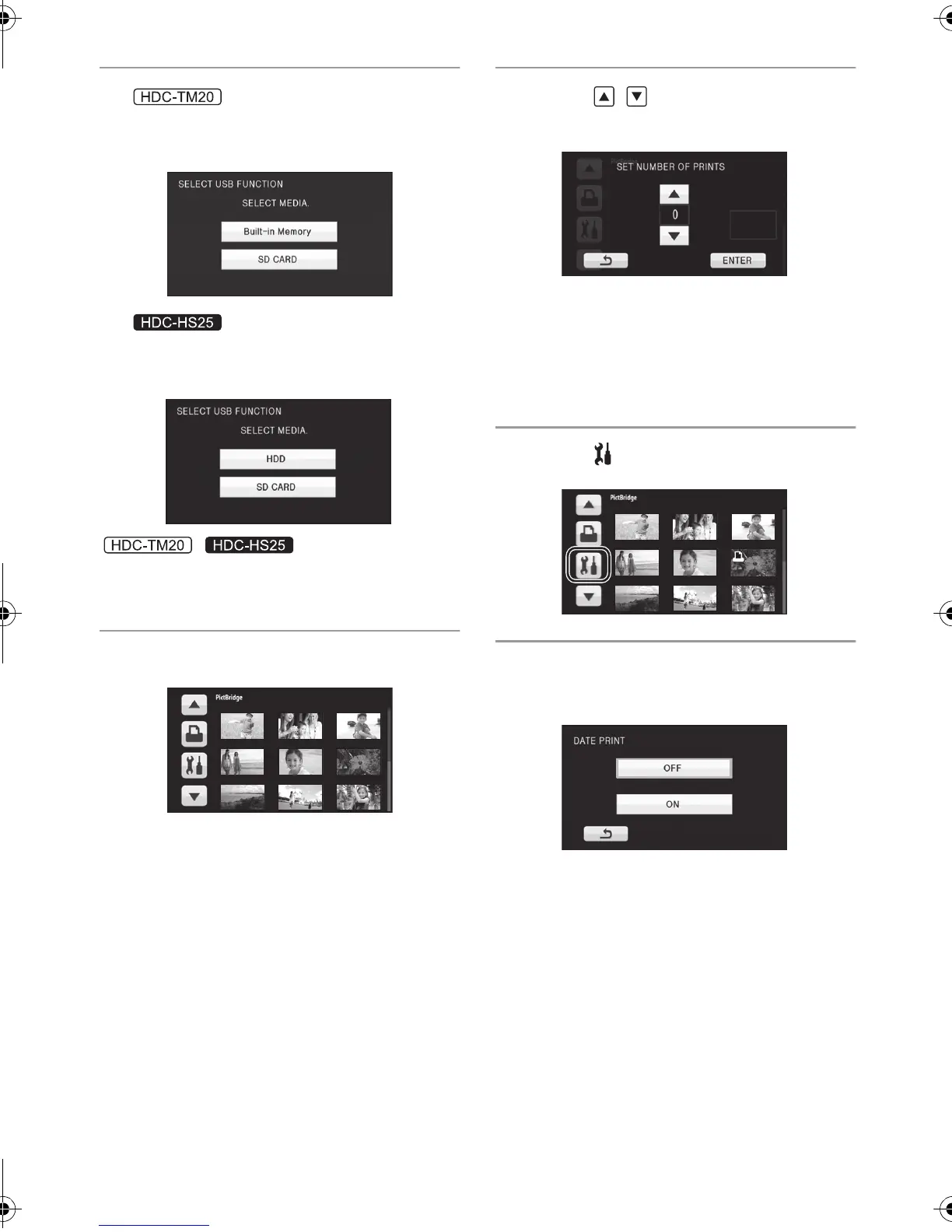
Select print source media and
touch the icon.
Select print source media and
touch the icon.
/
≥ If the [PictBridge] indication does not appear or
continues to flash, disconnect and then
reconnect the USB cable.
4 Touch a still picture to be printed.
5 Touch / to set the number of
prints.
≥ Touch [ENTER] after the number of prints is
set.
≥ You can set up to 9 prints.
≥ To cancel the setting, set the number of prints
to [0].
≥ Up to 99 files can be set in succession.
6 Touch .
7 Touch [DATE PRINT]
to select the
date print setting.
≥ If the printer is not capable of date printing, this
setting is unavailable.
HDCSD20&TM20&HS25EB-VQT2B44_mst.book 112 ページ 2009年1月5日 月曜日 午後2時44分















 To Next Page