EasyManua.ls Logo

Panasonic KX-A406 - User Manual

Panasonic KX-A406
24 pages
Print Icon
To Next Page IconTo Next Page
Loading...
Quick Start Guide
SIP Cordless Phone
SIP Cordless Handset
Model No.
KX-TGP600
Model No.
KX-TPA60
Français
SIP Wireless Desk Phone
Model No.
KX-TPA65
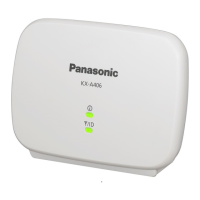
DECT Repeater
Model No.
KX-A406
English

Other manuals for Panasonic KX-A406

Questions and Answers

  • C
    Christine GibsonAug 13, 2025
    Why is the audio quality poor on my Panasonic Repeater?
    • M
      mullenchaseAug 13, 2025
      If you experience poor audio quality with your Panasonic Repeater, it might be due to range issues. Try moving the repeater closer to the CS (base station). Also, ensure that the PS (portable station) is closer to the repeater.
  • L
    Linda LucasAug 16, 2025
    What to do if Panasonic Repeater cannot be registered in Easy Registration mode?
    • N
      Nicholas LopezAug 16, 2025
      If your Panasonic Repeater cannot be registered in Easy Registration mode and the process repeats automatically, the CS (base station) might be out of range. Try moving the repeater closer to the CS. Also, ensure that the CS is turned on.
  • M
    Mrs. Katelyn BishopAug 20, 2025
    How to fix Panasonic KX-A406 Repeater STATUS indicator flashing green and red?
    • V
      Victoria AvilaAug 20, 2025
      If the STATUS indicator and RSSI/ID indicator on your Panasonic Repeater flash green and red alternately, creating an alarm indication, it means the repeater's ID is the same as another repeater registered to the same CS. To resolve this: 1. Press the PROGRAM button to enter ID Confirmation mode. 2. Check the IDs of both repeaters. 3. Enter ID Modification mode by pressing and holding the PROGRAM button for 5 seconds. 4. Change the ID of the repeater to avoid overlap.
  • J
    johnsonrachelAug 25, 2025
    What to do if Panasonic KX-A406 can't register in Manual Registration mode?
    • K
      kellywoodardAug 25, 2025
      If your Panasonic Repeater cannot be registered in Manual Registration mode and the process keeps repeating, first confirm that the destination repeater is turned on. Also, ensure that the selected ID matches the ID of the destination repeater. To change the selected ID: 1. Check the ID of the destination repeater in ID Confirmation mode. 2. Enter Manual Registration mode by pressing and holding the PROGRAM button for 5 seconds while the repeater’s STATUS indicator is flashing red, and releasing it. 3. Select the ID that matches the destination repeater in manual registration again.
  • D
    debraperezAug 28, 2025
    How to fix Panasonic Repeater that does not turn on?
    • M
      Melissa HammondAug 28, 2025
      If your Panasonic Repeater does not turn on, ensure that the AC adapter is properly connected to both the repeater and the AC outlet.
  • P
    patrickrangelSep 1, 2025
    Why does my Panasonic KX-A406 disconnect when moving between zones?
    • A
      Adam SilvaSep 1, 2025
      If you hear an alarm or continuous noise, or your call is disconnected when talking and moving between zones with your Panasonic Repeater, it indicates the new zone is busy, preventing handover. Return to the original zone to continue your call.
  • C
    Cheryl HunterSep 4, 2025
    Why is my Panasonic PS beeping?
    • D
      Danielle CookSep 4, 2025
      If your Panasonic PS is beeping, it means the verification tone is turned on. You should turn the verification tone off.
  • W
    William SmithSep 8, 2025
    What to do if Panasonic KX-A406 Repeater call stops when moving between zones?
    • L
      lmoralesSep 8, 2025
      If a ringing call suddenly stops when moving between CS/repeater zones with your Panasonic Repeater, it's due to a delay when moving from a CS zone to a repeater zone while receiving a call in group ring mode. Answer the call before moving between zones to prevent this.

Summary

Quick Start Guide

Manual Overview

This manual describes setup and safety information of the unit.

Related Documentation

Lists Operating Instructions, Administrator Guide, and Installation Manual.

Setup Procedures

KX-TGP600 Configuration

Configure KX-TGP600 settings via Web UI with administrator.

Registering Handsets (KX-TPA60;KX-TPA65)

Steps to register up to 8 handsets to the base unit.

Registering Repeater (KX-A406) - Easy Registration

Easy registration process for the DECT repeater to a cell station.

KX-A406 Registration to Base Unit

Detailed steps for registering the KX-A406 repeater to the KX-TGP600 base.

Other Registration Methods

Details for registering to other Panasonic phones or base units.

Safety Information

Explanation of Symbols

Defines symbols used for hazard levels and instruction types.

General Safety Precautions

Core precautions to reduce risk of injury, shock, fire, and damage.

Operating Precautions

Guidelines for safe operation, power connections, and product placement.

Product Usage and Handling

Specific advice on AC adaptors, RF exposure, child safety, and mounting.

Important Safety Instructions

Key safety rules for water, storms, gas leaks, and electrical hazards.

Battery Handling and Disposal

Instructions for battery use, disposal, and mixing old/new batteries.

Panasonic KX-A406 Specifications

General IconGeneral
BrandPanasonic
ModelKX-A406
CategoryRepeater
LanguageEnglish

Related product manuals